Home Blog Page 302

Enhancing Cloud-Native Container Security with Machine Learning

0

The Advent of Containerized Applications and the Rise of Container Security Risks

The advent of more powerful processors in the early 2000’s shipping with support in hardware for virtualisation started the computing revolution that led, in time, to what we now call the cloud. With single hardware instances able to run dozens, if not hundreds of virtual machines concurrently, businesses could offer their users multiple services and applications that would otherwise have been financially impractical, if not impossible.

But virtual machines (VMs) have several downsides. Often, an entire virtualised operating system is overkill for many applications, and although very much more malleable, scalable, and agile than a fleet of bare-metal servers, VMs still require significantly more memory and processing power, and are less agile than the next evolution of this type of technology – containers.

Container-specific security risks

  • Misconfiguration: Complex applications are made up of multiple containers, and misconfiguration – often only a single line in a .yaml file, can grant unnecessary privileges and increase the attack surface. For example, although it’s not trivial for an attacker to gain root access to the host machine from a container, it’s still a too-common practice to run Docker as root, with no user namespace remapping, for example.
  • Vulnerable container images: In 2022, Sysdig found over 1,600 images identified as malicious in Docker Hub, in addition to many containers stored in the repo with hard-coded cloud credentials, ssh keys, and NPM tokens. The process of pulling images from public registries is opaque, and the convenience of container deployment (plus pressure on developers to produce results, fast) can mean that apps can easily be constructed with inherently insecure, or even malicious components.
  • Orchestration layers: For larger projects, orchestration tools such as Kubernetes can increase the attack surface, usually due to misconfiguration and high levels of complexity. A 2022 survey from D2iQ found that only 42% of applications running on Kubernetes made it into production – down in part to the difficulty of administering large clusters and a steep learning curve.

Container Security with Machine Learning

The specific challenges of container security can be addressed using machine learning algorithms trained on observing the components of an application when it’s ‘running clean.’ By creating a baseline of normal behaviour, machine learning can identify anomalies that could indicate potential threats from unusual traffic, unauthorised changes to configuration, odd user access patterns, and unexpected system calls.

ML-based container security platforms can scan image repositories and compare each against databases of known vulnerabilities and issues. Scans can be automatically triggered and scheduled, helping prevent the addition of harmful elements during development and in production. Auto-generated audit reports can be tracked against standard benchmarks, or an organisation can set its own security standards – useful in environments where highly-sensitive data is processed.

Final Word

Machine learning can reduce the risk of data breach in containerised environments by working on several levels. Anomaly detection, asset scanning, and flagging potential misconfiguration are all possible, plus any degree of automated alerting or amelioration are relatively simple to enact.

The transformative possibilities of container-based apps can be approached without the security issues that have stopped some from exploring, developing, and running microservice-based applications. The advantages of cloud-native technologies can be won without compromising existing security standards, even in high-risk sectors.

FAQs

Q: What are the main container-specific security risks?
A: Misconfiguration, vulnerable container images, and orchestration layers are the main container-specific security risks.

Q: How can machine learning address container security risks?
A: Machine learning algorithms can detect anomalies, scan image repositories, and flag potential misconfiguration, helping to reduce the risk of data breach in containerised environments.

Q: Can container security be compromised?
A: Yes, misconfiguration, vulnerable container images, and orchestration layers can compromise container security, making it essential to implement robust security measures, such as machine learning-based solutions.

Netflix and Dine

0

Netflix Bites: A Year-Long Restaurant Experience in Las Vegas

New Concept in Town: Netflix Bites

You can now dine out on dishes inspired by Netflix movies and shows at Las Vegas’s newest restaurant, Netflix Bites, which has just opened its doors at the MGM Grand Hotel & Casino. This unique concept will operate for a year, offering breakfast, lunch, and dinner options that will transport you to your favorite Netflix shows and movies.

Inspired Menus

The restaurant’s menu is designed to thrill fans of popular Netflix series and films. Some of the standout dishes include:

  • A Bridgerton-inspired tea service
  • Stranger Wings, a twist on traditional chicken wings
  • Nachos crafted by Wednesday’s Thing, inspired by the popular character from the hit show
  • DIY Nailed It! cakes, where you can create your own sweet treats
  • An assortment of drinks, including the "Love is Blind" cocktail, which lets you combine flavors for a surprise

A Pop-Up Success Story

This isn’t the first time Netflix has ventured into the food service industry. A Netflix Bites pop-up restaurant was previously open for a month in Los Angeles in 2023. However, this new year-long residency in a popular tourist destination like Las Vegas will offer a broader reach and more marketing opportunities.

Netflix’s Expansion into In-Person Experiences

Netflix has been expanding its presence in the in-person experience space in recent years. In addition to its restaurants, the company has launched live events like The Queen’s Ball: A Bridgerton Experience; Stranger Things: The Experience; and Squid Game: The Experience, which are now open in New York, Madrid, and Sydney. Another event, Netflix House, is set to debut in Dallas and Philadelphia in 2025.

Conclusion

Netflix Bites is a unique dining experience that combines the world of Netflix with the world of food. Whether you’re a fan of shows like Bridgerton or movies like Stranger Things, there’s something for everyone at this innovative restaurant. Don’t miss out on the opportunity to indulge in a culinary adventure inspired by your favorite Netflix content.

FAQs

Q: Where is Netflix Bites located?
A: Netflix Bites is located at the MGM Grand Hotel & Casino in Las Vegas.

Q: How long will Netflix Bites be open?
A: Netflix Bites will be open for a year.

Q: What types of dishes can I expect to find at Netflix Bites?
A: The restaurant offers a variety of breakfast, lunch, and dinner options inspired by Netflix shows and movies, including teas, wings, nachos, and desserts.

Q: Is this a one-time event or can I return?
A: Netflix Bites is a year-long residency, so you can return multiple times to try different dishes and enjoy the unique experience.

Warriors of Code

0

Wojtek G: A Story of Passion and Creativity

Early Beginnings

I graduated from the Akademia Górniczo-Hutnicza in Kraków, Poland, with a degree in metallurgy. However, my true passion has always been the arts. I’ve been drawn to music, poetry, and visual arts. I’ve even taught myself Photoshop to a level that satisfies my creative needs.

The Quest for Unpredictability

I’m fascinated by the idea of controlling the uncontrollable. I’m intrigued by the creative process and the time gap between hitting the "create" button and the image that appears. How close is it to the image in my mind? This curiosity drives me to explore the world of AI graphics.

A Career in Metallurgy and Beyond

After two years of working in my profession under the communist regime, I made the decision to immigrate to the USA. For 30 years, I lived and worked as a tractor trailer driver, proudly being a member of the Teamsters Union. In 2018, I returned to my home in Poland with my wife, eager to reconnect with my roots and pursue my creative endeavors.

The Present and Future

Now, I’m inspired to share my story, highlighting the importance of following one’s passion, even if it seems unconventional. I believe that embracing the unpredictable nature of AI graphics can lead to new and exciting creative opportunities. I’m excited to see where this journey will take me and what unique perspectives I’ll discover along the way.

FAQs

Q: What inspired you to pursue a career in metallurgy?
A: I was interested in the technical aspects of materials and their properties, which led me to study metallurgy.

Q: How did you learn Photoshop?
A: I taught myself Photoshop, driven by my passion for visual arts.

Q: What drew you to AI graphics?
A: I’m intrigued by the unpredictability of AI graphics and the creative possibilities it offers.

Q: What are your plans for the future?
A: I’m excited to continue exploring the world of AI graphics and sharing my story with others, inspiring them to follow their own creative paths.

Master Performance Review Best Practices

0

Performance reviews have long been a staple of traditional performance management. But in a workplace where continuous feedback reins, employee reviews are ripe for transformation.

The old playbook of rigid templates and simplistic rating scales needs rethinking. An employee’s performance is multi-faceted. It’s complex. This realization has prompted forward-thinking companies like Google to abandon stack ranking methods.

Our research shows performance management is one of the most-felt aspects of culture. Leveling up your performance reviews can improve your culture—if, and only if, you put coaching, growth, and alignment center stage.

Evolving your performance reviews may seem overwhelming, but you must start somewhere. With the right performance review best practices, reviews can become a strategic lever. They can elevate engagement, performance, and success across your organization.

10 performance review best practices for HR

HR professionals play a pivotal role in performance reviews. You’re the architects of the performance review process: including the what, why, and how. You’re responsible for shaping a system that reflects the nuanced needs of the business and its people. These 10 best practices will help you think beyond administration to actively enable a culture of employee success.
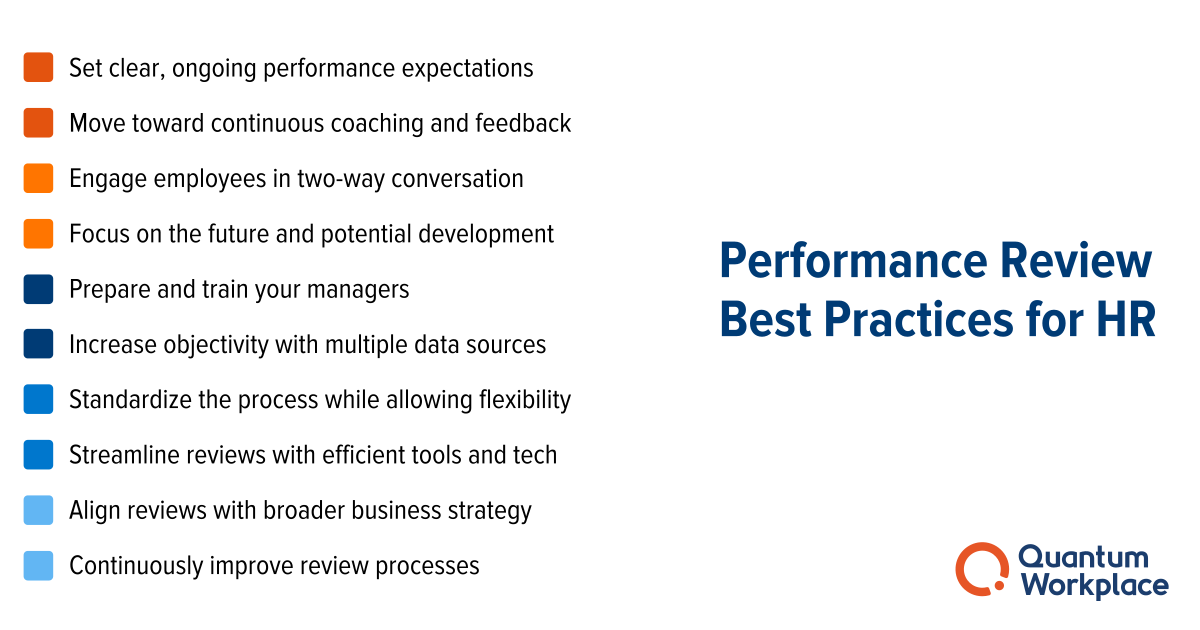
performance review best practices


1. Set clear and ongoing performance expectations.

Imagine walking into a room, blindfolded, with the task of hitting a bullseye. Now, take off the blindfold, and you see not one but several dartboards, each with different scoring rules. That’s what performance reviews can feel like without clear expectations—disorienting and aimless.

Employees need to know what success looks like. Your people leaders need to remove the blindfolds and clarify where to aim. This requires clearly defined, well-communicated performance criteria that syncs with what’s most important to your company.

As an HR leader, it’s your role to help leaders clarify what is great performance. And to make sure employees understand not just the “what” but the “how” of performance. They should know exactly how their performance will be measured and what it means to meet, exceed, or fall short of expectations—and how to improve to reach the next level.

When everyone is clear what success looks like, review anxiety fades. Employees can steer their efforts confidently, having clarity on what’s valued and expected of them.

2. Move toward continuous coaching and feedback.

Effective performance management is less about the year-end crescendo and more about the ongoing rhythm of feedback and coaching. Prioritizing a continuous performance management approach can transform the very nature of your teams’ performance review conversations.

Coaching shouldn’t be a sporadic event. In the most effective teams, it happens in the moment and on the job. When a salesperson nails a pitch, immediate feedback cements what went right. When a project misses the mark, prompt feedback encourages learning and improvement.

This regular rhythm of feedback turns managers into coaches. Training them in the art of real-time feedback equips them to become performance enablers. They can help employees correct course, celebrate wins, and build on successes as they happen.
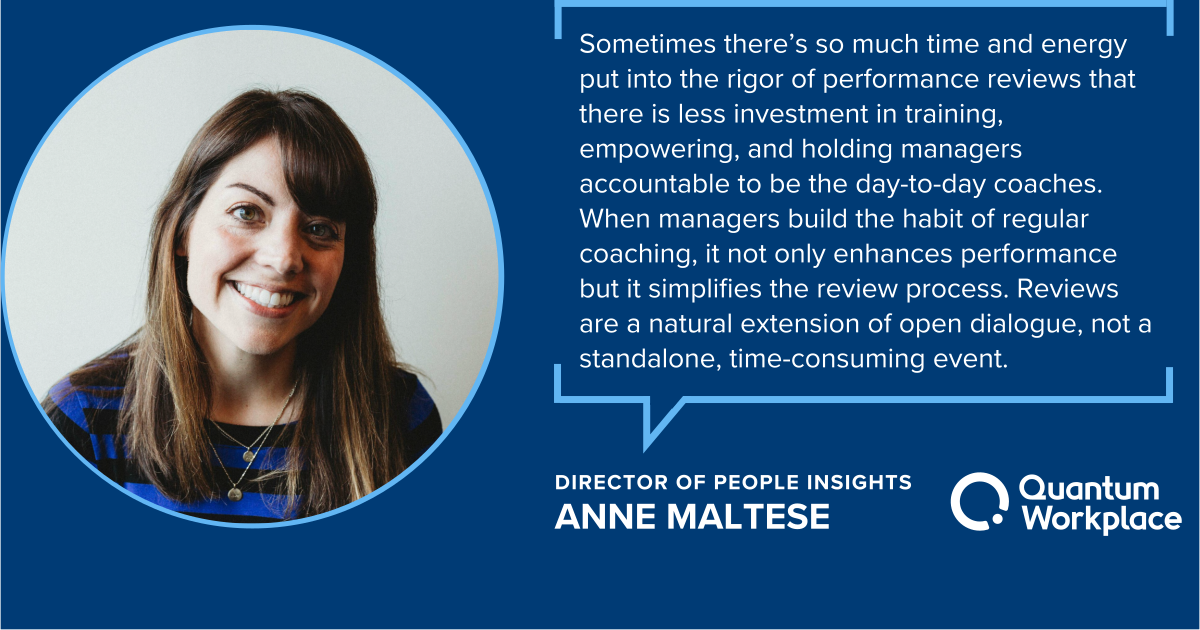
Anne maltese performance review quote 1

When the time comes for formal evaluations, the dialogue is free of surprises. Managers and employees enter the conversation with a shared history of feedback. The process becomes a collaborative review of known facts rather than a stressful, annual revelation. And managers and employees can spend more time discussing the future.

3. Engage employees with two-way conversation.

Performance reviews have historically been a one-way street—management speaking, employees listening. This approach turns reviews into a dreaded monologue. Employees passively receive feedback and end up feeling more like subjects than participants. They feel undervalued and disengaged. As a result, the entire review process is reduced to a tick-box exercise that fails to inspire or incite real development. No one enjoys it. No one finds meaning it. No one cares.

Two-way dialogue demystifies performance reviews. It’s a shift from a top-down assessment to a collaborative exchange. Employees can bring their own reflections to the table. What did they excel in? Where do they see room for growth?

This is not just about accountability; it’s about ownership. When employees are co-navigators, they take a vested interest in the direction of their growth and the success of the organization. And it transforms reviews from a corporate routine to a meaningful exchange in which everyone finds value.

4. Focus on the future and potential development.

Consider a gardener tending to plants. The past season’s growth is important. But it’s the preparation for the upcoming season that ensure continued flourishing. When we focus on past achievements in performance reviews, we miss the mark on cultivating future growth.

Reviews are an opportunity to nurture performance and potential. Managers can uncover runways and roadblocks—and identify skills, knowledge, and opportunities needed for professional development. They can work with employees to build conditions for thriving.

It’s important to ask not only what goals have been met—but what ambitions lie ahead. Aligning employee aspirations with the organization’s trajectory sets the stage for growth that benefits everyone. Performance reviews become forward-looking commitments. And employees can leave with a clear path to their development ahead, boosting engagement.

5. Prepare and train your managers for effective reviews.

Like a skilled captain guiding a ship, managers are the primary navigators of your performance review process. Their attitude and expertise shape every part of your performance management cycle. Training managers for this role involves more than a briefing. Your managers need continuous coaching, training, and support for effective performance reviews.

You want to train managers not just on the mechanics of the review process, but also the soft skills that are core to your performance approach. Hands-on training (like simulated reviews) helps managers practice praise and feedback in different scenarios. Emotional intelligence training helps them deliver feedback that inspires and motivates. Conflict resolution helps them turn even the toughest conversations into opportunities for growth.

You should also cover the specifics of your organization’s review process. Managers should understand how to set objectives, measure performance, and align goals with company strategy. Create a feedback loop where managers seek and receive input on how reviews are going. This not only models a culture of continuous improvement—it helps you refine the review process itself, ensuring it’s a meaningful experience for everyone involved.

Adequate training helps your managers build confidence. It ensures they feel equipped to handle the nuanced dynamics in review conversations.

6. Incorporate multiple data sources for objective reviews.

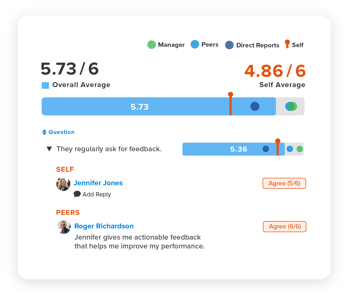
Employee performance is complex. Relying on a single thread of data creates an incomplete, often misleading picture. Objective performance reviews thrive on rich and varied data that encompasses many facets of an employee’s contributions. This helps ensure fairness and mitigate bias, painting a fuller picture of employee impact.

Consider integrating 360 feedback from a variety of stakeholders. Peer reviews, customer feedback, and self-assessments are great tools. Each perspective offers unique insights, highlighting successes and growth opportunities that might otherwise go unnoticed.

Be sure to look beyond quantitative data. Metrics like sales figures and customer satisfaction scores are tangible evidence of performance. But balance is key. Not all valuable contributions are easy to measure. Managers should recognize efforts in team collaboration, creativity, adaptability—and whatever other competencies and values matter to your business.

Finally, technology plays a pivotal role in aggregating and analyzing this data. Modern performance management systems can track and compile information from various sources, providing a comprehensive overview at performance review time. This not only streamlines the review process but also supports a culture of transparency and accountability.

7. Standardize the process while allowing flexibility.

Crafting an effective performance review process is like drawing a map. The route must be clear and well-marked, so everyone can reach the destination. But there’s a need for paths that accommodate different modes of travel, acknowledging that one size doesn’t fit all.

Standardizing core elements of your performance reviews help ensure consistency and fairness. Things like review cycles and rating scales should be uniform to maintain clarity and equity. This will help prevent confusion and set a baseline expectation for all employees.

But the beauty of a well-designed process lies in its flexibility. Different teams and roles may require tailored approaches to effectively assess performance. For instance, a creative team might need to emphasize innovation and collaborative projects. While a sales team might focus more heavily on targets and customer feedback. You can allow flexibility in how goals are set, how feedback is gathered, and how success is measured.

To navigate this balance, provide clear guidelines on what is standard and what is flexible. Training your managers is key here. They need to understand how to apply the core principles of your process while adapting to their team’s nuances.

8. Streamline reviews with efficient tools & tech.

Pen-and-paper reviews are not effective. They are cumbersome, time-consuming, and offer little value to the business and your teams. You need performance review software to help streamline your processes. The right partner can help transform reviews from a logistical nightmare into a strategic asset.

The ideal performance management software is user-friendly and integrates effortlessly into daily routines. It facilitates a wide variety of performance activities like:

  • Goals
  • Feedback
  • 1-on-1s
  • Recognition
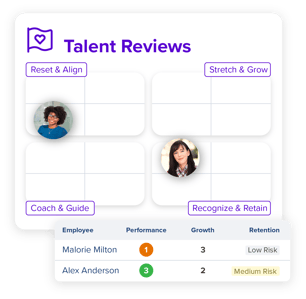
  • Talent Reviews
  • Succession Planning

This shift from manual to digital doesn’t just save time. It enhances quality of feedback, capabilities of managers, and the overall review experience. Performance management becomes a seamless part daily operations rather than an intrusive, standalone task. Managers and employees can have ongoing dialogue that helps them align and pivot. Performance stays top of mind and employees can take charge of their own development.

Adopting a performance management platform also:

  • Eliminates the clutter of paperwork
  • Reduces the risk of lost information
  • Provides a secure, centralized space for sensitive performance data
  • Gives leaders visibility into employee performance across the board

9. Align reviews with broader business strategy.

Performance reviews should point toward the broader goals and strategies of your organization. When employee goals are aligned with the company’s vision, it clarifies purpose and creates a sense of significance. This alignment transforms reviews from isolated evaluations into pivotal discussions about how each employee can move the business forward.

Make sure employees at all levels of the organization understand strategic goals. This knowledge is the backbone of effective review. It enables managers and employees to see their roles through the lens of what matters to the company. When an employee understands how their work fits into the bigger picture, engagement and motivation naturally increase.

Also consider how to weave your company’s core values into the review process. Surfacing these values and discussing them with employees helps strengthen your culture. It’s not just about what is getting done, but how it is getting done.

10. Continuously improve review processes.

Your performance review system needs ongoing assessment and improvement. You want to make sure it remains effective, efficient, and engaging for all employees. Continuous improvement will require feedback from your stakeholders.

Consider your employees as co-creators of your process. Actively seek out feedback on your performance review process and be open to change. After each review cycle, ask your managers and teams about their experiences.

  • What worked well?
  • What didn’t?
  • Are there areas that felt redundant or aspects that were missing?

Use this input to refine your approach. Perhaps the timeline for reviews needs adjusting, or the software used could be more intuitive. Maybe the criteria for evaluation need updating to reflect new company priorities. Each piece of feedback is a chance to fine-tune the process, making it more efficient and meaningful for all parties involved.
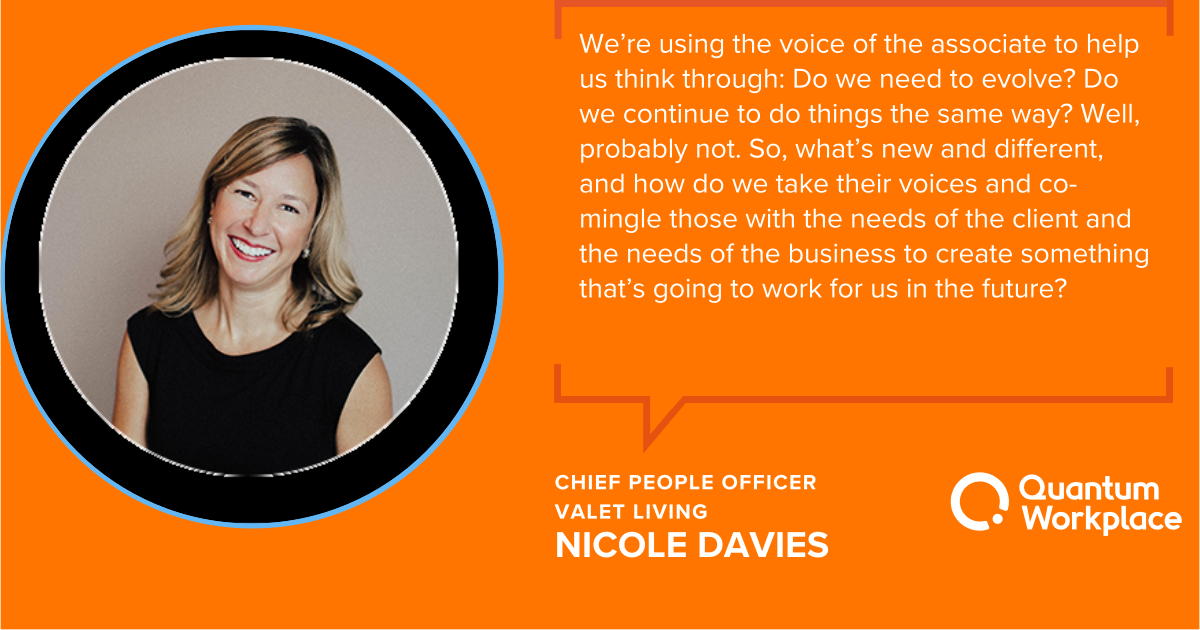
performance review nicole davies quote


Importantly, communicate changes and the reasons behind them to the entire organization. Transparency about how feedback has shaped the review process reinforces a culture of trust and continuous improvement. It shows that the company values input from its workforce and is committed to making performance reviews a positive and productive experience.


Performance reviews don’t have to be a disjointed, logistical nightmare. 

As your organization grows and scales, you need better tools for better performance reviews. Quantum Workplace offers flexible performance review software that saves time and sparks action across your team. We help make your process seamless and efficient—equipping your teams with the insights and tools they need for meaningful, growth-focused conversations. You can easily set up and tailor reviews to fit your growing teams, building YOUR process YOUR way. Our AI-powered tools help your teams have more impactful conversations, more efficiently.

4_performance-reviews_product-imagery

1. Customize reviews to fit your needs. 

Easily measure what you want, when you want with flexible review modules that you can tailor to fit the needs of your culture and the various groups within it. 

Learn More >>


2. Seamlessly integrate performance reviews into your broader performance management system.

Reviews work better when they’re connected to your performance management ecosystem. We work with you to build a process that works for you and your goals. 

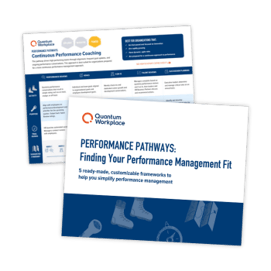
Not sure where to start? Check out our Performance Pathways for ready-to-use (but still customizable!) frameworks that make it easy to launch or evolve your performance management approach.

performance-pathways-ebook-listing_featured


1_performance-reviews_product-imagery


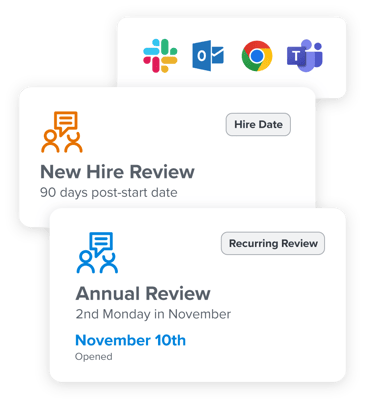
3. Simplify & automate cycles to save valuable time.

With automated invites and reminders, let technology handle the administrative tasks—so you don’t have to. Get a fast, easy-to-implement solution that reduces manual effort and drives efficiency from day one.

Learn More >>


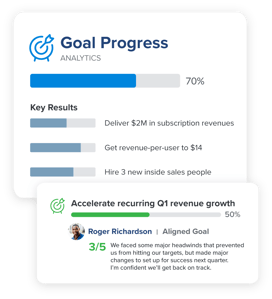
4. Easily aggregate & summarize performance data for more insightful review conversations.

✨Ask AI helps your managers and employees reference past performance data directly within the review. And we make it easy to pull in context from 1-on-1s, goals, recognition, talent reviews, and feedback. As your teams engage in performance activities throughout the year, they’ll benefit from richer data, context, and insight. This helps managers and employees easily pull together review content, reduces recency bias, and personalizes each conversation.

Learn more about our AI solutions >>

3_performance-reviews_product-imagery


360Feedback_EmployeeMagnetism_7.1


5. Facilitate stress-free, meaningful, growth-focused conversations—powered by AI.

Managers notoriously hate writing reviews, and HR lives in constant fear of what they might say. Our AI-assisted workflows flip the status quo on its head and make writing clear, succinct, and constructive feedback easy. 

✨Writing Assistant: improve the clarity, brevity, and tone of feedback at each step of the review writing process.
✨Summary Assistant: pull all feedback together—and generate suggested habits for growth—to create an actionable plan for employees after the review.

Try our AI-powered Summary Assistant for free >>


6. Visualize and align on organization-wide performance data to guide talent development strategy.

Get a comprehensive view of your organization’s talent to identify high and low performers with our talent dashboard. Zoom out and see the big picture, to help you make more informed decisions on how to keep and develop your best talent.

Learn more about Talent Reviews >>

TalentReviews_EmployeeImpact_6.3


Improving your performance reviews can boost employee, team, and business success. Quantum Workplace’s performance review software helps your managers and teams prepare for, facilitate, and follow up for better reviews and better performance.


QW-logo-color

What I Wish I Knew as a Beginner

0

Beginner Graphic Designers: 11 Pieces of Advice from the Pros

1. "Understand what you’re diving into" – Willkay

Willkay, a London-based artist and graphic designer, emphasizes the importance of thorough research. "One thing I wish I’d known when starting would have been to always gather more research and explore your subject matter in depth, so you understand what you are diving into and what may be useful for your project."

2. "No workplace is perfect" – Judith Raynault

Judith Raynault, a well-travelled designer and illustrator, advises that no workplace is perfect. "No workplace is perfect – be it as an employee or as self-employed – so choose one that allows you to live your version of success. This might take time to discover, and your version of success might change along the way, and that’s okay. Follow your curiosity and try all the things."

3. "Define what matters to you" – Liam Morrow

Liam Morrow, a multi-disciplinary creative and lecturer, suggests that understanding what matters to you is crucial. "Figure out what’s most important to you, in order to be able to take the right jobs and leave the ones that don’t align with your goals."

4. "Make a zine" – Alexandra Gallant-Lee

Alexandra Gallant-Lee, an artist, designer, illustrator, and cartoonist, recommends creating a zine as a passion project. "Everybody should make a zine about something they love, knowing that even if nobody else sees it, they have made something about a thing they love that is real and in the world and that they now get to hold in their hand."

5. "Know when to stop" – Lizzie Knott

Lizzie Knott, an illustrator and graphic designer, suggests knowing when to stop working on a project. "Take breaks and step back. It is so easy to overwork an illustration, especially when there isn’t a deadline or you’re really absorbed by the piece. Know when to stop, take a break from the work and step back to observe how it is coming along – you’ll often find that it gives you a new perspective."

6. "Don’t jump into freelance" – Von Glitschka

Von Glitschka, creative director of Glitschka Studios, advises against jumping into freelance work immediately. "Don’t jump into freelance immediately. Work for a design firm, or agency first. Get the base experience and learn from the seasoned pros, glean their insight. Along the way, work out your own creative process, taking cues from others’ experience, and dedicate yourself to improving it when you discover better methods observed from others."

7. "Hone your ideas early on" – Alixandria Wolfe

Alixandria Wolfe from Poppins Agency suggests that it’s never too early to hone your ideas. "Early on in your design career it’s all about craft – how good you are at bringing life to designs through your software skills. But at some point that switches to how good you are at coming up with the idea, or the thought that inspires a team to create something amazing. Hone that skill early on and it’ll make progressing in your career a lot smoother."

Conclusion

These 11 pieces of advice from the pros offer valuable insights for beginner graphic designers. From the importance of thorough research to knowing when to stop working on a project, these tips can help you navigate the early stages of your design career. Remember to always be open to learning, take breaks, and hone your ideas early on.

FAQs

Q: What is the most important thing to know when starting a design career?
A: Understand what you’re diving into, as recommended by Willkay.

Q: How do I choose the right workplace?
A: Choose a workplace that allows you to live your version of success, as advised by Judith Raynault.

Q: What is the best way to improve my design skills?
A: Hone your ideas early on, as suggested by Alixandria Wolfe.

Q: Should I jump into freelance work immediately?
A: No, it’s recommended to work for a design firm or agency first, as advised by Von Glitschka.

Q: How do I avoid overworking on a project?
A: Take breaks and step back, as recommended by Lizzie Knott.

Sam Altman Dismisses Elon Musk’s Bid to Buy OpenAI

0

OpenAI’s CEO Sam Altman Rejects Elon Musk’s Bid to Take Control of the Company

Background

A group of investors, led by Elon Musk, has made an unsolicited offer to buy all of OpenAI’s assets for $97.4 billion. The bid, which also includes backing from xAI and Valor Equity Partners, a private equity firm run by one of Musk’s closest advisers, Antonio Gracias, has sent shockwaves through the tech industry.

OpenAI’s Stance

In a letter to OpenAI staff, CEO Sam Altman made it clear that the company has no interest in the offer. "Our structure exists to ensure that no individual can take control of OpenAI," Altman wrote. "Elon runs a competitive AI company, and his actions are not about OpenAI’s mission or values." The letter also stated that OpenAI’s board has yet to receive an official offer from Musk and the other investors, and if and when it does, the board plans to reject the bid.

Employee Reactions

Internal reactions to the news at OpenAI have been mixed, with some employees expressing fear and others exasperation. The news has put a spotlight on OpenAI’s board chair, Bret Taylor, who also ran Twitter’s board of directors during Elon Musk’s acquisition of the company.

The Fight between Musk and Altman

Musk has had a long-standing feud with OpenAI, which he co-founded in 2015. He has sued the company multiple times, alleging that it is violating its original commitments as a nonprofit by transitioning to a for-profit company. In addition, Musk has accused OpenAI of secretly working with him to merge the company with Tesla.

OpenAI’s Structure

OpenAI is a nonprofit with a for-profit subsidiary, which is in the process of converting the for-profit arm into a public benefit corporation. This requires OpenAI to name a price for its assets. The company is currently valued at $157 billion based on its latest funding round, and is in talks with SoftBank about leading a $40 billion investment, which would bring the company’s valuation up to $300 billion.

Conclusion

It is clear that OpenAI is committed to maintaining its independence and ensuring that no individual can take control of the company. The bid from Musk and his investors has been rejected, and the company will continue to focus on its mission to advance artificial intelligence for the benefit of all humanity.

FAQs

Q: What is the current valuation of OpenAI?
A: The current valuation of OpenAI is $157 billion, based on its latest funding round.

Q: What is the proposed valuation of OpenAI after a potential investment from SoftBank?
A: The proposed valuation of OpenAI would be $300 billion if SoftBank leads a $40 billion investment.

Q: What is the current status of OpenAI’s board of directors?
A: The OpenAI board of directors has not yet received an official offer from Musk and the other investors, but plans to reject the bid if and when it does.

$320B AI Infrastructure Spending Signals Arms Race

0

Tech Giants’ $320 Billion AI Infrastructure Spending Spree: The Future of AI

The Unwavering Conviction of Tech Leaders

Tech giants are embarking on an unprecedented $320 billion AI infrastructure spending spree in 2025, shrugging off concerns about more efficient AI models from challengers like DeepSeek. Amazon, Microsoft, Google, and Meta are doubling down on their belief that AI represents a transformative opportunity worth every dollar.

The Stakes are High

The collective capital expenditure is expected to jump 30% from 2024’s $246 billion investment. While investors may question the necessity of such aggressive spending, tech leaders are convinced that AI demands bold infrastructure bets, despite (or because of) emerging efficiency breakthroughs.

Amazon: The Pacesetter

Amazon is leading the charge, with a planned $100 billion capital expenditure for 2025 – a dramatic leap from its $77 billion last year. AWS chief Andy Jassy calls AI a "once-in-a-lifetime business opportunity" that demands aggressive investment.

Microsoft: The Bullish Stance

Microsoft’s Satya Nadella is also bullish, with $80 billion earmarked for AI infrastructure in 2025. His existing AI ventures are already delivering, with $13 billion annual revenue and 175% year-over-year growth. Nadella cites the Jevons paradox, arguing that making AI more efficient and accessible will spark an unprecedented surge in demand.

Google: The Big Bet

Google parent Alphabet is pouring $75 billion into infrastructure in 2025, dwarfing analysts’ expectations of $58 billion. Despite market jitters about cloud growth and AI strategy, CEO Sundar Pichai maintains Google’s product innovation engine is firing on all cylinders.

Meta: The Open-Source Approach

Meta is carving its own path by championing an "American standard" for open-source AI models, a strategy that has caught investor attention, particularly given Meta’s proven track record in monetizing AI through sophisticated ad targeting. The company is pouring $60-65 billion into capital spending in 2025 – up from $39 billion in 2024.

The Emergence of DeepSeek

DeepSeek’s efficient AI models have sparked debate in investment circles. Investing.com’s Jesse Cohen voices growing demands for concrete returns on existing AI investments. Yet, Wedbush’s Dan Ives dismisses such concerns, likening DeepSeek to "the Temu of AI" and insisting the revolution is just beginning.

Market Reactions

The market’s response to these bold plans is mixed. Meta’s strategy has won investor applause, while Amazon and Google face more skeptical reactions, with stock drops of 5% and 8% respectively following spending announcements in earnings calls. Yet, tech leaders remain undeterred, viewing robust AI infrastructure as non-negotiable for future success.

Conclusion

The intensity of infrastructure investment suggests that technological breakthroughs in AI efficiency aren’t slowing the race – they’re accelerating it. As big tech pours unprecedented resources into AI development, it’s betting that increased efficiency will expand rather than contract the market for AI services.

Frequently Asked Questions

Q: What is the total investment in AI infrastructure in 2025?

A: The total investment in AI infrastructure in 2025 is expected to reach $320 billion.

Q: Which companies are leading the charge in AI infrastructure spending?

A: Amazon, Microsoft, Google, and Meta are the leading companies in AI infrastructure spending, with planned investments of $100 billion, $80 billion, $75 billion, and $60-65 billion respectively.

Q: What is the significance of DeepSeek’s emergence in the AI landscape?

A: DeepSeek’s efficient AI models have sparked debate in investment circles, with some questioning the necessity of robust AI infrastructure. However, others see DeepSeek as a validation of AI’s expanding potential.

Q: What is the market’s reaction to the bold plans of tech giants?

A: The market’s reaction is mixed, with some tech giants, like Meta, receiving investor applause, while others, like Amazon and Google, face more skeptical reactions.

Adobe Launches ‘Commercially Safe’ AI Video Generator

0

AI Video Generators Unlock New Possibilities for Creatives

AI video generators have revolutionized the way creatives bring their ideas to life, allowing them to generate videos with a quick prompt or reference image. However, using these AI tools in their work can risk copyright lawsuits. Adobe’s Firefly Video Generator tackles this issue.

Firefly Video Generator

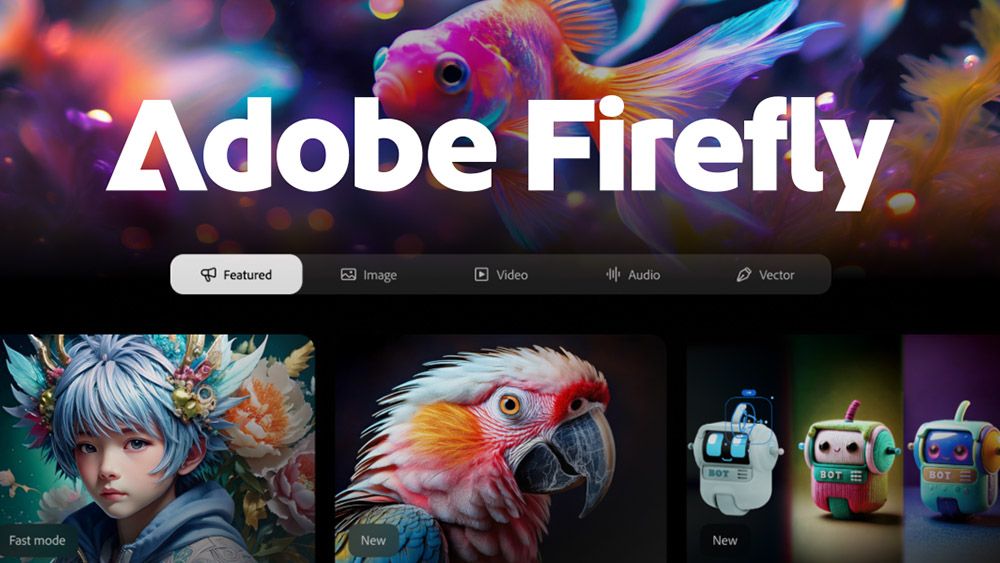
On Wednesday, Adobe launched its Firefly Video Generator, available in two ways: as a public beta for users in the new Firefly web application through Generative Video, which can use a user’s text or images to generate videos, and in Adobe Premiere Pro through Generative Extend, which adds frames to your shot using AI.

Generate Video Experience

The Generate Video experience, powered by the Firefly Video model, allows users to generate video clips from text prompts or images. It also includes several professional-grade customization tools, such as camera angles and cinematic movement. At launch, the videos will support 1080p resolution, with lower resolution and pro-level 4K production coming soon.

Generative Extend in Adobe Premiere Pro

Adobe’s Firefly Video model is also now available in Adobe Premiere through the Generative Extend feature (also in beta), which allows users to expand a clip with AI-generated video and audio that matches the original clip. This feature can help video editors fill in gaps in their timelines without having to go through multiple, complicated steps or find more b-roll.

Competitive Edge

The model’s competitive edge versus models like OpenAI’s Sora is that it is commercially safe, meaning that the model generates only IP-friendly video content because its training dataset does not include trademarked or copyrighted content. This is particularly important for professionals such as filmmakers and marketers who need to use the generated videos in their work.

Transparency and Legal Risks

Of course, when using any AI creation tool, it’s always a good idea to be transparent about your use of AI to build trust with your audience and be aware of potential legal risks that can come with using the technology. To support this transparency, all content generated using the Firefly Video Model contains Content Credentials, a nutrition label for what makes up a photo.

Firefly Web Application

Along with the launch of the Generate Video feature, Adobe introduced a new Firefly web application that hosts many of Adobe’s Firefly tools, enabling users to access AI video and image generation, audio and video translation, and even the generation of professional images from 3D sketches and reference shapes all in one place.

How to Access

Adobe also launched two new Adobe Firefly plan offerings: Firefly Standard and Firefly Pro. The former costs $9.99 a month and grants users access to 2,000 video/audio credits and up to 20 five-second 1080p video generations per month. The Firefly Pro plan, meant for power users, costs $29.99 a month and grants users access to 7,000 video/audio credits and up to 70 five-second 1080p video generations per month.

Conclusion

Adobe’s Firefly Video Generator is an exciting development for creatives, providing a safe and efficient way to generate high-quality video content. With its competitive edge in commercial safety and integration with Adobe Creative Cloud applications, this technology is poised to revolutionize the way we create and edit video content.

FAQs

Q: What is the Firefly Video Generator?
A: The Firefly Video Generator is a new tool from Adobe that uses AI to generate video clips from text prompts or images.

Q: How does the Firefly Video Generator work?
A: The Firefly Video Generator uses a combination of AI and machine learning to generate video clips from text prompts or images.

Q: Is the Firefly Video Generator commercially safe?
A: Yes, the Firefly Video Generator is commercially safe, meaning it generates only IP-friendly video content.

Q: What are the benefits of using the Firefly Video Generator?
A: The Firefly Video Generator provides a safe and efficient way to generate high-quality video content, eliminating the need to find or create additional footage.

Q: How do I access the Firefly Video Generator?
A: You can access the Firefly Video Generator through the new Firefly web application or through Adobe Premiere Pro through Generative Extend.

Bargain Laptop with a Graphic Price

0

Design, Build and Display

The Dell Inspiron 14 (5441) is a no-frills laptop that gets the job done. It has a solid metal build that feels well-made and sturdy, with a smooth hinge that attaches the screen. The design is straightforward and unexciting, with a grey finish that’s not too flashy. The port selection is minimal, but it does have a clean look.

Price

The Dell Inspiron 14 (5441) is priced at £679 in the UK and $649.99 in the US. This is an excellent value for a laptop that can handle everyday tasks like office work and web browsing. The price is significantly lower than the basic MacBook Air M3 model, making it a great option for students or anyone on a budget.

Who is it for?

The Dell Inspiron 14 (5441) is suitable for:

  • Students who need a reliable laptop for note-taking and browsing
  • Home workers who want a simple and affordable laptop for everyday tasks
  • Travelers who require a lightweight and compact laptop

What’s it not for?

  • Gamers who need powerful graphics and processing power
  • Design professionals who require high-end graphics and accuracy
  • Mac enthusiasts who prefer the look and feel of a Mac

Scorecard

Attribute Notes Rating
Design Grey, solid, and every inch the business laptop 3/5
Features Fast USB 4 ports, but a disappointing screen 3/5
Performance The Snapdragon is a good CPU, but it needs more graphics power 3/5
Value Available at a good price, this is a bargain choice 4/5

Buy it if…

  • You want a good office machine
  • You can deal with 2D graphics well
  • You don’t want to spend too much

Don’t buy it if…

  • You want GPU power
  • You like the gamer laptop aesthetic
  • You secretly want a Mac

Also consider…

  • The Lenovo ThinkPad series for a more professional-looking laptop
  • The Asus Vivobook series for a more budget-friendly option
  • The HP Envy series for a more premium laptop experience

FAQs

Q: Is the Dell Inspiron 14 (5441) a good laptop for gaming?
A: No, it’s not suitable for gaming due to its limited graphics capabilities.

Q: Can I use the Dell Inspiron 14 (5441) for video editing?
A: It’s not recommended for video editing due to its limited processing power and graphics capabilities.

Q: Is the Dell Inspiron 14 (5441) compatible with macOS?
A: No, it’s a Windows-based laptop and is not compatible with macOS.

Q: Can I upgrade the storage on the Dell Inspiron 14 (5441)?
A: Yes, you can upgrade the storage by replacing the SSD with a higher-capacity one.

Adobe Launches AI Video Generator

0

Adobe Firefly AI Video Model: A Game-Changer for Professionals

Kling, Sora, and Runway have been the main names to watch for AI video generation, but Adobe has just leapt into the pack with the beta release of its Firefly AI video model. And, based on the demo I was shown, my first impression is that anything it may lack in realism it makes up for in the amount of control it provides, making it potentially the most useful AI video generator for professionals.

Firefly AI Video Capabilities

Firefly AI video can generate video from text prompts and from still image references. And like with its Firefly image model, Adobe claims it’s the industry’s first "commercially safe AI video generation model to market".

Control and Customization

According to Adobe, the Firefly Video Model generates IP-friendly video content that can be used in commercial productions without fear of copyright infringement (though it hasn’t provided much info on training data). For now, it can generate up to five seconds of footage at a time in 1080p resolution at a default 24 fps in vertical or horizontal format. Each generation takes about 90 seconds. Adobe says a lower resolution model for high-speed ideation and a 4K model for professional production are coming soon.

It looks like the biggest advantage of Firefly’s video model is the amount of control it provides – something that’s been difficult in other models. Adobe’s recognized that being able to direct the output is critical to producing usable footage. You can choose shot size (close up, medium, long, etc.), camera angle (aerial, eye-level, high, low, top-down), and camera motion (zoom in, tilt, handheld, etc.) to provide more control over framing and the dynamism of a shot.

Image-to-Video Functionality

The image-to-video functionality allows two images to be uploaded to define the first and last frames of a shot, with the AI generating the movement in between. And like with many image generators, seed number can be used for more consistency in iterations, for example, to keep a similar piece of footage with a different camera angle.

Workflow and Integration

Since Firefly already provides still image generation, Adobe envisions a workflow in which users will generate images in Firefly, edit them in Photoshop, turn them into video in the Firefly video model and then take them into Premiere Pro to edit and integrate them into video projects. This complete workflow, benefiting from the powerful color and masking tools already in Premiere Pro, could give Adobe the edge over rival tools.

Limitations and Future Plans

When the Firefly image model was released, its output often looked less realistic than results from the likes of Midjourney and Stable Diffusion, which were trained with unlicensed material. I’ve not seen enough from Firefly video yet to make a call, but initial results don’t look so far from other models. A lot of the example footage from Adobe is very clearly AI – those whales (below) aren’t going to fool anybody. But the more precise controls make for some strong use cases for Firefly.

New Firefly Web App

To coincide with the addition of the video model in beta, the Firefly web application has been revamped to incorporate access to the new tool.

New AI Image Tool: Scene to Image

Adobe has also added another new AI image tool: Scene to Image in beta. This allows users to design a basic 3D structure in browser and then add a text prompt to turn it into an image.

New Translate Video Tool

There’s also a new Translate Video tool, which Adobe reckons will save time on dubbing and audio mixing. Just don’t think I would rely on it without a native speaker on hand to verify the results.

New Adobe Firefly AI Plans

New models mean new costs. The Firefly video model is free to try, but with limited generations. Adobe’s announced the launch of two Firefly monthly subscription plans: Firefly Standard and Firefly Pro.

Conclusion

Adobe Firefly AI video model is a game-changer for professionals, offering a high degree of control and customization. While it may lack in realism, its capabilities make it a valuable tool for a variety of applications.

Frequently Asked Questions

Q: What is the Firefly AI video model?
A: The Firefly AI video model is a commercially safe AI video generation model that can generate video from text prompts and from still image references.

Q: What are the benefits of Firefly AI video model?
A: The Firefly AI video model provides a high degree of control and customization, allowing users to choose shot size, camera angle, and camera motion to produce usable footage.

Q: What are the limitations of Firefly AI video model?
A: The Firefly AI video model may lack in realism compared to other models, but its capabilities make it a valuable tool for a variety of applications.

Q: What are the pricing plans for Firefly AI video model?
A: The pricing plans for Firefly AI video model are as follows: Firefly Standard starts at $9.99 for 2,000 video/audio credits per month, good for up to 20 five-second 1080p video generations; Firefly Pro starts at $29.99 per month for 7,000 video/audio credits – up to 70 five-second 1080p video generations.