Home Blog Page 410

Photoshop’s Live Co-Editing Tool

0

Collaborative Editing Takes a Major Step Forward with Photoshop’s Live Co-Editing

What is Live Co-Editing?

Collaborative editing has been a feature in Photoshop for a few years, but it was limited to allowing others to edit an image, with changes being synced, but not simultaneously. Adobe has announced Live Co-Editing, which enables multiple people to collaborate on the same file at the same time.

How Does It Work?

The new feature is currently in beta and available for users to test and provide feedback. Once you sign up for the private beta, you can try out the new feature. Adobe anticipates that co-editing will be useful for businesses looking to get feedback on visual projects from clients, and for educators teaching Photoshop techniques to students.

Unclogging Bottlenecks

The introduction of live co-editing is sure to unclog bottlenecks for many people, removing the frustration of being blocked from making changes while someone else is working on a file.

Improving Efficiency

Adobe anticipates that co-editing will improve efficiency for creators and make it easier to collaborate with others. Live cursors will show what others are doing in real-time, and a document history system will help resolve any editing conflicts.

Other Photoshop Features

The announcement comes on the heels of a number of feature additions made in 2024, including Reflection Removal, Distraction Removal, New Selection Brush, and an improved font browser.

Conclusion

Live Co-Editing is a significant step forward in collaborative editing in Photoshop, allowing multiple people to work on the same file at the same time. The new feature is currently in beta and available for users to test and provide feedback.

Frequently Asked Questions

Q: What is Live Co-Editing?
A: Live Co-Editing is a feature that enables multiple people to collaborate on the same file at the same time.

Q: How does it work?
A: The feature is currently in beta and available for users to test and provide feedback. Once you sign up for the private beta, you can try out the new feature.

Q: Who can use Live Co-Editing?
A: The feature is available for Adobe Photoshop users, and is expected to be useful for businesses and educators.

Q: When will Live Co-Editing be available?
A: The feature is currently in beta, and Adobe will continue to shape the technology based on user feedback.

Anysphere Raises $100 Million

0

Start-up Anysphere Raises $105 Million in Funding

Anysphere, whose Cursor software uses artificial intelligence to help programmers code on the fly, plans to announce on Tuesday that it has raised $105 million at a big jump in valuation.

Funding and Valuation

The new round, which values the nearly three-year-old start-up at $2.5 billion, was led by Thrive Capital, which spearheaded huge recent investments in OpenAI and the data company Databricks, and Andreessen Horowitz, the giant venture capital firm that is another existing backer.

The funding is the latest sign of fierce competition among investors to gain exposure to A.I. start-ups. A.I. deals accounted for more than 35 percent of the $366 billion worth of venture capital deals last year, according to the research firm PitchBook.

About Anysphere and Its Product

A.I. start-ups are hot, with Anysphere being no exception. The company’s Cursor software operates off proprietary models and large language models from OpenAI and Anthropic, helping to autocomplete code for programmers.

On Monday, the company unveiled a new version of a feature that can predict a user’s next line of code — with its CEO saying that in some cases it can fill in the next 10 minutes’ worth of programming.

New Features and Adoption

Its something that many tech moguls have high hopes for: Mark Zuckerberg, the chief executive of Meta, said recently on “The Joe Rogan Experience” that his company will begin automating some code-writing.

Anysphere has also quietly rolled out so-called agentic features for Cursor that can independently complete some tasks for users. “Source code is starting to blend into the background,” its CEO said.

Competition and Growth

Other companies, including Codeium, Poolside and Sourcegraph, offer competing products, and the Copilot feature of Microsoft’s GitHub also focuses on automating coding. In November, Anysphere bought another competitor, Supermaven.

Developers from all of Thrive’s portfolio companies use Cursor, up from a handful a year ago. This was part of what made Thrive’s partner receptive to Anysphere’s argument in the fall of 2024 that the company should raise money again, given its growth.

Concerns and Conclusion

For some skeptics, the investor A.I. fervor — especially how quickly it has pushed up funding rounds — has increased the possibility of companies being overvalued, as in previous technology booms.

However, Anysphere’s CEO argued that his company had sought to keep a lid on costs, including spending on computing resources. He also argued that his company’s valuation was within historical norms. (It’s about 25 times Anysphere’s $100 million in annual recurring revenue, in line with other A.I. start-ups.)

Conclusion: Anysphere’s new funding and valuation are a testament to its rapid growth and adoption. While there are concerns about valuations in the A.I. start-up space, Anysphere’s CEO and investors believe that its product and business model are solid.

Frequently Asked Questions
Q: What does Anysphere do?

A: Anysphere is a start-up that develops software using artificial intelligence to help programmers code on the fly.

Q: What is Anysphere’s new valuation?

A: Anysphere’s new valuation is $2.5 billion, after raising $105 million in a new funding round.

Q: What is Anysphere’s product, Cursor, used for?

A: Cursor is used to help programmers code by predicting their next line of code and providing suggestions for completing tasks.

US-China Tech War Intensifies with AI Chip Controls

The Biden administration’s final major policy move has had a significant impact on the global AI industry, as it unveiled the most comprehensive AI chips export controls to date. The new regulations aim to ensure that US technology undergirds global AI use and prevent adversaries from easily abusing advanced AI.

Impact on Global AI Development

The reverberations through the AI industry were immediate. Nvidia, whose AI accelerators power many of the world’s most advanced artificial intelligence systems, saw its shares decline 2%. The company’s Vice President of Government Affairs, Ned Finkle, warned that the export curb "threatens to derail innovation and economic growth worldwide." The stakes are exceptionally high for Nvidia, which derives 56% of its revenue from international markets.

US-China AI Technology Battle Intensifies

The timing and scope of these AI chip export controls reveal their primary target: China’s rapidly advancing AI capabilities. The White House document explicitly warns about "countries of concern" that "actively employ AI — including US-made AI" in ways that could "undermine US AI leadership."

Global Response and Future Implications

The US’s European allies have raised concerns about the broad reach of the controls. EU Executive Vice-President Henna Virkkunen and Commissioner Maroš Šefčovič emphasized the need for continued access to advanced AI technology, stating they are "looking forward to engaging constructively with the next US administration" to maintain "a secure transatlantic supply chain on AI technology and supercomputers."

Conclusion

The AI chip export controls represent more than just Biden’s final policy move; they establish a new paradigm for global AI development. As former Trump administration national security official Meghan Harris notes, "How effective the rule ends up being in the next 10 to 15 years is now up to the incoming team."

Frequently Asked Questions

Q: What is the purpose of the AI chip export controls?
A: The controls aim to ensure that US technology undergirds global AI use and prevent adversaries from easily abusing advanced AI.

Q: Who are the primary targets of the controls?
A: China is the primary target, with the controls aimed at preventing the country from developing advanced AI systems that could undermine US AI leadership.

Q: How will the controls affect global AI development?
A: The controls will create a new global AI development hierarchy, with the US, Japan, Britain, and the Netherlands being the only nations exempt from strict AI chips export quotas. Other countries will face precise limitations on their AI development.

Q: What are the implications for Nvidia and other AI technology providers?
A: The controls will significantly impact Nvidia’s business, with the company’s revenue from international markets potentially being affected. Other AI technology providers face a complex recalibration of their global operations.

Unlock Website Analytics with 7 Open-Source Tools

1. Umami

If you’re looking for a modern and easy-to-use open-source analytics tool that helps you analyze and manage your website traffic, Umami is the perfect one. Umami shows you who visits your site, where they come from, and what they do. It offers tools to track custom events, spot trends, and analyze user behavior, making it great for growing your website.

You can get started in just minutes with no complicated setup. It’s also privacy-friendly and works well for businesses of any size. You can use it for free until you reach a limit of 100,000 events per month.

Features:

  • Tracks custom events and behavior
  • Spot trends and analyze user behavior
  • Easy to set up, no complicated setup
  • Privacy-friendly
  • Works well for businesses of any size

2. OpenPanel

OpenPanel is an easy-to-use, open-source analytics tool that helps you monitor and understand how people interact with your website or app. It offers a strong alternative to Mixpanel & Plausible without the high costs.

With real-time analytics and clear dashboards, you can quickly see what works and what doesn’t. It includes features like user tracking, event analysis, and detailed reports to help you make better decisions. This tool respects your privacy while providing key information in an easy-to-use format. Easily check visitor details, referrals, popular pages, entry and exit points, device usage, sessions, bounce rate, duration, and geographical data. Use these insights to make informed decisions effortlessly.

Features:

  • Tracks user behavior and interactions
  • Real-time analytics and clear dashboards
  • Respects your privacy
  • Works well for websites and apps

3. Countly

This tool is a little bit different from others, as it provides insights based on how your users interact with your products. It’s an All-in-One analytic tool for mobile, website, and desktop apps.

Countly helps you understand how people use your apps and websites. It gathers data from all your platforms and shows you what works well and what doesn’t. With Countly, you can make smart decisions to improve your business without needing many different tools. It protects your privacy, so your data stays safe.

Features:

  • Tracks user interactions with products
  • All-in-One analytic tool for mobile, website, and desktop apps
  • Protects your privacy
  • Helps you make smart decisions

4. Swetrix

This analytics tool is special because, unlike other tools, it provides additional information such as performance, sessions, errors, uptime, funnels, and alerts for your website.

Swetrix keeps your data private and doesn’t use cookies, making it easier to comply with privacy regulations. It is open source, so you can customize it to meet your needs. Whether you have a small website or a large online store, Swetrix makes analytics simple and clear.

Features:

  • Tracks performance, sessions, errors, and uptime
  • Provides alerts and funnels
  • Keeps your data private
  • Customizable

5. Matomo

Matomo prioritizes the safety and confidentiality of user information while helping you understand how visitors interact with your website. Unlike other analytics platforms, Matomo gives you full ownership of your data, reducing any privacy concerns.

It’s user-friendly and doesn’t rely on tracking cookies, making it easier to comply with privacy regulations. You can use Matomo to monitor visitor activity, gain insights into their interests, and make informed decisions to improve your website.

Features:

  • Prioritizes user safety and confidentiality
  • Provides full ownership of your data
  • User-friendly
  • Tracks visitor activity and interests

6. Plausible

A straightforward and private solution for monitoring website traffic is Plausible Analytics. It doesn’t use cookies, so there won’t be any prominent banners, and it’s quite light, so it won’t slow down your website.

While adhering to privacy regulations like the GDPR, you can know precisely where your traffic is coming from and how users are interacting with your website. It’s simple to set up, open source, and even makes it easy to move away from Google Analytics.

Features:

  • Tracks website traffic and user interactions
  • Private and GDPR-compliant
  • Simple to set up
  • Open source

7. Trench

Trench is an open-source tool that makes it super easy to analyze and manage big data in real-time. This tool is only 3 months old and is supported by Y-Combinator.

It is fast, scalable, and works well for tracking events and user actions on websites or apps. Built with strong technologies like Kafka and Clickhouse, it handles large data volumes effectively. Trench is GDPR-compliant, so you can trust it to protect your data privacy. You can choose to self-host it or use their cloud service, making it flexible for your needs.

Features:

  • Tracks events and user actions
  • Fast and scalable
  • GDPR-compliant
  • Flexible hosting options

Conclusion

I hope these open-source projects are useful to you. You can look into OpenAlternative if they don’t meet your demands or if you’re searching for other projects. It offers a wide range of free and open-source tools as substitutes for paid and expensive software out there.

FAQs

  1. What is open-source analytics? Open-source analytics refers to analytics tools that are free, open-source, and community-driven. These tools are often customizable, flexible, and cost-effective alternatives to paid analytics software.
  2. What are the benefits of using open-source analytics? The benefits of using open-source analytics include cost-effectiveness, customization, flexibility, and community support.
  3. Are open-source analytics tools as good as paid ones? Open-source analytics tools can be just as good as paid ones, depending on your specific needs and requirements. Many open-source tools offer similar features and functionality as paid tools, but at a fraction of the cost.
  4. How do I get started with open-source analytics? To get started with open-source analytics, you can start by exploring the available options, reading reviews, and trying out a few tools to see which one best meets your needs.

Blender 2025 Roadmap Revealed with Godot Engine Project

0

Blender Foundation Reveals 2025 Roadmap, Here’s What to Expect

The Blender Foundation has revealed its roadmap for 2025, and it’s packed with exciting updates, new tools, and projects for 3D artists and animators. As one of the best 3D modeling software and animation software, Blender has secured its position as a strong alternative to legacy software such as Maya and 3ds Max, all for free.

New Projects and Initiatives

The Blender Foundation begins each year by revealing its roadmap of new features and projects artists can expect. This year’s planned updates and initiatives are already impressing users. Some of the most eye-catching planned releases include:

  • An interactive project that will use Blender with indie game platform Godot Engine, potentially opening the door to more game developers using Blender for modeling and animation.
  • Two planned short films and a new character asset that will be shared with the community.

Blender Updates for 2025

If you’re more interested in updates, refinements, and new tools coming to Blender in 2025, then the Blender Studio video offers a good insight into what to expect. Here are some highlights from the Blender Blog:

  • Improved Node trees: Enabling artists to share groups of nodes between different systems, such as shading and composting, with the new update focusing on better hair dynamics.
  • Sculpting: Offering non-destructive workflows using layers and improved keyboard-free options for those who prefer solely using drawing tablets.
  • Story tools: Enabling animators to create storyboards and camera edits from the Video Sequence Editor.

Release Dates and LTS Updates

As well as the new projects, the Blender Foundation has revealed the release dates of the major new updates for Blender in 2025 and beyond. Here are the dates to mark in your calendar:

  • Blender 4.4 (March): Focused on stability and polishing.
  • Blender 4.5 LTS (July): Wrapping up the Blender 4 series.
  • Blender 5.0 (November): Kicking off a new development cycle.
  • LTS release updates are expected throughout the year:
    • Blender 3.6 LTS – until June 2025.
    • Blender 4.2 LTS – until July 2026.
    • Blender 4.5 LTS – until July 2027.

Conclusion

Blender’s 2025 roadmap is full of exciting updates, new tools, and projects for 3D artists and animators. With its commitment to free software and community-driven development, Blender continues to be a powerful and accessible tool for creators. Whether you’re a seasoned professional or just starting out, there’s something for everyone in the new Blender updates.

FAQs

Q: What are the new features and projects coming to Blender in 2025?
A: The Blender Foundation has revealed several new projects and initiatives, including an interactive project using Blender with Godot Engine, two planned short films, and a new character asset.

Q: When can I expect the new Blender updates?
A: The release dates for the new updates are as follows: Blender 4.4 (March), Blender 4.5 LTS (July), and Blender 5.0 (November).

Q: What are the LTS updates, and when can I expect them?
A: The LTS updates are long-term support releases, which will be available until the following dates: Blender 3.6 LTS – until June 2025, Blender 4.2 LTS – until July 2026, and Blender 4.5 LTS – until July 2027.

These Tech Skills Drove the Largest Average Salary Increases Over the Past Year

Professionals and Managers Working with AI See Compensation Rise

Professionals and managers working directly with artificial intelligence (AI) solutions are seeing their compensation shoot upward. These workers also experience greater job satisfaction.

The research also shows how tech workplaces are evolving. Women respondents, who trailblazed in a male-dominated field, say that opportunities and workplace cultures have opened up. Female professionals who have worked in tech for more than two decades are 1.5 times more likely than men to say tech culture has improved over the past 20 years (64% versus 46%).

Salary and Rate Increases

The average technology professional now earns $112,521 a year across all disciplines, reflecting a 1.2% year-on-year increase. IT executives and managers lead the pack by a wide margin, earning almost $170,000 annually on average. Developers tend to earn close to $130,000 annually.

Average Annual Earnings by Job Title

  1. IT management (CEO, CIO, CTO, VP, and director): $168,345
  2. Software developer: $128,386
  3. Project manager: $121,237
  4. Other IT: $114,423
  5. Business analyst/intelligence analyst: $102,500
  6. QA engineer/tester: $96,917
  7. Systems administrator: $93,783
  8. Data analyst: $83,990
  9. IT support: $67,746
  10. Helpdesk technician/computer or desktop support specialist: $57,234

Skills with the Largest Average Salary Increases

At the same time, salaries and rates of increase vary considerably by specific skill areas. It comes as no surprise that compensation for AI and cloud-related skills is rising quickly. Salaries for people skilled in natural language processing rose 21% over the past year, followed by increases for those with Amazon and AWS-related capabilities.

  1. Natural language processing: $131,621 (+21%)
  2. AWS CodeWhisperer: $117,821 (+16%)
  3. Amazon Redshift: $134,103 (+15%)
  4. BigQuery: $120,434 (+15%)
  5. COBOL: $130,243 (+15%)
  6. Ruby: $136,920 (+13%)
  7. AI: $130,277 (+12%)
  8. Blockchain: $113,143 (+12%)
  9. Oracle eBusiness: $121,227 (+12%)
  10. Application delivery: $123,336 (+11%)

Higher Job Satisfaction

Tech professionals involved in AI initiatives also have “notably higher job satisfaction compared to their counterparts, even when controlling for salary levels,” the Dice team said in their analysis. “This satisfaction gap persists even as non-AI focused roles see salary increases, suggesting that involvement in AI work may offer intangible benefits beyond monetary compensation.”

The Goldilocks Zone

The survey also suggests a “Goldilocks Zone” for job hopping — not too frequently, not too static, but a more rewarding middle ground. Professionals who changed jobs six to nine times over their careers showed the highest earning potential, with average salaries reaching approximately $142,000.

Conclusion

The report highlights the growing importance of AI in the tech industry, with professionals working in AI-related fields experiencing higher compensation and job satisfaction. The survey also suggests that strategic job changes, rather than excessive job hopping, may be the key to maximizing earning potential.

FAQs

Q: What is the average salary for technology professionals?
A: The average salary for technology professionals is $112,521 per year.

Q: Which job titles have the highest average salaries?
A: IT management (CEO, CIO, CTO, VP, and director) and software development have the highest average salaries, with earnings of almost $170,000 and $130,000 annually, respectively.

Q: What skills have the largest average salary increases?
A: Skills related to AI and cloud computing, such as natural language processing, AWS CodeWhisperer, and Amazon Redshift, have seen the largest average salary increases.

Q: Do professionals working in AI-related fields experience higher job satisfaction?
A: Yes, tech professionals involved in AI initiatives have “notably higher job satisfaction compared to their counterparts, even when controlling for salary levels.”

Futures of Work ~ Are internships opportunities or barriers for young working-class people?

0

University students from all backgrounds are encouraged to access highly competitive roles post-graduation by demonstrating their experience in the field. But how can this be possible if they are in full-time education? The solution: internships. Internships are defined by the UK government’s Department for Business and Trade as ‘positions requiring a higher level of qualification than other forms of work experience, and are associated with gaining experience for a professional career’. However, as internship activity is unregulated, there is no single definition covering what constitutes an internship. Additionally, an internship can be of any duration up to one year and relies on an organisation to design an opportunity that is of benefit to the student. Critically, internships are external to any qualification such as a placement year, typically sourced independently by students, and are completed around their studies without financial and wellbeing support from the institution.

Young people from working-class backgrounds already face systemic barriers to accessing internships, and it is worth exploring what impact Labour’s plan to ban unpaid internships in its ‘Delivering a New Deal for Working People’ manifesto might have on them. Although welcomed by many, this amendment has the potential to both positively and negatively impact students from lower socioeconomic backgrounds and contribute to further structural inequalities in the employment relationship.

Many governmental bodies use the term ‘level the playing field’ and insist that as a nation we in the UK live in a meritocratic society wherein the ability to secure an affluent job role is based on effort and outcome rather than on the social networks that are implicitly ingrained in all that we do.

However, this meritocratic narrative is inaccurate for two important reasons. First, many studies suggest that people from working-class backgrounds are at a pre-existing disadvantage due to limited networks in their chosen fields, minimal or no financial or social support from family, and reduced geographic mobility. Additionally, they face multiple barriers to higher education because of a system that is inherently biased from early childhood, offering starkly contrasting education standards in private, grammar and state schools in the UK. The Institute for Fiscal Studies 2023 report suggested that social mobility was at its lowest point in over 50 years.

Second, biases — be they explicit or implicit — are prevalent in the workplace in the form of ‘cultural fit’. These biases can arise from the insider jokes and stories told among colleagues, the clothing and brands that you wear, where and with whom you went to school, your geographic location, your hobbies, the car you drive and all of the implicit markers that make you an individual alongside the protected characteristics under UK law.

For protection, human beings instinctively gravitate towards those who are similar in personality, attitude or background, thus creating a level of trust among peers. In most social situations this helps us create friendships, overcome adversity and thrive. However, these subconscious biases become problematic when managers hire in their own image, thus creating the monotypic non-diverse CEO boards that many organisations are trying to change.

An intern’s ‘success’ in recruitment, experience and future career development can be based on this cultural fit within their target organisation. Some biases persist even if actors within organisations use blind-screening processes or artificial intelligence to reduce familiarity biases. These biases can be from the level of education on an individual’s CV or the standing of some universities, which many ‘elite’ organisations use as a benchmark for any level of recruitment access.

Although most Russell Group universities actively recruit students from ‘widening participation backgrounds’, working-class individuals will typically have faced systemic barriers to accessing these universities through their primary and secondary education and therefore are already put at a disadvantage by their attendance at another university, regardless of merit. These barriers arise from the level of educational support through public education and funding, and a lack of understanding and insider support from family and friends who may not know how to ‘play the game’ or present in a certain way that portrays ‘fit’ to prospective employers.

But aren’t internships created equally in design? The short answer is no. Internships may be paid, unpaid, designed around a structured programme, or used as an employee substitute — although this is technically unlawful. There is also an unspoken but accepted hierarchy of internships: Those that are paid are perceived to offer more meaningful opportunities as they are thought to contribute to the business; unpaid internships, on the other hand, are recognised as admin-based or involving tea- and coffee-making, although the reality may be very different. As with any employment opportunity, paid internships are scarce and therefore highly competitive, leading to those with the cultural fit or who can evidence the symbolic capital on their CV — through personal and family work experiences in the industry – securing these limited roles.

Students from lower socioeconomic backgrounds may then seek to explore unpaid internships due to the wider selection of opportunities, but find them unsuitable if they need to support their families or themselves. As a result, working-class students regularly return to lower-skilled, paid part-time service roles, instead of the employability-building opportunities that are encouraged to develop that graduate identity.

If unpaid internships are banned under the Labour government, this may reduce some exploitative opportunities; however, the policy could also reduce the number of roles available, and result in paid internships becoming even more competitive, with those with symbolic merit and cultural ‘fit’ securing even more frequently those career-enhancing opportunities.

In addition to the hierarchy of paid and unpaid internships, we also now see a hierarchy of virtual versus in-person internships. Virtual internships are thought to be of less benefit to the individual because they are not grounded in the ‘office’ where students can experience the ‘true’ culture of the work. Some students from lower socioeconomic backgrounds may be encouraged to complete virtual internships, because they are less financially able to relocate to city-based firms. In contrast, those with personal or family wealth and networks are able to complete these more affluent in-person opportunities – leading to a greater likelihood of securing an appropriate full-time role post-graduation.

Labour, in its January 2024 ‘Plan to Make Work Pay’ manifesto, stated that it would ‘ban unpaid internships except when they are part of an education or training course’. As of the last employment bill amendment that was put forward to parliament on 10 October 2024, this change in legislation was yet to be included. The Sutton Trust, which campaigns for socioeconomic equality, has continually called for unpaid internships of over four weeks in duration to be banned. Neither amendment is yet to be enacted by this or previous governments.

There are many systemic layers relating to the unprotected characteristic of social class which leads to biases in the recruitment and retention of individuals from class-marginalised backgrounds. A ban on unpaid internships could have both a positive impact as well as a negative one. Regardless of whether this ban may come into force, businesses should take Labour’s inclusion of this amendment as a ‘red flag’ to consider socioeconomic class barriers in their diversity metrics. Human resource teams must consider how they can open up both internships and subsequent graduate roles to a wider group of candidates, in a way that encompasses the holistic lived experience of a candidate, rather than using a tick-box approach to assess the cultural fit of their CV.

Naomi Wells is a PhD researcher and associate lecturer within the Work Informalisation and Place Research Centre at Nottingham Trent University. Her research focuses on the impact of precarity on social mobility.

Image credit: Štefan Štefančík via Unsplash

AI-Powered Navigation: 5 Trends to Watch

Key Points

The Future of Navigation and Guidance in the Age of AI

Navigation and guidance is a critical resource, yet it remains woefully under-staffed. This challenge is reaching critical importance with the proliferation of nontraditional college pathways–navigation and guidance will be the foundational component in building emerging pathways into the job market.

The Role of AI in Navigation and Guidance

And while so many higher-ed institutions have invested in AI, limited research exists on the short- and long-term impact that bot-driven advising has on students’ support, advice, and job referrals. With the right tools and market conditions, AI could enable more schools to offer high-end, high-touch supports to students, assert Julia Freeland Fisher and Anna Arsenault of the Clayton Christensen Institute in a new report.

The Limitations of AI-Enabled Guidance

But without the right incentives, bots will be on a path to replace, rather than scale, human connections. Bots can give all sorts of advice and guidance. But their ability to help stops short of the power of warm introductions and referrals–a key aspect of job-getting in today’s labor market. And if we just arm students with better bots but not with broader networks, we’ll be over-investing in information and underinvesting in opportunity.

Trends Shaping Human Relationships in Navigation and Guidance Systems

Even though the market is in its early days, there are signals of what lies ahead. The research identifies 5 key trends shaping human relationships in navigation and guidance systems in the age of AI.

Trend 1: The Blurring of Human- and Bot-Driven Support

The lines between human- and bot-driven support are getting blurrier. How much social-emotional support should bots provide to young people?

Trend 2: Student-Bot Engagement

Both logistical and psychological factors are driving student-bot engagement. When are chatbots expanding access and when are they making isolation more convenient and comfortable?

Trend 3: The Relational Nature of Navigation and Guidance

Today’s navigation and guidance market doesn’t treat relationships as a core outcome. Could navigation and guidance become more relational and networked in the age of AI?

Trend 4: Scaling Relational Work

Leaders are hopeful that AI will enable advisors to take on more relational work as both coaches and connectors. How will the navigation and guidance market need to evolve to prioritize and scale relational work?

Trend 5: Safeguarding and Scaling Human Connection

Despite limited demand for building relationships, innovators are spearheading creative ways to scale human connections. How might we safeguard and scale human connection in the navigation & guidance field in the age of AI?

Conclusion

As AI continues to disrupt traditional forms of human-led guidance, it is crucial that we prioritize the development of bot-driven advising that complements human connection rather than replaces it. By doing so, we can ensure that students have access to the support and resources they need to succeed in the ever-changing job market.

Frequently Asked Questions

Q: What is the current state of navigation and guidance in higher education?
A: Navigation and guidance is a critical resource, yet it remains woefully under-staffed.

Q: How is AI impacting navigation and guidance?
A: AI has the potential to enable more schools to offer high-end, high-touch supports to students, but it also risks replacing human connections.

Q: What are the key trends shaping human relationships in navigation and guidance systems in the age of AI?
A: The research identifies 5 key trends: the blurring of human- and bot-driven support, student-bot engagement, the relational nature of navigation and guidance, scaling relational work, and safeguarding and scaling human connection.

Magnetic Navigation Can Help Protect GPS

0

Far Above Your Head: The Constellations Working to Keep Us Safe

Far above your head, constellations of satellites are working constantly to provide the positioning, navigation, and timing systems that quietly run modern life.

The Threat: GPS Interference

GPS signals can be jammed—deliberately drowned out with other powerful radio signals—and spoofed, where erroneous signals are released to fool positioning systems. GPS interference has been documented in Ukraine, the Middle East, and the South China Sea.

The Solution: Artificial Intelligence and MagNav

But startup SandboxAQ believes that artificial intelligence, when combined with navigation systems that read Earth’s magnetic field, known as MagNav, could mitigate these threats to GNSS. “Our technology does not replace [GNSS], but can enrich existing navigation systems to improve safety and serve as an alternative primary navigation source in case of GPS outages,” says Luca Ferrara, general manager of SandboxAQ’s navigation department.

How it Works

SandboxAQ’s navigation technology, called AQNav, uses quantum magnetometers—devices that can detect changes in magnetic fields very precisely by measuring subatomic particles—to produce a reading of the Earth’s magnetic field. “We are looking for the unique fingerprint of magnetized rock formations in the Earth’s crust,” says Ferrara.

Artificial intelligence is then used to accurately pinpoint the position of an aircraft, through comparison with known maps of the magnetic field. The AI also eliminates any external interference generated by the aircraft, such as from sudden movements or signals from its electrical systems; individual aircraft have unique characteristics when it comes to introducing magnetic interference.

Testing and Deployment

So far, the US Air Force, Boeing, and Airbus have all made test flights using the system. “Since May 2023, we have deployed and tested many iterations of our hardware and software,” Ferrara explains. “AQNav has flown hundreds of kilometers in different types of aircraft, from single-engine aircrafts to large military transports. It has been tested in real flight scenarios, including two major military exercises by the US Air Force.”

Conclusion

The reliable and secure provision of navigation and positioning systems is crucial for modern life. However, the threat of GPS interference is real and growing. SandboxAQ’s AQNav technology, combining artificial intelligence and MagNav, offers a solution to this problem, providing a reliable and alternative primary navigation source in case of GPS outages. With successful testing and deployment by major players in the aerospace industry, AQNav is poised to revolutionize the way we navigate.

FAQs

Q: What is the purpose of SandboxAQ’s AQNav technology?
A: AQNav is a navigation system that uses artificial intelligence and MagNav to provide a reliable and alternative primary navigation source in case of GPS outages.

Q: How does AQNav work?
A: AQNav uses quantum magnetometers to detect changes in magnetic fields, and artificial intelligence to pinpoint the position of an aircraft through comparison with known maps of the magnetic field.

Q: Who has tested and deployed AQNav?
A: The US Air Force, Boeing, and Airbus have all made test flights using the system.

Q: How effective is AQNav?
A: AQNav has flown hundreds of kilometers in different types of aircraft, from single-engine aircrafts to large military transports, and has been tested in real flight scenarios, including two major military exercises by the US Air Force.

Revolutionize Your Creative Workflow with Ubuntu Studio

0

How Apple, Adobe, and Microsoft are Failing You

How Apple, Adobe, and Microsoft are Failing You

Linux is a great platform. But it isn’t that much better than OS X or Windows was in their prime, which many will agree was some years back.

Go back 10-15 years: Apple Macs used to be expandable, as most other computers still are. But now memory and even hard drives have been made impractical to upgrade. Mac Pro towers used to be somewhat affordable. Now they start at $7,000US and hit almost $13,000 with all standard options. And that’s for an M2 without a monitor!

Adobe promised its subscription model would benefit their customers. There’s no denying that never became true, and yet their monthly fees still keep going up, up, up. Currently Creative Cloud costs $720US/year. And that’s every year, until you retire.

Microsoft, after many good years, has been flailing. There are advertisements in Windows, they added Recall that many call spyware. They have also taken a page from Apple’s playbook and disqualified millions of perfectly good computers from upgrading to their latest OS.

If you run an older Intel Mac then you know support has already stopped. M1 Mac support is due to end in the near future. And Windows 10 support will be winding down in 2025. Are you eager to toss your perfectly functioning computer and buy a new one?

Maybe you’re fine with all that, eh? But if not, Linux may be calling.

Why You Should Choose Ubuntu

In the world of Linux a “distro”, which is just short for a “distribution”, simply refers to a “version” or “flavor” of Linux. Those new to Linux find all the different distros intimidating. But really, it’s hugely liberating! Some Linux distros include Arch, Debian, POP OS, and Fedora.

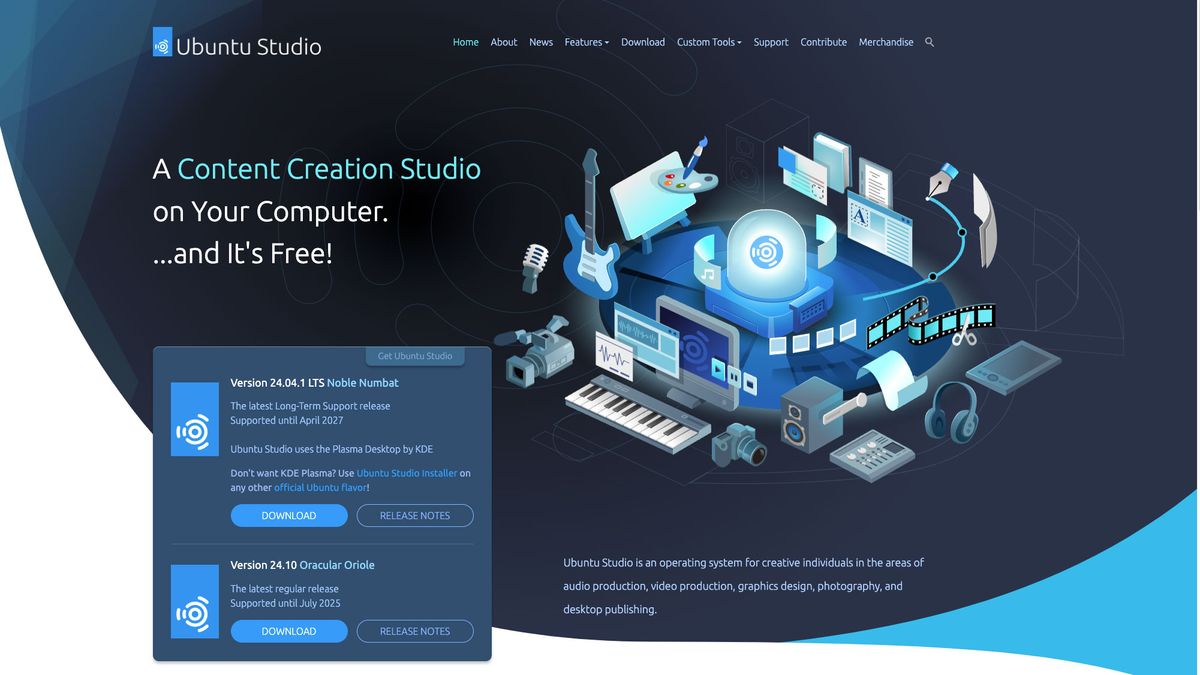
There is also another flavor of Ubuntu called “Ubuntu Studio” (ubuntustudio.org), a distro made just for creatives! When you install Ubuntu Studio it will not only install the OS and the basic office software, but it will also install a tremendous suite of content creation tools. Yes, alternatives to the entire Adobe suite. Programs that run, more or less, like our favorite Adobe apps such as Photoshop, InDesign, and Illustrator. Plus pro-level apps for 3D, audio and photography.

Most of these applications are full-featured and totally capable of professional use and quality. They also read and write their files in the same industry-standard formats. So exchanging files with Adobe-based co-workers is mostly a no brainer.

Installing Ubuntu Studio on 3 Machines

As mentioned, installing Linux has gotten super-easy. So easy in fact, that I thought we should install Ubuntu Studio on three different systems, each that makes use of Linux in different ways:

10-year old Samsung Laptop: My old Samsung Ultra 14” from 2014. A great computer for years, but it got slow when I upgraded it from Win 8 to 10. Switching to Linux did the trick! Plus it’s nice to have a laptop with the classic I/O ports like USB-A, HDMI and even an Ethernet connection.

Framework Laptop Workstation: Look for our other articles on Framework computer’s 16” workstation (including when I built my own laptop). With a large screen and good discreet GPU, it feels like a missing link between a laptop and desktop. Ubuntu Studio apps fly on this!

Bonus Instructions: Setting Up a Dual-Boot

As mentioned, that Dell XPS with Windows 11 already installed is just a bit too sweet to completely write over. Instead we can keep Win 11 and merely add Ubuntu alongside. Yes, on the same drive. This is called setting up a “Dual Booting” computer.

Before you start though, you will need to disable something called “BitLocker” in Windows. This is done in Windows Settings. It will then decrypt anything already encrypted. When done, reboot into the installer.

All of the steps are the same as we saw above, with one change:

In the Disk Set-Up window we will choose to “install Ubuntu alongside Windows” on the same drive. But they still need different PARTITIONS, which are like slices of the hard drive pie.

Final Thoughts

Compatibility

Some years ago Linux would run better on some hardware than others. This is only sort of true today because more manufacturers make sure their products work on Linux. But it’s also credit to Linux developers who keep making it more seamless. This is a good reason to test-drive Linux before installing, it’s like kicking the tires.

A New Creativity

Let me leave you with this to think about. I remember my early days on computers. Everything was new and so exciting! For me, and many other creatives, moving to Linux and the open tools provided on Ubuntu Studio has brought back that excitement.

Yes, it has also brought back the frustrations of learning new tools. There is hair-pulling, I won’t lie. But then you stumble upon something that GIMP can do that you always wished PS could, and a smile starts to form on your face. And that early excitement of exploration returns. And it’s wonderful.

FAQs

Q: What is Ubuntu Studio?
A: Ubuntu Studio is a Linux distribution designed specifically for creatives, providing a suite of content creation tools and applications.

Q: Can I run Ubuntu Studio alongside Windows?
A: Yes, you can set up a dual-boot system, where you can run both Windows and Ubuntu Studio on the same machine.

Q: Is Ubuntu Studio compatible with my hardware?
A: Most modern hardware is compatible with Ubuntu Studio, but it’s always a good idea to test-drive Linux before installing to ensure compatibility.

Q: What are the benefits of using Ubuntu Studio?
A: Ubuntu Studio provides a free and open-source alternative to Adobe Creative Cloud, with many applications that are full-featured and capable of professional use. It also offers a sense of community and flexibility that is hard to find with proprietary software.