Home Blog Page 418

Meta, Google, and Apple’s AI Glasses Quest

Halliday’s Smart Glasses: A Game-Changer in AI and Smart Technology

The Unveiling of Halliday’s Smart Glasses at CES 2025

At this year’s CES, several trends dominated the showcased products, including AI and smart glasses. Despite the fierce competition, Halliday’s smart glasses stood out due to their impressive design and performance, which emphasized comfort.

The Technology Behind Halliday’s Smart Glasses

The Halliday smart glasses unveiled at CES have an invisible display; that is, the display is not built into the lens but rather integrated into the frame. This is made possible by using what the company calls the world’s smallest optical module. Despite its 3.6mm size, the display provides users with a field of view similar to that of a 3.5-inch screen.

Design and Features

The major advantage of such a small display is that the frames are very light, weighing just 35 grams. Compared to the 48-gram Meta Ray-Bans I wore to the event, these felt noticeably lighter. The frames have a classic, sleek design, a battery that lasts up to 12 hours, a microphone, and speakers — and come in three colors: Amber, Black, and Gradient.

The Display

Enough of the hardware: Here’s the part you’ve been waiting for — the display.

Using the Display

The tiny display is located just above the right lens, meaning you have to look up to see it, as seen in the photo of me at the top of the article. Although this may seem unnatural, it was pretty comfortable. Placing the graphics slightly above your field of view is helpful because it doesn’t obstruct your view when looking straight ahead.

Functionality

The display shows your graphics, such as icons, words, and texts, in green. You can use that Digi Window display for a variety of functions, such as AI real-time translations in more than 40 languages; teleprompter text; notes; notifications such as texts, music titles, and lyrics; and even turn-by-turn navigation.

A Hands-On Experience

In my demo, I went through several of these features, all of which focused on displaying text. I was able to comfortably read the text shown to me — a surprise, as I wear prescription eyeglasses that can make it challenging to demo this type of technology. There is also a dial you can rotate to match your eye prescription and a slide to adjust the display position.

Pricing and Availability

The Halliday Glasses retail for $489. However, if you choose to reserve the glasses now, you can do so for a $9.90 deposit that locks in a launch day exclusive price of $369. The price is fair when compared to Even Realities’ Even G1 smart glasses, which are similar in function and retail for $599.

Conclusion

Halliday’s smart glasses are a game-changer in the world of AI and smart technology. With their impressive design, comfortable wear, and innovative display, they are sure to revolutionize the way we use technology in our daily lives.

FAQs

Q: What is the price of the Halliday Glasses?
A: The Halliday Glasses retail for $489, but you can reserve them now for a $9.90 deposit that locks in a launch day exclusive price of $369.

Q: What features does the display offer?
A: The display offers a variety of functions, including AI real-time translations in more than 40 languages; teleprompter text; notes; notifications such as texts, music titles, and lyrics; and even turn-by-turn navigation.

Q: How do I adjust the display?
A: You can adjust the display by using a dial to match your eye prescription and a slide to adjust the display position.

Q: What are the colors available for the Halliday Glasses?
A: The Halliday Glasses come in three colors: Amber, Black, and Gradient.

Image to 3D

0

What is

?

The HTML element

is used to define a paragraph of text. It is a block-level element, meaning it takes up a full line and can contain multiple sentences, phrases, and even other HTML elements.

Characteristics of

Element

The

element has the following characteristics:

Self-Closing Tag

The

element is a self-closing tag, meaning it does not need a closing tag. This is because it does not contain any content that would require a separate closing tag.

Content

The content of the

element is the text that it contains. This text can be any combination of words, phrases, and sentences, and can also include other HTML elements such as links, images, and lists.

Attributes

The

element can have several attributes, including:

style

The style attribute is used to add styles to the

element. This can include font styles, colors, and sizes.

class

The class attribute is used to assign a class to the

element. This allows you to style the element using CSS.

Example Usage

The following is an example of how to use the

element:

<p>This is a paragraph of text that contains multiple sentences and phrases.</p>

Conclusion

In conclusion, the

element is a fundamental HTML element used to define a paragraph of text. Its characteristics, attributes, and example usage make it a versatile and essential element for creating web content.

FAQs

Q: What is the purpose of the

element?

A: The purpose of the

element is to define a paragraph of text.

Q: Can the

element contain other HTML elements?

A: Yes, the

element can contain other HTML elements such as links, images, and lists.

Q: Does the

element require a closing tag?

A: No, the

element is a self-closing tag, meaning it does not require a closing tag.

Q: Can I use the

element to define a header or footer?

A: No, the

element is intended to define a paragraph of text and is not suitable for defining a header or footer. For headers and footers, you should use the

,

,

, etc. elements, or the

element, respectively.

Redux MVVM Architecture Example for React Native

1. Installation of Dependencies

Make sure you have Redux and React Redux installed in your React Native project:

npm install redux react-redux

or

yarn add redux react-redux

2. Redux Configuration

Create the necessary files to configure Redux in your project:

import { createStore } from 'redux';
import rootReducer from './reducers';

const store = createStore(rootReducer);

export default store;

3. ViewModel implementation

Implement the ViewModel using React Redux’s useSelector and useDispatch:

import { useSelector, useDispatch } from 'react-redux';

const CounterViewModel = () => {
  const count = useSelector(state => state.count);
  const dispatch = useDispatch();

  const increment = () => {
    dispatch({ type: 'INCREMENT' });
  };

  const decrement = () => {
    dispatch({ type: 'DECREMENT' });
  };

  return {
    count,
    increment,
    decrement,
  };
};

export default CounterViewModel;

4. Vision Implementation (React Component)

Implement the View component using the ViewModel:

import React from 'react';
import { View, Text, Button } from 'react-native';
import CounterViewModel from './CounterViewModel';

const CounterView = () => {
  const viewModel = CounterViewModel();

  return (
    <View style={{ flex: 1, justifyContent: 'center', alignItems: 'center' }}>
      <Text style={{ fontSize: 24 }}>Contador: {viewModel.count}</Text>
      <Button title="Incrementar" onPress={viewModel.increment} />
      <Button title="Decrementar" onPress={viewModel.decrement} />
    </View>
  );
};

export default CounterView;

5. Using the Component in the Application

Use the CounterView component in your application:

import React from 'react';
import { Provider } from 'react-redux';
import CounterView from './CounterView';
import store from './redux/store';

const App = () => {
  return (
    <Provider store={store}>
      <CounterView />
    </Provider>
  );
};

export default App;

Example Explanation

  • Redux Store and Reducer: We set up a Redux store with a simple reducer that manages the counter state.
  • CounterViewModel: This is a module that encapsulates the logic for interacting with Redux. It uses React Redux’s useSelector and useDispatch hooks to access global state (count) and dispatch actions (INCREMENT and DECREMENT).
  • CounterView: This is a React component that displays the state of the counter and provides buttons to increment and decrement the counter. It uses the CounterViewModel to access state and state manipulation functions.

In this example, the CounterViewModel acts as a ViewModel that connects the global state managed by Redux to the user interface represented by the CounterView. This allows for a clear separation between the business logic (ViewModel) and the presentation layer (View) of the application, following the principles of the MVVM pattern.

You can expand this example by adding more functionality and applying the same principles to manage state and business logic in a more complex React Native application. Be sure to adapt the example to your project’s specific needs and explore other functionality offered by Redux for more advanced state management.

Our Top 100 Stories of 2024

0

Top 10 Interviews of 2024

10. "If you don’t use AI you can’t compete", Adobe VP tells me

At Adobe MAX 2024, our digital arts and 3D editor, Ian Dean, had the chance to sit down with Adobe’s Vice President of Generative AI, Alexandru Costin. Alexandru set out the company’s approach to AI and how it’s been influenced by a track record of introducing disruptive technology.

09. Inside the impressionistic realism of DreamWorks’ The Wild Robot

Undoubtedly it’s easier for animation studios to have an in-house style, but this isn’t the path DreamWorks Animation decided to take when adapting the illustrated children’s novel The Wild Robot by Peter Brown, where a ROZZUM unit 7134 robot gets stranded on an isolated island teeming with wildlife.

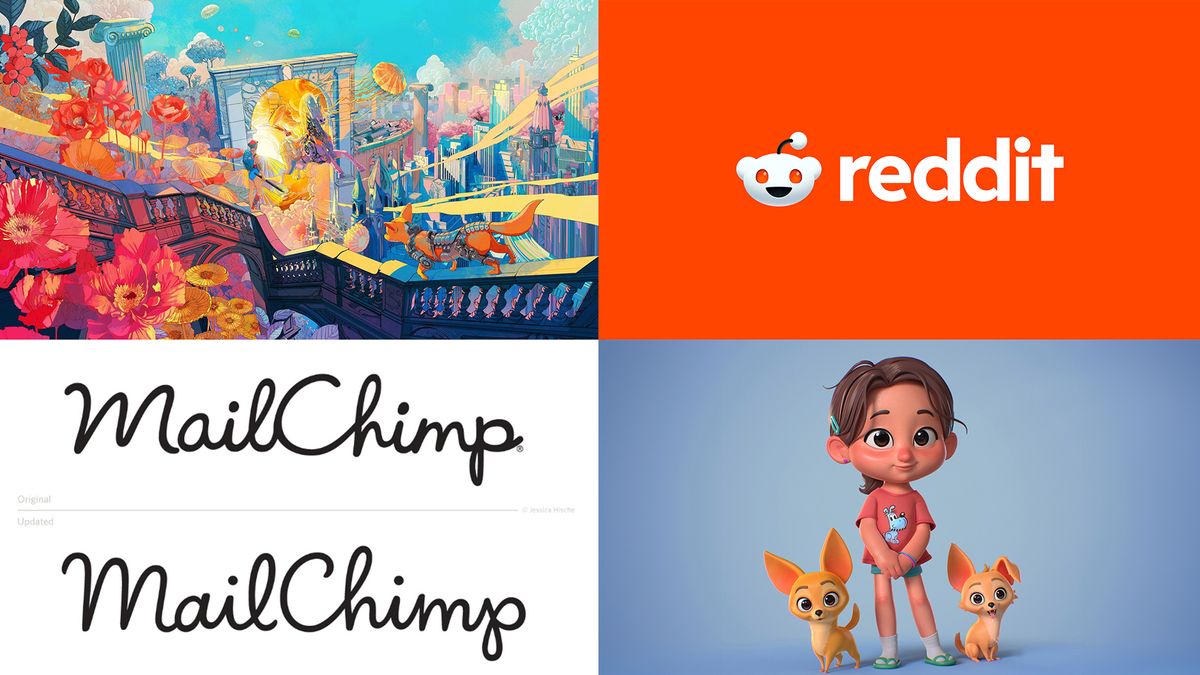
08. "Help us clean up… that was the assignment": How we made Reddit’s new identity

Reddit has been described as the heart of the internet, so when design firm Pentagram was tasked with rebranding the site, it was no mean feat. As a frontrunner in the design sphere, Pentagram naturally approached the rebrand with methodical precision, intending to capture the playfulness of Reddit while refining the core of its identity.

07. AI will force "dramatic changes", says illustrator Shan Jiang

Artist Shan Jiang has worked with many of the world’s leading brands, from Apple to Nike. His latest project included creating the illustration and box design for the XPPen Artist Pro 19 (Gen 2).

06.

05.

04. "I can defend every single step of my work", Jessica Hische on how she avoids logo controversy

Jessica Hische is an American lettering artist who also teaches, owns physical stores, writes and illustrates picture books, and many more things besides. Our deputy editor, Rosie Hilder, met her on her 40th birthday, just before her talk at OFFF Barcelona, where she talked the audience through what she’s learned each decade of her career.

03. Disney artist says ZBrush for iPad opens up a "a new world" for all artists

Leticia Gillett is an experienced 3D artist, her CV lists Disney Consumer Products, Blizzard Entertainment where she worked as a 3D character artist on Overwatch, she was a 3D modeller at Dreamworks and joined Netflix Animation as a character development artist. Between shifts making everything you love, Leticia finds time to teach.

02. AI filmmaking is "making the creative process so much smoother," says the director of the new Jordan Rudess music video

With AI making inroads into every area of the creative industry, and many believe AI is the future of filmmaking, we were excited to hear that AI was heavily involved in Jordan Rudess’ music video, Shadow of the Moon. The project involved blending live-action sequences with AI-generated visuals to achieve the final production.

01. This new AI creates 3D worlds from simple sketches, making game development accessible to all

Another area that AI is springing up in is 3D model creation, and one of the best tools at the moment is called Cybever. This AI-powered 3D world creation platform automates asset retrieval, placement and environment generation.

Conclusion

In conclusion, these top 10 interviews of 2024 showcase the impact of AI on various creative industries, from filmmaking to game development. The interviews highlight the potential of AI to streamline processes, improve efficiency, and open up new creative possibilities.

FAQs

Q: What is the impact of AI on the creative industry?
A: AI is transforming the creative industry by automating repetitive tasks, improving efficiency, and opening up new creative possibilities.

Q: How is AI being used in filmmaking?
A: AI is being used in filmmaking to generate visuals, automate post-production processes, and improve the overall creative process.

Q: What is Cybever and how does it work?
A: Cybever is an AI-powered 3D world creation platform that automates asset retrieval, placement, and environment generation, making game development more accessible to all.

Q: How can AI help game development?
A: AI can help game development by automating repetitive tasks, improving efficiency, and opening up new creative possibilities, making game development more accessible to all.

Turn Off Apple Intelligence on iPhone

0

Apple Intelligence: How to Turn Off Individual Features and Disable it Completely

Introduction

It’s getting increasingly difficult to avoid AI when you open up your phone or laptop. With the rollout of Apple Intelligence, AI assistance is now available on iPhones, iPads, and Macs. However, if you’re not seeing much value in the Apple Intelligence features that have launched so far, you’re not alone.

Turning Off Individual Apple Intelligence Features

Most, but not quite all, Apple Intelligence features can be disabled individually.

Turning Off Summaries for Individual Apps

  • Open up Settings on your iPhone and find the menu dedicated to Apple Intelligence & Siri.
  • Tap ChatGPT Extension to enable or disable the extra AI smarts that ChatGPT can add to Siri when you’re asking for responses.
  • Notifications: Switch off individual AI notification summaries or enable them for certain apps but not others from the same screen.

Turning Off Writing Tools and Image Creation

  • Open Settings and choose Screen Time.
  • Enable Content & Privacy Restrictions.
  • Tap Intelligence & Siri.
  • Tap Image Creation or Writing Tools, then Don’t Allow.

Turning Off Message Prioritization

  • Inside your Mail app’s Inbox, tap the three dots at the top right.
  • Switch to List View and disable Show Priority.

Turning Off Apple Intelligence Completely

  • Open up Settings & Apple Intelligence & Siri.
  • Look for the Apple Intelligence toggle switch at the top to fully enable or fully disable all of the Apple Intelligence features currently available on your iPhone.

Conclusion

If you’re not seeing much value in the Apple Intelligence features, you can easily disable them or turn them off completely. Keep in mind that disabling Apple Intelligence won’t remove the AI models from your phone, and you’ll need to reset your iPhone and start again from scratch without enabling Apple Intelligence during setup if you want to free up the space used by the local iOS models.

FAQs

Q: How do I disable Apple Intelligence features?
A: You can disable individual features, such as Writing Tools and Image Creation, by going to Screen Time and enabling Content & Privacy Restrictions. You can also disable Apple Intelligence completely by going to Settings & Apple Intelligence & Siri.

Q: How do I turn off AI notification summaries?
A: You can switch off individual AI notification summaries or enable them for certain apps but not others from the same screen.

Q: Can I disable Apple Intelligence completely?
A: Yes, you can disable Apple Intelligence completely by going to Settings & Apple Intelligence & Siri and flipping the toggle switch.

Q: Will disabling Apple Intelligence remove the AI models from my phone?
A: No, disabling Apple Intelligence won’t remove the AI models from your phone. If you want to free up the space used by the local iOS models, you’ll need to reset your iPhone and start again from scratch without enabling Apple Intelligence during setup.

Art Deco to Sega: 5 Inspiring Anniversaries

0
  1. Art Deco’s Centenary

Art Deco, a design movement that originated in the 1920s, is celebrating its centenary this year. This style of design is characterized by its use of geometric shapes, metallic materials, and ornate decorations. It was popularized during the Roaring Twenties and continued to influence design until the 1940s.

Get inspired:

  • Look at the Empire State Building, a iconic example of Art Deco architecture.
  • Explore the work of designers like Émile-Jacques Ruhlmann, who was known for his ornate and luxurious designs.
  • Check out the Art Deco Museum in Paris, which features a collection of Art Deco objects and furniture.
  1. Sega’s 65th Anniversary

Sega, a Japanese video game company, is celebrating its 65th anniversary this year. The company was founded in 1960 and is best known for its popular video game franchises such as Sonic the Hedgehog and Virtua Fighter.

Get inspired:

  • Play some classic Sega games like Sonic the Hedgehog or Streets of Rage.
  • Check out the Sega Mega Drive Mini console, which comes with a collection of classic Sega games.
  • Look at the artwork of Yuji Naka, the creator of Sonic the Hedgehog.
  1. Spirograph’s 60th Anniversary

Spirograph, a drawing kit that uses gears and wheels to create intricate designs, is celebrating its 60th anniversary this year. The kit was invented by Denys Fisher and was first introduced in the 1960s.

Get inspired:

  • Try using a Spirograph kit to create your own designs.
  • Check out the artwork of Spirograph users, who have created a wide range of designs using the kit.
  • Look at the history of Spirograph, which includes its development and evolution over the years.
  1. Toy Story’s 30th Anniversary

Toy Story, a popular animated film franchise, is celebrating its 30th anniversary this year. The franchise was created by Pixar Animation Studios and has produced a series of successful films.

Get inspired:

  • Watch some of the Toy Story films, which are known for their witty humor and memorable characters.
  • Check out the artwork of the Toy Story characters, which have been designed by a team of artists.
  • Look at the history of Pixar Animation Studios, which has produced a number of successful films over the years.
  1. Transport for London’s 25th Anniversary

Transport for London, the organization responsible for the public transportation system in London, is celebrating its 25th anniversary this year. The organization was established in 2000 and has been responsible for managing the city’s transportation system ever since.

Get inspired:

  • Check out the artwork of the London Underground map, which has been designed by a team of artists.
  • Look at the history of the London Underground, which has been in operation since the 19th century.
  • Explore the different modes of transportation available in London, including the Tube, buses, and bike lanes.

Conclusion:

These are just a few examples of design anniversaries being celebrated this year. Each of these anniversaries offers a unique opportunity to learn about and appreciate the design movements and trends that have shaped our world.

FAQs:

Q: What is Art Deco?
A: Art Deco is a design movement that originated in the 1920s and is characterized by its use of geometric shapes, metallic materials, and ornate decorations.

Q: What is Sega?
A: Sega is a Japanese video game company that was founded in 1960 and is best known for its popular video game franchises such as Sonic the Hedgehog and Virtua Fighter.

Q: What is Spirograph?
A: Spirograph is a drawing kit that uses gears and wheels to create intricate designs. It was invented by Denys Fisher and was first introduced in the 1960s.

Q: What is Toy Story?
A: Toy Story is a popular animated film franchise that was created by Pixar Animation Studios. The franchise has produced a series of successful films and has become a beloved part of popular culture.

Q: What is Transport for London?
A: Transport for London is the organization responsible for the public transportation system in London. It was established in 2000 and has been responsible for managing the city’s transportation system ever since.

Cosmos World Foundation Models Openly Available to Physical AI Developers

NVIDIA Cosmos: Accelerating Physical AI Development with World Foundation Models

World Foundation Models for Physical AI

NVIDIA Cosmos, a platform for accelerating physical AI development, introduces a family of world foundation models (WFMs) – neural networks that can predict and generate physics-aware videos of the future state of a virtual environment – to help developers build next-generation robots and autonomous vehicles (AVs).

WFMs: Fundamental as Large Language Models

WFMs use input data, including text, image, video, and movement, to generate and simulate virtual worlds in a way that accurately models the spatial relationships of objects in the scene and their physical interactions.

First Wave of Cosmos WFMs

Announced today at CES, NVIDIA is making available the first wave of Cosmos WFMs for physics-based simulation and synthetic data generation – plus state-of-the-art tokenizers, guardrails, an accelerated data processing and curation pipeline, and a framework for model customization and optimization.

Researchers and Developers Can Use Cosmos Models

Researchers and developers, regardless of their company size, can freely use the Cosmos models under NVIDIA’s permissive open model license that allows commercial usage. Enterprises building AI agents can also use new open NVIDIA Llama Nemotron and Cosmos Nemotron models, unveiled at CES.

Advancing Robotics and Autonomous Vehicle Applications

Cosmos world foundation models can enable synthetic data generation to augment training datasets, simulation to test and debug physical AI models before they’re deployed in the real world, and reinforcement learning in virtual environments to accelerate AI agent learning.

Customize and Deploy with NVIDIA Cosmos

In addition to foundation models, the Cosmos platform includes a data processing and curation pipeline powered by NVIDIA NeMo Curator and optimized for NVIDIA data center GPUs.

Developing Safe, Responsible AI Models

Now available to developers under the NVIDIA Open Model License Agreement, Cosmos was developed in line with NVIDIA’s trustworthy AI principles, which include nondiscrimination, privacy, safety, security, and transparency.

Conclusion

NVIDIA Cosmos is a platform that accelerates physical AI development with world foundation models, enabling synthetic data generation, simulation, and reinforcement learning. With its permissive open model license, researchers and developers can freely use the Cosmos models to build next-generation robots and autonomous vehicles.

FAQs

Q: What are world foundation models (WFMs)?
A: WFMs are neural networks that can predict and generate physics-aware videos of the future state of a virtual environment.

Q: What are the categories of Cosmos WFMs?
A: The models come in three categories: Nano, for models optimized for real-time, low-latency inference and edge deployment; Super, for highly performant baseline models; and Ultra, for maximum quality and fidelity.

Q: How can developers use Cosmos WFMs?
A: Developers can use Cosmos WFMs for text-to-world and video-to-world generation, or they can harness the NVIDIA NeMo framework to fine-tune the models with their own videos for specific physical AI setups.

Q: What is the benefit of using Cosmos WFMs?
A: The benefit of using Cosmos WFMs is that they enable synthetic data generation, simulation, and reinforcement learning, which can accelerate AI agent learning and improve the development of next-generation robots and autonomous vehicles.

Retail and Consumer Brands on the Brink of an AI Boom

Consumers are Ready for AI, but Will Brands Keep Up?

We know that AI is no longer a distant vision. Not only has it arrived, but it has become an integral part of our everyday life. As we continue to engage with AI tools, consumer brands are under pressure to adapt quickly and stay relevant in an increasingly competitive digital world.

Consumers are Ready for AI, but Will Brands Keep Up?

A global study by the IBM Institute for Business Value shows that retail and consumer product executives are well aware of the importance of AI. The survey respondents expect spending outside of traditional IT operations to surge by 52% in the next year.

The Report: "Embedding AI in Your Brand’s DNA"

The report, based on a survey of 1,500 global retail and consumer product executives, explores how brands are making AI a key part of everything they do, including innovation, customer connections, and business strategy.

Key Findings

  • 81% of surveyed executives and 96% of their teams are already using AI.
  • 31% of workers will need to reskill or acquire new skills to work with AI in the next year, with that number rising to 45% within three years.
  • 55% of improvements in customer service involve human-AI collaboration, with only 30% being fully automated.

AI Skills Gap

The AI skills gap has remained a key challenge to AI adoption, with many organizations struggling to find the necessary expertise for development and implementation. The IBM report echoes this challenge, revealing that executives expect 31% of their workforce will need to reskill or acquire new skills to work with AI in the next year, with that number rising to 45% within three years.

Human-AI Collaboration

The respondent shared that 55% of improvements in customer service involve human-AI collaboration, with only 30% being fully automated. This underscores that the human element remains crucial, as employees continue to play a central role in working alongside AI to deliver better business outcomes.

Conclusion

The findings highlight that many key aspects of brand development require human intuition, such as creativity, emotional intelligence, and specialized expertise. These intrinsically human traits can be further enhanced by AI. According to IBM, workers who possess the skills to work with AI will have a significant advantage over those who do not.

FAQs

Q: What is the expected growth in spending on AI outside of traditional IT operations?
A: 52% in the next year.

Q: What percentage of workers will need to reskill or acquire new skills to work with AI in the next year?
A: 31%

Q: What percentage of improvements in customer service involve human-AI collaboration?
A: 55%

Q: What is the expected rise in the number of workers needing to reskill or acquire new skills to work with AI within three years?
A: 45%

OpenAI’s Bot Crushes Website Like a DDoS Attack

0

Article

On Saturday, Triplegangers CEO Oleksandr Tomchuk was alerted that his company’s e-commerce site was down. It looked to be some kind of distributed denial-of-service attack.

The Culprit: OpenAI Bot

He soon discovered the culprit was a bot from OpenAI that was relentlessly attempting to scrape his entire, enormous site.

The Scale of the Attack

"We have over 65,000 products, each product has a page," Tomchuk told TechCrunch. "Each page has at least three photos." OpenAI was sending "tens of thousands" of server requests trying to download all of it, hundreds of thousands of photos, along with their detailed descriptions.

The Impact on the Business

"OpenAI used 600 IPs to scrape data, and we are still analyzing logs from last week, perhaps it’s way more," he said of the IP addresses the bot used to attempt to consume his site. "Their crawlers were crushing our site," he said. "It was basically a DDoS attack."

The Business: Triplegangers

Triplegangers’ website is its business. The seven-employee company has spent over a decade assembling what it calls the largest database of "human digital doubles" on the web, meaning 3D image files scanned from actual human models. It sells the 3D object files, as well as photos — everything from hands to hair, skin, and full bodies — to 3D artists, video game makers, anyone who needs to digitally recreate authentic human characteristics.

The Problem with Robot.txt

Tomchuk’s team, based in Ukraine but also licensed in the U.S. out of Tampa, Florida, has a terms of service page on its site that forbids bots from taking its images without permission. But that alone did nothing. Websites must use a properly configured robot.txt file with tags specifically telling OpenAI’s bot, GPTBot, to leave the site alone. (OpenAI also has a couple of other bots, ChatGPT-User and OAI-SearchBot, that have their own tags, according to its information page on its crawlers.)

The Solution: Proper Configuration

Robot.txt, otherwise known as the Robots Exclusion Protocol, was created to tell search engine sites what not to crawl as they index the web. OpenAI says on its informational page that it honors such files when configured with its own set of do-not-crawl tags, though it also warns that it can take its bots up to 24 hours to recognize an updated robot.txt file.

The Aftermath

To add insult to injury, not only was Triplegangers knocked offline by OpenAI’s bot during U.S. business hours, but Tomchuk expects a jacked-up AWS bill thanks to all of the CPU and downloading activity from the bot.

The Consequences of the Attack

Robot.txt also isn’t a failsafe. AI companies voluntarily comply with it. Another AI startup, Perplexity, pretty famously got called out last summer by a Wired investigation when some evidence implied Perplexity wasn’t honoring it.

The Conclusion

The problem is that the onus is on the business owner to understand how to block the bots, and many small online businesses may not have the resources or expertise to do so. The solution is for OpenAI and other AI companies to ask for permission instead of scraping data, and for small businesses to be aware of the risks and take steps to protect themselves.

FAQs

Q: What is the purpose of robot.txt?
A: Robot.txt is a protocol that tells search engine sites what not to crawl as they index the web.

Q: How does OpenAI honor robot.txt files?
A: OpenAI honors robot.txt files when configured with its own set of do-not-crawl tags, but it can take up to 24 hours to recognize an updated robot.txt file.

Q: What is the impact of the attack on Triplegangers?
A: The attack knocked Triplegangers offline and is expected to result in a jacked-up AWS bill due to the CPU and downloading activity from the bot.

Q: What is the solution to the problem?
A: The solution is for OpenAI and other AI companies to ask for permission instead of scraping data, and for small businesses to be aware of the risks and take steps to protect themselves.

Q: What is the scale of the problem?
A: The scale of the problem is massive, with an 86% increase in "general invalid traffic" in 2024, according to new research from digital advertising company DoubleVerify.

Top Fonts for Cricut Crafting

0

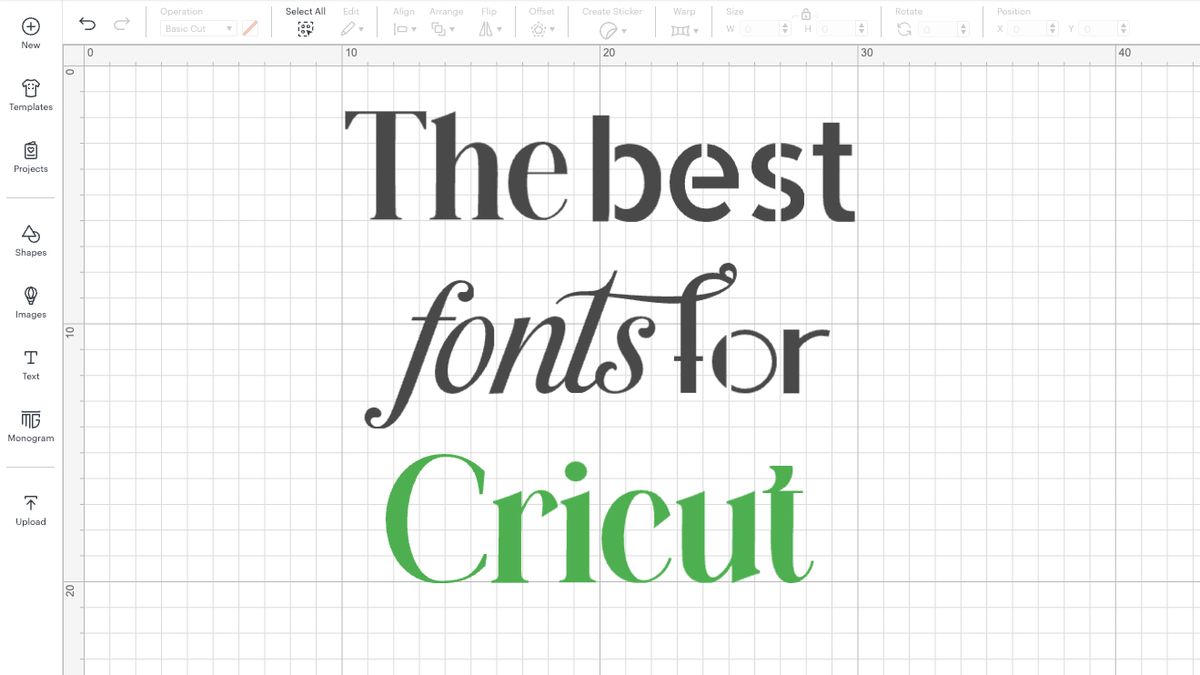
The Best Cricut Fonts for Your Next Project

There are seemingly endless font choices available to us these days, whether they be free fonts or ones that are purchasable for a fee. There are plenty of fonts to be found that lend themselves to various projects, like beautiful hand-lettering style fonts for wedding crafting, or simpler styles for maximum legibility like web fonts.

Why You Can Trust Us

Our expert reviewers spend hours testing and comparing products and services so you can choose the best for you. Find out more about how we test.

The 7 Best Cricut Fonts

01. Vytorla

I love this font, it’s perfect to use with the pen to write on cards, or to cut out of transferable materials. And thanks to the delicate gaps in the design, it’s also possible to cut out on cardstock, although it’ll require a gentle touch. You can purchase the Vytorla font package for £12.56 on Etsy and comes with a personal and commercial license.

Cost: £12.56

Download Vytorla at Etsy

02. Stencil 1935

If you’re looking for a font that doesn’t need tweaking to hold together after cutting, and you happen to love a Great Gatsby aesthetic like me, then this is the perfect font. Each letter features connecting pieces to keep those internal cuts in place, while keeping the text looking attractive and legible. This font is for personal use only, unfortunately, however, it’s possible to contact the designer as their details are available on DaFont, so it’s always worth asking if a commercial license can be arranged if you wanted to use it on something for purchase.

Cost: Free

Download Stencil 1935 at DaFont

03. Balgon Serif

Something a little different, this font mixes things up to make things interesting, while remaining readable. There are ligatures and alternate characters available to combine letters in creative ways, which I have great appreciation for. If you choose to make use of these, it’s important to weld the text in Cricut Design Space; this smoothens the transition between letters, avoiding extra cutting or pen strokes. This saves time, and makes the job easier for your machine, resulting in a better finish. Or, you could simply keep the letters separated if you want to keep things simple.

Cost: Free for non-commercial use, £13.56 for commercial license

Download free at DaFont, or paid at MyFonts

04. Goldena

Using thicker letters is the best way to go to ensure an easier ride when cutting them on your Cricut machine, and when you’re removing them from your mat. One such font I love for this is Goldena. It’s a pretty brush script with nice thick joins that lend themselves well to cutting projects. This font is available free for personal use, the price of different commercial licenses varies depending on what you’ll use it for.

Cost: Free for personal use, commercial licenses vary

Download Goldena at Pixel Surplus

05. Last Christmas

The perfect festive font for gifts and tags, Last Christmas offers extra swashes when using underscores within the text, but I love it just as it is. The little star over the letter i really sold it to me, as it gives full Christmas vibes. You can get a free personal use license from DaFont, but commercial options are available via the designer’s website.

Cost: Free, commercial licenses available

Download Last Christmas at DaFont

06. Modernia

Clean and easy to remove, this font is a breeze to cut and transfer. True to its name, it features a modern aesthetic, and it has an industrial edge. I like to use it for product tags and as the top material on layered pieces, as it’s easy to see any color or pattern underneath. This font is free and comes with a license for free of commercial use.

Cost: Free

Download it at Pixel Surplus

07. Allerta Stencil

For some creators or briefs a perfectly legible or professional-looking font is preferred, so it’s good to have a few to pull out of the bag when needed. One Sans Serif font that I love is Allerta Stencil, as it’s clean-cut and easy to read, but still has helpful pathways to the inner cutouts, making it a good choice for layering cut cardstock over colored or patterned materials. You get an SIL Open Font License when you purchase this font, but be sure to check the fine print if you’ll be using it on any commercial products.

Cost: Free

Download it at Cufon Fonts

Conclusion

If you’re looking for the perfect font to use with your Cricut machine, you can’t go wrong with these top 7 options. Each font has its own unique features that make it perfect for a specific use case, whether it’s for wedding crafting, product tags, or layered pieces.

Frequently Asked Questions

Q: What is the best font for cutting and transferring?
A: Vytorla is a great option for cutting and transferring, with delicate gaps in the design that make it easy to cut out on cardstock.

Q: What is the best font for legible and professional-looking text?
A: Allerta Stencil is a great option for legible and professional-looking text, with clean-cut and easy-to-read letters that are perfect for layering cut cardstock over colored or patterned materials.

Q: What is the best font for free and commercial use?
A: Goldena is a great option for free and commercial use, with a free personal use license and commercial licenses available for purchase.

Q: What is the best font for festive and seasonal projects?
A: Last Christmas is a great option for festive and seasonal projects, with extra swashes and a fun, festive design.