Home Blog Page 462

Revolutionizing Telemedicine: AI’s 2025 Impact

0

The Future of Virtual Care and AI in Healthcare: A 2025 Outlook

The State of Virtual Care and AI in 2025

Dr. Stephanie Lahr, President of Artisight, a virtual care technology and services company, shares her insights on the current state of virtual care and AI in healthcare and looks ahead to 2025.

The Role of AI in 2025

AI to Transcend the Hype Cycle

2025 will mark the moment when AI in healthcare transcends the hype cycle and demonstrates measurable value through practical applications that improve clinical workflows. Healthcare organizations will embrace a more sophisticated vision of AI that combines virtual nursing capabilities with ambient sensing technologies, creating an intelligent care environment that anticipates patient needs while supporting – not replacing – clinical decision makers.

Routine Patient Monitoring and Workflow Optimization

AI systems will demonstrate clear ROI by reducing nurses’ administrative burden and enhancing their ability to focus on direct patient care. Virtual nursing platforms will advance beyond simple task automation to become intelligent assistants that proactively identify potential patient deterioration and support real-time clinical decisions.

Evaluating AI’s Impact

The healthcare industry will establish clear metrics for evaluating AI’s impact on clinical outcomes, operational efficiency, and patient experience. Organizations will move beyond measuring basic utilization statistics to tracking sophisticated indicators like prevention of adverse events, reduction in clinical burnout, and improvements in care coordination – creating a new standard for demonstrating AI’s concrete value in healthcare delivery.

Computer Vision and Sensor Integration

Evolution of Computer Vision and Sensor Integration

The integration of computer vision and advanced sensor technologies into care settings will evolve methodically, following a course of intentional, measured progression. Leading health systems will implement these technologies strategically, starting with virtual observation and patient safety applications before expanding into more complex clinical scenarios.

Advanced Sensor Networks

Advanced sensor networks will transform patient rooms into intelligent spaces that continuously monitor vital signs, movement patterns, and environmental conditions without requiring direct patient contact. This ambient intelligence will enable early detection of patient deterioration, fall prevention, and automated documentation of patient status, creating a more comprehensive and accurate clinical record while reducing the documentation burden on nursing staff.

Governance Frameworks for Sensors

Healthcare facilities will develop sophisticated governance frameworks for these technologies, establishing clear protocols for data privacy, algorithmic transparency, and clinical oversight. These frameworks will address not only technical performance but also ethical considerations around patient consent, data ownership, and the appropriate balance between automation and human judgment in clinical care.

Specialty Care in 2025

Impact on Specialty Care Delivery

Impact will become particularly evident in specialty care delivery in 2025, as AI-enabled virtual platforms mature beyond basic telemedicine into sophisticated remote presence systems. The combination of virtual nursing support and ambient intelligence will enable specialists to meaningfully extend their expertise across geographic boundaries.

Democratization of Specialty Care

Advanced virtual care platforms will recreate the nuanced aspects of in-person specialty consultations through high-fidelity sensors, real-time physiologic data integration, and AI-enhanced communication tools. These systems will enable specialists to perform detailed patient assessments, guide local care teams through complex procedures, and maintain continuous oversight of patient progress – effectively eliminating the barriers of physical distance in specialty care delivery.

Conclusion

As we look to 2025, it is clear that AI and virtual care will continue to transform the healthcare landscape. With the integration of computer vision and sensor technologies, AI will play a crucial role in improving patient outcomes, reducing clinical burnout, and enhancing patient experience.

FAQs

Q: What is the current state of AI in healthcare?
A: AI is currently in the hype cycle, with many organizations implementing basic AI-powered solutions without fully realizing their potential.

Q: What will be the impact of AI on healthcare in 2025?
A: AI will transcend the hype cycle and demonstrate measurable value through practical applications that improve clinical workflows.

Q: How will AI be used in healthcare in 2025?
A: AI will be used to provide virtual nursing support, monitor patient status, and enable early detection of patient deterioration, among other applications.


AI Phones Could Sustain Chip Sector if Data Centre Spending Slows

Unlock the Editor’s Digest for free

Roula Khalaf, Editor of the FT, selects her favourite stories in this weekly newsletter.

Demand for AI-Enabled Smartphones Could Help Protect Semiconductor Industry from Downturn

Demand for artificial intelligence-enabled smartphones could help protect parts of the semiconductor industry from a "vicious" downturn if investment in data centers slows, according to the chief executive of the world’s largest provider of chip testing machines.

Chief Executive’s Insights

Doug Lefever, who leads Nvidia supplier Advantest, said he was watching for any sign of slower spending on AI by big US tech groups. Meta, Google, and Microsoft have been heavy investors in data centers that can deliver massive amounts of computing power.

The Impact of a Potential Downturn

A fall-off "may not last long and then it may go right back up, but because of the concentration [of hyperscalers] right now in the market, any slowdown in the data center buildout is going to have big reverberations in the supply chain," said Lefever. "I don’t like to use the word bubble because it implies that it’s going to go away, but there will be cycles. When that next cycle comes . . . it could be pretty vicious."

Contrast with AI Smartphones

In contrast, demand for AI smartphones was "kind of slow" but could take off rapidly, Lefever said. "Everyone is holding their breath, waiting for the killer app with the AI handsets . . . if that happens and people start replacing their phones, it’s going to be crazy," he said.

Advantest’s Dominance in the Market

Tokyo-based Advantest, a key supplier of testing equipment for Nvidia’s high-end graphics processing units, is one of the companies to benefit most from the rapid rise in demand for semiconductors. The company controls more than half of the semiconductor testing market, and demand for its services has skyrocketed as chips have become more advanced and expensive.

The Company’s Growth

That dominance has lifted its share price by more than 80% over the past year and about 500% over a five-year period, with a recent dip in December attributed to fears that incoming president Donald Trump would get tougher on China.

Conclusion

The increasing demand for AI-enabled smartphones and the potential downturn in investment in data centers could have a significant impact on the semiconductor industry. While a potential downturn could be "vicious," the demand for AI smartphones could help protect the industry. As the industry continues to evolve, it will be important to monitor the trends and developments in the market.

FAQs

Q: What is the current state of the semiconductor market?
A: The demand for semiconductors is increasing, driven by the growth of AI-enabled smartphones and other technologies.

Q: What is the potential impact of a downturn in data center investment?
A: A downturn in data center investment could have a significant impact on the supply chain, potentially leading to a "vicious" downturn.

Q: How does Advantest benefit from the trends in the market?
A: Advantest benefits from the rapid rise in demand for semiconductors, controlling more than half of the semiconductor testing market.

Second-Chance Sound

0

Audio Experience

The audio is okay. Pretty good. But not the best. I had been told that the Pro is really the only truly brilliant option if you’re wanting top of the line quality from Apple’s earbuds and this seems to be true. But they’re good enough.

The bass is okay, the highs are.. okay. The mid-range is better. So they feel a bit unbalanced. I’d say the highs and lows lack real depth. And that’s the main issue.

Active Noise Cancellation

The Active Noise Cancellation is almost too good. I have ignored train conductors and people trying to bypass me on streets. I have been oblivious to the needs of my children. But that all shouldn’t be a downer really, it’s wonderfully silent around me and that is just great.

Comfort

I was always worried about the comfort factor with the AirPods 3 and Pro because, well, look at them. No cushiony soft earbud tip to be seen. Shiny, hard, white plastic. Ugh. Have they convinced me otherwise?

No, not really. Weirdly, they’re comfortable in my left ear but not at all in my right. And I have a piercing in my left, which makes it all the more confusing. The right side slips out when I’m working out and just never quite feels stable. They aren’t as comfy as others I’ve worn including the Nothing Ear (2).

Find My… (and it’s impact on expense)

Okay this wasn’t a concern but something I knew I’d appreciate because, scatty. I’ve had three pairs of earbuds in the last year and that’s why I haven’t upgraded to anything expensive. I just keep losing them. But of course Find My has come to the rescue on several occasions. Not only can you beep the case but you can beep each singular earbud. Game. Changing. This feature makes them worth the money because I know I’m less likely to lose them.

Conclusion

On balance, I’d say these are worth it if you can find them on sale, which they certainly were during the last Black Friday. Possibly you’ll find them cheap again on Boxing Day. But if your ears are like mine, you’ll feel a little bit ‘off’ all the time. And if you’re a true audiophile who can’t give up Apple tech, go Pro.

FAQs

Q: Are the AirPods 3 and Pro worth the money?
A: If you can find them on sale, yes. But if you’re an audiophile, you may want to consider the Pro.

Q: How do the AirPods 3 and Pro compare to other earbuds?
A: They’re good, but not the best. The Pro is the best option if you want top of the line quality.

Q: Are the AirPods 3 and Pro comfortable?
A: They’re okay, but not the most comfortable. Some people may find them uncomfortable, especially if they have ear piercings.

Q: What’s the best feature of the AirPods 3 and Pro?
A: The Active Noise Cancellation is almost too good. It’s wonderfully silent around me and that is just great.

Beats Studio Pro: Less than Half Price in Post-Christmas Deal

0

The Best Noise-Cancelling Headphones on a Budget

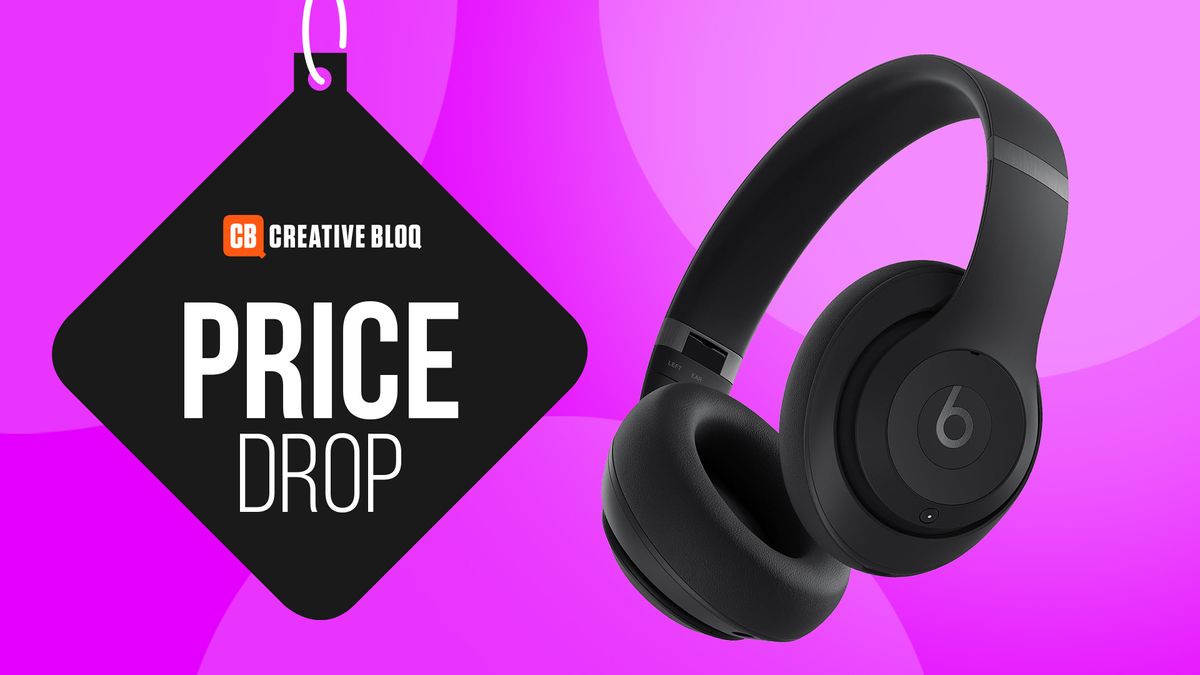
The best noise-cancelling headphones can be very expensive, with Apple’s AirPods Max retailing at $550 full price. But one of the best alternatives, the Beats Studio Pro, are now reduced by 51% to just $169.99 in an after-Christmas deal at Best Buy.

A Quality Alternative

These Bluetooth and USB-C over-ear headphones are even made by Apple – Beats was founded by Dr Dre but has been an Apple subsidiary since 2014. We thought they were overpriced on release considering the standard of the competition, but at this price, they’re an ideal AirPods Max alternative for anyone looking for decent comfort and sound quality with active noise cancellation to block out distractions without the huge price tag.

Why the Beats Studio Pro Stands Out

The Beats Studio Pro offers a comfortable fit and excellent sound quality, making it an attractive option for those seeking a reliable pair of noise-cancelling headphones. With a sleek design and durable build, they’re perfect for everyday use.

What’s Included

The Beats Studio Pro comes with a carrying case, a 3.5mm audio cable, and a USB-C cable for charging. They also support wireless connectivity, allowing you to stream your favorite music without any hassle.

About the Deal

This deal is available exclusively at Best Buy, and it’s a limited-time offer, so be sure to act fast to take advantage of it. You can find the Beats Studio Pro in various colors and sizes to fit your preferences.

Other Options
Conclusion

In conclusion, the Beats Studio Pro is an excellent alternative to the AirPods Max, offering similar quality and performance at a much more affordable price. With its comfortable design, excellent sound quality, and active noise cancellation, it’s an ideal choice for anyone seeking a reliable pair of noise-cancelling headphones without breaking the bank.

FAQs
Q: What is the usual price of the Beats Studio Pro?

A: The usual price of the Beats Studio Pro is $339.99.

Q: How much is the Beats Studio Pro reduced by in this deal?

A: The Beats Studio Pro is reduced by 51% in this deal, making it available at $169.99.

Q: Is this deal available exclusively at Best Buy?

A: Yes, this deal is available exclusively at Best Buy.

Q: How long is this limited-time offer available?

A: The duration of this limited-time offer is not specified, so it’s recommended to act fast to take advantage of it.

GeForce NOW 2024 Highlights

0

That’s a Wrap

In another ultimate year of high-performance cloud gaming, GeForce NOW introduced new features for cloud gamers and reached a significant milestone by surpassing 2,000 games in its library, thanks to strong collaborations with celebrated publishers.

Don’t pass up the chance to get all the premium benefits of the cloud for 24 hours.

GeForce NOW also launched new data centers in Japan and Poland this year, bringing GeForce RTX 4080-powered servers to gamers in the regions. Day Passes were introduced to offer gamers more flexible ways to access the cloud, with the ability to enjoy premium benefits of Ultimate and Performance memberships for 24 hours at a time.

New Features and Games

Members who wanted to stream their favorite PC games to Valve’s Steam Deck were provided a new beta installation method that let them automatically install Google Chrome to the device, along with all the settings needed to log in to GeForce NOW to stream their favorite games. And GeForce NOW brought an upgraded streaming experience for Performance members, providing up to 1440p resolution — an increase from the original 1080p limit.

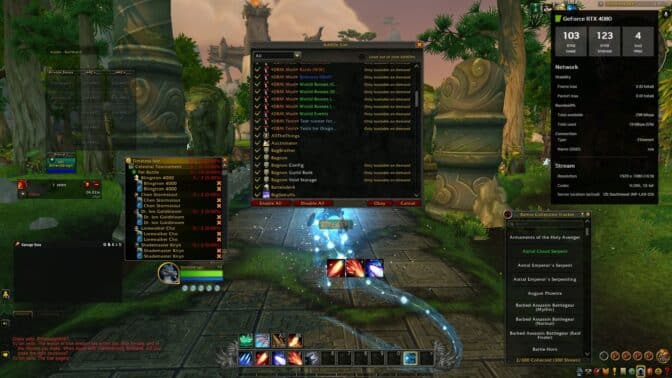
Addons in the cloud for WoW

Conquering in the cloud never looked so good.

The rollout of Xbox automatic sign-in streamlined the gaming experience, enabling members to link their Xbox profile to their GeForce NOW account for seamless access to their game libraries. GeForce NOW also partnered with CurseForge to bring mod support for World of Warcraft, enabling Ultimate and Priority members to easily enable and customize over 25 top WoW Addons in the cloud, enhancing their gameplay experience across various devices.

New Games and Updates

The highly anticipated Indiana Jones and the Great Circle made its debut in the cloud, offering players a thrilling globetrotting adventure with stunning ray-traced graphics and NVIDIA DLSS 3 support. Fans could uncover one of history’s greatest mysteries as they traveled from the pyramids of Egypt to the sunken temples of Sukhothai, all while enjoying the game’s immersive action and intriguing puzzles.

PoE2 on GeForce NOW

The cloud is the path of least resistance.

Early access for Path of Exile 2 arrived with deep customization options and improved visuals. Dragon Age: The Veilguard captivated players with BioWare’s rich fantasy world, while Black Myth: Wukong pushed cloud gaming graphics to new heights with its stunning take on Chinese mythology.

What’s Next?

Look for the following games available to stream in the cloud this week:

  • Headquarters: World War II (Steam)
  • Supermarket Together (Steam)
  • Ys X: Nordics (Steam)

What are you planning to play this weekend? Let us know on X or in the comments below.

Conclusion

GeForce NOW has had an incredible year, with new features, games, and data centers launching globally. As we head into the new year, we’re excited to see what the future holds for cloud gaming. Stay tuned for more updates and new content in the coming weeks.

FAQs

Q: What are the new features and games available on GeForce NOW?

A: New features include Day Passes, Xbox automatic sign-in, and upgraded streaming experience for Performance members. New games include Indiana Jones and the Great Circle, Path of Exile 2, and other titles.

Q: How do I access the new features and games on GeForce NOW?

A: You can access the new features and games by logging in to your GeForce NOW account and checking out the new content available in the cloud.

Q: What’s the future of cloud gaming look like?

A: The future of cloud gaming is looking bright, with new features, games, and data centers launching globally. Stay tuned for more updates and new content in the coming weeks.

The Best Typography of the 1960s

0

The 1960s: A Decade of Revolution in Typography

The 1960s was a time of both cultural and literal revolution, and design was by no means immune. This was a tumultuous period in typography, defined by bold experimentation and a dramatic shift towards geometric forms.

01. New Alphabet

Released in 1967, New Alphabet emerged as one of the most radical typographic experiments of the decade. As Landor’s design director Gianluca Ciancaglini explains: "Instead of trying to force traditional typefaces onto the primitive screens of the 60s, creator Wim Crouwel embraced the limitations and created a typeface made entirely of straight lines." Gone, then, were the curvy serifs and elegant flourishes of classic typefaces. "His innovative approach adapted design to the constraints of the technology, rather than forcing the technology to conform to traditional typographic standards," continues Gianluca. "The result – a simple typeface composed entirely of horizontal and vertical lines, creating a stark, geometric aesthetic."

02. Microgramma

Microgramma was originally designed by Aldo Novarese and Alessandro Butti in 1952, and developed for the Nebiolo Type Foundry. But it reached its zenith of popularity in the 1960s. As Matteo Alabiso, design director at Droga5 London, explains: "A geometric typeface defined by its sturdy, square-like features, Microgramma became a favorite among graphic designers for technical illustrations, publicity, and packaging. Its widespread adoption was partly due to its availability as a Letraset typeface and its incorporation into early typesetters such as AM Varityper."

03. Eurostile

In 1962, Aldo Novarese revisited and refined his earlier work, giving rise to Eurostile; a more polished evolution that introduced lowercase letters alongside the familiar uppercase. As Matteo Alabiso notes: "The addition of lowercase letters enabled Eurostile to find a place in the hearts of graphic designers and typographers, who appreciated its versatility and modernity."

04. Futura

Futura is a sans-serif designed by Paul Renner and released in 1927, as a contribution to the New Frankfurt-project. It is based on geometric shapes, especially the circle, similar in spirit to the Bauhaus design style of the period, and it was developed as a typeface by the Bauer Type Foundry, in competition with Ludwig & Mayer’s seminal Erbar typeface of 1926. It was during the Space Age of the 1960s, though, that Futura became particularly significant. Rosie Garschina, executive creative director of Trollbäck+Company, notes how this geometric sans-serif captured the decade’s optimistic spirit.

05. Times Modern

Say the words "Times Modern" to a typographer and they’ll doubtless think of the font family designed for The Times newspaper by Luke Prowse and Neville Brody’s Research Studios in 2006. But there was another typeface of the same name, which emerged during the phototype era as a distinctive reinterpretation of Times, although its origins remain fairly obscure. This high-contrast display typeface was designed as a more narrow titling version of the original Times, featuring a much taller x-height and shorter descenders. Noël Leu, co-founder of Grilli Type, is among its fans. "Times Modern was inspired by Times, but with distinct proportions and a unique character," he explains. "It has a strong 1960s aesthetic, evoking the era of phototypesetting."

06. Helvetica

We couldn’t complete this list without mentioning Helvetica. Originally designed by Max Miedinger and Eduard Hoffmann in 1957, this neo-groteque sans-serif was originally called Neue Haas Grotesk, but was renamed Helvetica in 1960 to make it more marketable internationally. And it became a defining typeface of the 1960s due to its versatility and clean, modern aesthetic. Rooted in the Swiss design philosophy of simplicity and functionality, Helvetica gained widespread popularity across corporate branding, advertising, and transportation systems during this decade, largely due to its legibility and readability.

Conclusion

The 1960s was a transformative period in typography, marked by bold experimentation and a dramatic shift towards geometric forms. The typefaces mentioned above – New Alphabet, Microgramma, Eurostile, Futura, Times Modern, and Helvetica – all played a significant role in shaping the decade’s design aesthetic. Today, these typefaces continue to influence contemporary visual culture, reminding us of the power of design to shape our understanding of the world.

FAQs

Q: What is the significance of the 1960s in typography?
A: The 1960s was a decade of revolution in typography, marked by bold experimentation and a shift towards geometric forms.

Q: What are some notable typefaces of the 1960s?
A: New Alphabet, Microgramma, Eurostile, Futura, Times Modern, and Helvetica are all notable typefaces of the 1960s.

Q: What is the significance of Helvetica in the 1960s?
A: Helvetica became a defining typeface of the 1960s due to its versatility and clean, modern aesthetic, and its widespread adoption across corporate branding, advertising, and transportation systems.

Eternal Horizon

0

Environment Artist Creates Immersive Halo-themed Installation

A Tribute to a Beloved Franchise

James Naughton, an environment artist from Manchester in the UK, has created a stunning installation that pays homage to the popular video game franchise, Halo. Titled "Installation 04", this piece is a testament to James’ skill and attention to detail.

A Multi-Tool Approach

James utilized a range of software to bring his vision to life. ZBrush and Blender were used for modeling, while Unreal Engine handled rendering. Additionally, SpeedTree, Substance 3D Painter, and Photoshop all played a crucial role at different stages of the process.

A Look Behind the Scenes

James reflects on his creative process, stating that "whenever you create any environment art, spend lots of time on the blockout and lighting stages: it’s the difference between your art turning out great or falling flat." He also notes that he created all the assets from scratch, except for the character models, which he sourced from 3D asset websites.

A Masterclass in Environment Art

For those interested in refining their 3D skills, James’ work is an excellent example of what can be achieved with dedication and the right tools. If you’re looking to upgrade your creative kit, be sure to check out our guide to the best laptops for 3D modeling.

Conclusion

James’ "Installation 04" is a testament to the power of collaboration and creativity. By combining his skills with the latest software and techniques, he has created a truly immersive environment that is sure to inspire and delight fans of the Halo franchise.

Frequently Asked Questions

Q: What software did James use to create "Installation 04"?
A: James used ZBrush, Blender, Unreal Engine, SpeedTree, Substance 3D Painter, and Photoshop.

Q: What was the inspiration behind "Installation 04"?
A: James’ inspiration came from his love for the Halo franchise, which he has been a fan of since his younger years.

Q: What is the most important aspect of creating environment art, according to James?
A: James emphasizes the importance of spending time on the blockout and lighting stages, as it can make or break the final result.

Q: Where can I find more of James’ work?
A: You can find James’ ArtStation profile, where he showcases his other projects and artwork.

Glam Up My Markup: Winter Solstice ☃️

0

What I Built

I created a fun and eye-catching landing page for the Winter Solstice! It has cool animations, buttons you can interact with, and visuals that move and change. I also ensured it works well on all devices and is easy for everyone to use. Key features include:

  • Beautiful winter-themed fonts to match the seasonal feel.
  • Smooth scrolling and animations to make browsing feel fun and seamless.
  • A handy "Back to Top" button that pops up when you scroll down.
  • Gentle snowflake animations for a festive, wintery vibe.
  • Clean and clear text with a well-organized layout for easy reading.

Demo

[Image: https://media2.dev.to/dynamic/image/width=800%2Cheight=%2Cfit=scale-down%2Cgravity=auto%2Cformat=auto/https%3A%2F%2Fdev-to-uploads.s3.amazonaws.com%2Fuploads%2Farticles%2Fsymcvqjmy3ngd2dgq1cn.png]

The project is deployed using Github Pages.

Journey

This project was an exhilarating challenge that helped me try out different front-end techniques. Here’s how I approached it:

  • I went through the provided markup and brainstormed ways to make the design look better and work smoothly.
  • My main goal was to improve the user experience while sticking to the competition rules.

Development Highlights

  • Added cool animations and hover effects to make the page lively and interactive.
  • Made the design fully responsive, such that it looks great on all devices.
  • Built a "Back to Top" button that smoothly appears when needed.
  • Used winter-themed fonts to complement the seasonal vibe and enhance the winter theme.

Challenges and How I Solved Them

  • Making Animations Smooth: I improved CSS and JavaScript to make sure the animations worked well on all devices without any lag.
  • Balance Accessibility with Visuals: I used good color contrasts and semantic HTML to make the design easy to use for everyone.
  • Keep the Design Minimal and Appealing: I focused on keeping the layout clean and simple while still making it visually attractive and engaging.

Code License

This project is licensed under the MIT License.

Conclusion

I’m thrilled with the outcome of this project, and I hope you enjoyed this article! If you have any questions or would like to explore more, feel free to reach out.

Frequently Asked Questions

Q: What was the primary goal of this project?
A: The primary goal was to create a fun and eye-catching landing page for the Winter Solstice while improving the user experience and sticking to the competition rules.

Q: What were some of the key features of the project?
A: Some of the key features include beautiful winter-themed fonts, smooth scrolling and animations, a "Back to Top" button, and gentle snowflake animations.

Q: How did you approach the project?
A: I went through the provided markup and brainstormed ways to make the design look better and work smoothly, with the goal of improving the user experience and sticking to the competition rules.

Q: What were some of the challenges you faced, and how did you solve them?
A: I faced challenges such as making animations smooth, balancing accessibility with visuals, and keeping the design minimal and appealing. I solved these challenges by improving CSS and JavaScript, using good color contrasts and semantic HTML, and focusing on keeping the layout clean and simple.

The Year of the AI Election Wasn’t Quite What Everyone Expected

0

The Role of AI-Generated Content in Elections: A Growing Concern

The Rise of AI-Generated Content in Elections

Many pieces of AI-generated content were used to express support for or fandom of certain candidates during the 2020 US elections. For instance, an AI-generated video of Donald Trump and Elon Musk dancing to the BeeGees song “Stayin’ Alive” was shared millions of times on social media, including by Senator Mike Lee, a Utah Republican.

The Psychology of Social Signaling

"It’s all about social signaling. It’s all the reasons why people share this stuff. It’s not AI. You’re seeing the effects of a polarized electorate," says Bruce Schneier, a public interest technologist and lecturer at the Harvard Kennedy School. "It’s not like we had perfect elections throughout our history and now suddenly there’s AI and it’s all misinformation."

Misleading Deepfakes and the Need for Better Detection Tools

But don’t get it twisted—there were misleading deepfakes that spread during this election. For instance, in the days before Bangladesh’s elections, deepfakes circulated online encouraging supporters of one of the country’s political parties to boycott the vote. Sam Gregory, program director of the nonprofit Witness, which helps people use technology to support human rights and runs a rapid-response detection program for civil society organizations and journalists, says that his team did see an increase in cases of deepfakes this year.

The Gap in Detection Tools and Access

"In multiple election contexts," he says, "there have been examples of both real deceptive or confusing use of synthetic media in audio, video, and image format that have puzzled journalists or have not been possible for them to fully verify or challenge." What this reveals, he says, is that the tools and systems currently in place to detect AI-generated media are still lagging behind the pace at which the technology is developing. In places outside the US and Western Europe, these detection tools are even less reliable.

The Liar’s Dividend

Fortunately, AI in deceptive ways was not used at scale in most elections or in pivotal ways, but it’s very clear that there’s a gap in the detection tools and access to them for the people who need it the most," says Gregory. "This is not the time for complacency."

The Existence of Synthetic Media

The very existence of synthetic media at all, he says, has meant that politicians have been able to allege that real media is fake—a phenomenon known as the "liar’s dividend." In August, Donald Trump alleged that images showing large crowds of people turning out to rallies for Vice President Kamala Harris were AI-generated (they weren’t.). Gregory says that in an analysis of all the reports to Witness’ deepfake rapid-response force, about a third of the cases were politicians using AI to deny evidence of a real event—many involving leaked conversations.

Conclusion

The use of AI-generated content in elections is a growing concern, and it’s crucial that we address the gap in detection tools and access to them. Politicians and political parties must be held accountable for their actions and not be able to use AI to spread misinformation. It’s time for us to come together and work towards creating a more transparent and honest electoral process.

FAQs

Q: What is AI-generated content?
A: AI-generated content refers to content created using artificial intelligence (AI) and machine learning algorithms.

Q: How is AI-generated content used in elections?
A: AI-generated content can be used to spread misinformation, manipulate public opinion, and influence the outcome of elections.

Q: What is the "liar’s dividend"?
A: The "liar’s dividend" is a phenomenon where politicians use AI-generated content to deny evidence of a real event, making it difficult to distinguish between fact and fiction.

Q: How can we address the gap in detection tools and access to them?
A: We can address the gap by investing in research and development of new detection tools, providing training and resources to journalists and fact-checkers, and promoting transparency and accountability in political campaigns.

A Change of Perspective

0

The Coffer Illusion: Can You See the 16 Circles?

We love a good optical illusion here at Creative Bloq, and even more so when it’s one that leaves people’s heads spinning like this one. Can there really be 16 circles in the image below? There are, but people are struggling to find them.

The Discovery

Known as the coffer illusion, this piece of visual trickery was discovered by accident by the Stanford University psychologist and vision scientist Anthony Norcia almost two decades ago. And it continues to baffle people today.

The Image

Can you see 16 circles in the optical illusion above? (Image credit: Anthony Norcia)

The Science Behind the Illusion

Norcia’s optical illusion is so clever that it was included in the shortlist for Illusion of the Year back in 2006 – a contest most recently won by a Harry Pottery optical illusion. Now almost two decades later, it’s still leaving people perplexed. Most people see the 20 squares, or coffers (decorative sunken panels), and they struggle to see the 16 circles.

If you still can’t see them, try focusing on the verticals between the rectangles. Or, alternatively, if you’re one of the few people who sees the circles first, focus on the horizontals between them to get to the rectangles (or just check out the tweet below for help).

Why the Circles are Difficult to See

If you’re wondering how it works, or rather why the circles are so difficult to see, it’s apparently to do with our ability (or inability) to switch our perspective once we’ve seen the first shapes that appear to us. The image is very busy and it hits us with a bombardment of visual system information, which our brain has to resolve in favour of one shape or the other.

Most people seem to see the squares rather than the circles. This may be because our brains prioritise sharp contours as more critical to vision since they have more information that can help identify an object.

Conclusion

The Coffer Illusion is a remarkable example of how our brains can be tricked into seeing one thing when in fact another is present. It’s a fascinating insight into how our visual perception works, and it’s a great reminder to keep our minds open to new and unexpected experiences.

Frequently Asked Questions

Q: How did the Coffer Illusion come to be?
A: The Coffer Illusion was discovered by accident by Anthony Norcia, a Stanford University psychologist and vision scientist, almost two decades ago.

Q: Why is it so difficult to see the circles?
A: It’s because our brains prioritize sharp contours as more critical to vision, and the image is very busy, making it hard to switch our perspective.

Q: Can I see the circles if I focus on the verticals between the rectangles?
A: Yes, try focusing on the verticals between the rectangles to see the circles.

Q: Why did the Coffer Illusion win an award?
A: The Coffer Illusion was included in the shortlist for Illusion of the Year back in 2006, a contest that recognizes the most impressive and thought-provoking optical illusions.