Home Blog Page 570

Deploying Fine-Tuned AI Models with NVIDIA NIM

0

Prerequisites

To run this tutorial, you need an NVIDIA-accelerated compute environment with access to 80 GB of GPU memory and which has git-lfs installed.

Before you can pull and deploy a NIM microservice in an NVIDIA-accelerated compute environment, you also need an NGC API key.

  1. Navigate to the Meta Llama 3 8B Instruct model listing in the NVIDIA API Catalog.
  2. Choose Login at the top right and follow the instructions.
  3. When you’re logged in, choose Build with this NIM on the model page.
  4. Choose Self-Hosted API and follow either option to access NIM microservices access:
    • NVIDIA Developer Program membership with free access to NIM for research, development, and testing only.
    • The 90-day NVIDIA AI Enterprise license, which includes access to NVIDIA Enterprise Support.

After you provide the necessary details for your selected access method, copy your NGC API key and be ready to move forward with NIM. For more information, see Launch NVIDIA NIM for LLMs.

Getting started with NIM microservices

Provide your NGC CLI API key as an environment variable in your compute environment:

export NIM_CACHE_PATH=/tmp/nim/.cache
mkdir -p $NIM_CACHE_PATH
chmod -R 777 $NIM_CACHE_PATH

To demonstrate locally built, optimized TensorRT-LLM inference engines for deploying fine-tuned models with NIM, you need a model that has undergone customization through SFT. For this tutorial, use the NVIDIA OpenMath2-Llama3.1-8B model, which is a customization of Meta’s Llama-3.1-8B using the OpenMathInstruct-2 dataset.

The base model must be available as a downloadable NIM for LLMs. For more information about downloadable NIM microservices, see the NIM Type: Run Anywhere filter in the NVIDIA API Catalog.

All you need is the weights to this model, which can be obtained in several ways. For this post, clone the model repository using the following commands:

git lfs install
git clone https://huggingface.co/nvidia/Llama-3.1-Nemotron-70B-Instruct-HF
export MODEL_WEIGHT_PARENT_DIRECTORY=$PWD

Now that you have the model weights collected, move on to the next step: firing up the microservice.

Selecting from available performance profiles

Based on your selected model and hardware configuration, the most applicable inference performance profile available is automatically selected. There are two available performance profiles for local inference engine generation:

  • Latency: Focused on delivering a NIM microservice that is optimized for latency.
  • Throughput: Focused on delivering a NIM microservice that is optimized for batched throughput.

For more information about supported features, including available precision, see the Support Matrix topic in the NVIDIA NIM documentation.

Example using an SFT model

Create a locally built TensorRT-LLM inference engine for OpenMath2-Llama3.1-8B by running the following commands:

docker run -it --rm --gpus all \
  --user $(id -u):$(id -g) \
  --network=host \
  --shm-size=32GB \
  -e NGC_API_KEY \
  -e NIM_FT_MODEL=/opt/weights/hf/OpenMath2-Llama3.1-8B \
  -e NIM_SERVED_MODEL_NAME=OpenMath2-Llama3.1-8B \
  -v $NIM_CACHE_PATH:/opt/nim/.cache \
  -v $MODEL_WEIGHT_PARENT_DIRECTORY:/opt/weights/hf \
  nvcr.io/nim/meta/llama3_1-8b:1.3.0

The command is nearly identical to the typical command you’d use to deploy a NIM microservice. In this case, you’ve added the extra NIM_FT_MODEL parameter, which points to the OpenMath2-Llama3.1-8B model.

With that, NIM builds an optimized inference engine locally. To perform inference using this new NIM microservice, run the following Python code example:

from openai import OpenAI

client = OpenAI(
  base_url = "http://localhost:8000/v1",
  api_key = "none"
)

completion = client.chat.completions.create(
  model="OpenMath2-Llama3.1-8B",
  messages=[{"role":"user","content":"What is your name?"}],
  temperature=0.2,
  top_p=0.7,
  max_tokens=100,
  stream=True
)

for chunk in completion:
  if chunk.choices[0].delta.content is not None:
    print(chunk.choices[0].delta.content, end="")

Building an optimized TensorRT-LLM engine with a custom performance profile

On supported GPUs, you can use a similar command to spin up your NIM microservice. Follow the Model Profile instructions to launch your microservice and determine which profiles are accessible for it.

export IMG_NAME="nvcr.io/nim/meta/llama-3.1-8b-instruct:1.3.0"
docker run --rm --runtime=nvidia --gpus=all $IMG_NAME list-model-profiles \
  -e NGC_API_KEY=$NGC_API_KEY

Assuming you’re on an H100 GPU, you should see the following profiles available:

  • tensorrt_llm-h100-fp8-tp1-throughput
  • tensorrt_llm-h100-fp8-tp2-latency

Re-run the command and provide an additional environment variable to specify the desired profile:

docker run --rm --runtime=nvidia --gpus=all $IMG_NAME list-model-profiles \
  -e NGC_API_KEY=$NGC_API_KEY \
  -e NIM_MODEL_PROFILE=tensorrt_llm-h100-fp8-tp2-latency

Now that you’ve relaunched your NIM microservice with the desired profile, use Python to interact with the model:

from openai import OpenAI

client = OpenAI(
  base_url = "http://localhost:8000/v1",
  api_key = "none"
)

completion = client.chat.completions.create(
  model="llama-3.1-8b-instruct",
  messages=[{"role":"user","content":"What is your name?"}],
  temperature=0.2,
  top_p=0.7,
  max_tokens=100,
  stream=True
)

for chunk in completion:
  if chunk.choices[0].delta.content is not None:
    print(chunk.choices[0].delta.content, end="")

Conclusion

Whether you’re using PEFT or SFT methods for model customization, NIM accelerates customized model deployment for high-performance inferencing in a few simple steps. With optimized TensorRT-LLM inference engines built automatically in your local environment, NIM is unlocking new possibilities for rapidly deploying accelerated AI inferencing anywhere.

For more information, see the following resources:

To engage with NVIDIA and the NIM microservices community, see the NVIDIA NIM developer forum.

Frequently Asked Questions

Q1: What is NIM?

NIM is a set of pre-built, performance-optimized inference microservices for AI foundation models, allowing for rapid deployment and customization of AI models.

Q2: How do I get started with NIM?

Get started with NIM by following the prerequisites and getting your NGC API key. Then, clone the model repository and run the commands to build a locally built, optimized TensorRT-LLM inference engine.

Q3: What are the requirements for NIM?

The requirements for NIM include an NVIDIA-accelerated compute environment with access to 80 GB of GPU memory and git-lfs installed, as well as an NGC API key.

Apple Pencil 2 Hits Budget-Friendly Low

0

Black Friday Deal: Get the Apple Pencil 2 for 38% Off at Amazon

A Great Steal for Digital Artists and Note-Takers

Black Friday is upon us, and with it comes a mighty fine deal on the Apple Pencil 2. An essential in many digital artists’ creative kits, the humble second-generation Apple Pencil has been reduced to just $79.99 at Amazon – a 38% saving on the original price of $129. With Black Friday deals already in full swing, there’s no guarantee that we’ll see the price dip much lower than this.

Why the Apple Pencil 2 is a Great Buy

While all eyes might be on the latest Apple Pencil Pro, unless you’re working with the latest iPad Pro M4 models or the iPad Air (6th generation) M2, you’ll need to stick with the 2nd gen Apple Pencil. This is because the Apple Pencil 2 still boasts the same base-level functionality, making it perfect for note-taking and digital art. It’s a great steal if you need to update your creative kit, especially at this discounted price.

The Best Apple Pencil 2 Deal Today

Below, you’ll find the best deals and lowest prices on the Apple Pencil in your region and worldwide, using our clever deals widget updating 24/7.

Frequently Asked Questions

Q: What is the original price of the Apple Pencil 2?
A: The original price of the Apple Pencil 2 is $129.

Q: What is the current price of the Apple Pencil 2?
A: The current price of the Apple Pencil 2 is $79.99, a 38% saving.

Q: Who can use the Apple Pencil 2?
A: The Apple Pencil 2 is compatible with iPad (6th generation), iPad Air (3rd generation), iPad mini (5th generation), and iPad Pro (1st generation).

Conclusion

If you’re in the market for a new Apple Pencil, now is the perfect time to snag one. With a 38% discount, this is a great opportunity to upgrade your creative tools. Don’t miss out on this fantastic deal!

Echo Pop vs Echo Dot: Which Alexa Speaker to Choose?

0

You should buy the Echo Pop if…

The Echo Pop is Amazon’s smallest and most affordable smart speaker, perfect for a small room — such as a dorm or kid’s room. Because it doesn’t feature a screen and can go unnoticed, it’s a simple way to introduce yourself to the Alexa ecosystem or give someone access to Amazon’s voice assistant in a simple, unintimidating way.

1. You need a compact speaker

The Echo Pop is a perfect option if you’re looking for a compact speaker for your kid’s desk, a guest room, or an area you don’t use often. It can be unreliable in larger rooms or when tasked with bigger assignments, which brings me to my next point.

2. You plan on everyday music streaming, podcasts, or audiobooks

The Echo Pop is surprisingly loud, but the sound quality decreases greatly when the volume increases. This is why the Echo Pop is meant for smaller rooms and much cheaper than other Echo devices. The Echo Pop won’t be the life of the party at a backyard barbecue. Still, it’s excellent for listening to music informally when hanging out in your room, catching up on your favorite podcasts, and listening to audiobooks. Having Alexa built-in makes it more enticing, as you can use the AI-powered voice assistant to control smart devices around your home.

You should buy the Echo Dot if…

1. You need Alexa to be more reliable

Because the Echo Pop is a smaller, more affordable smart speaker than the Echo Dot, it’s also less reliable. The Echo Dot is more responsive and can easily hear me from across the room, whether it’s playing music or not. The Echo Pop, in turn, appears to have a simpler microphone array that is easily overpowered by high volumes. I’ve often found Alexa unable to hear me on the Echo Pop when the volume is too high, which can be frustrating, especially because it doesn’t have an action button.

2. You want room-filling sound

The Echo Dot isn’t a high-end speaker, but it is great for most users. It can deliver room-filling sound from a small package, as the audio doesn’t deteriorate as much as the Echo Pop’s when the volume goes up. For example, you can pair two Echo Dots to function as external speakers for a TV and get stereo sound better than audio from most inexpensive TVs.

Alternatives to consider

While many sales events feature deals for a specific length of time, deals are on a limited-time basis, making them subject to expire anytime. ZDNET remains committed to finding, sharing, and updating the best offers to help you maximize your savings so you can feel as confident in your purchases as we feel in our recommendations. Our ZDNET team of experts constantly monitors the deals we feature to keep our stories up-to-date. If you missed out on this deal, don’t worry — we’re always sourcing new savings opportunities at ZDNET.com.

Frequently Asked Questions

Q: What are the key differences between the Echo Pop and the Echo Dot?
A: The Echo Pop is smaller, more affordable, and less reliable, while the Echo Dot is larger, more affordable, and more reliable.

Q: What are the Echo Pop and Echo Dot best used for?
A: The Echo Pop is best used for small rooms, everyday music streaming, podcasts, and audiobooks, while the Echo Dot is best used for most users who want a reliable smart speaker with Alexa built-in.

Q: Are the Echo Pop and Echo Dot available on sale during Black Friday?
A: Yes, both devices are available on sale during Black Friday at a discounted price.

Nvidia claims a new AI audio generator can make sounds never heard before

0

Nvidia’s New AI Music Editor Can Create “Sounds Never Heard Before”

Nvidia has announced a new AI music editor called Fugatto, which is capable of generating music, sounds, and speech using text and audio inputs it’s never been trained on. This tool allows for the creation of unique sounds, such as a trumpet that meows, by putting together songs based on wild prompts.

Examples of Fugatto’s Capabilities

As demonstrated in a video, Fugatto can produce music based on prompts like “Create a saxophone howling, barking then electronic music with dogs barking.” Other examples include producing unique sound effects based on a description, such as “Deep, rumbling bass pulses paired with intermittent, high-pitched digital chirps, like the sound of a massive sentient machine waking up.”

Editing Music with Fugatto

Fugatto can also edit music by isolating vocals in a song, adding instruments, and even changing up a melody by swapping out a piano for an opera singer. This tool can transform the sound of someone’s voice, changing their accent or giving them a different tone, like angry or calm.

Training Data for Fugatto

A paper released with the announcement shows the long list of datasets Nvidia says Fugatto was trained on, including a library of sound effects from the BBC. To build Fugatto, Nvidia says researchers had to put together a dataset with millions of audio samples. They then created instructions “that considerably expanded the range of tasks the model could perform, while achieving more accurate performance and enabling new tasks without requiring additional data.”

Availability of Fugatto

Nvidia does not say when, or if, the tool will be widely available.

Conclusion

Fugatto has the potential to revolutionize the music industry by allowing for the creation of unique sounds and music based on text and audio inputs. Its capabilities include producing music, sounds, and speech, as well as editing music and transforming the sound of someone’s voice. While the availability of the tool is unknown, Fugatto has the potential to change the way we think about music and sound production.

FAQs
Q: What is Fugatto?

A: Fugatto is a new AI music editor developed by Nvidia that can generate music, sounds, and speech using text and audio inputs it’s never been trained on.

Q: What kind of sounds can Fugatto produce?

A: Fugatto can produce unique sounds, such as a trumpet that meows, and can even create songs based on wild prompts, like “Create a saxophone howling, barking then electronic music with dogs barking.”

Q: Can Fugatto edit music?

A: Yes, Fugatto can edit music by isolating vocals in a song, adding instruments, and even changing up a melody by swapping out a piano for an opera singer.

Q: When will Fugatto be available?

A: Nvidia does not say when, or if, the tool will be widely available.

Q: How was Fugatto trained?

A: Fugatto was trained on a dataset with millions of audio samples, and researchers created instructions that expanded the range of tasks the model could perform while achieving more accurate performance.

Apple’s iPad mini 6 at its most mini ever price

0

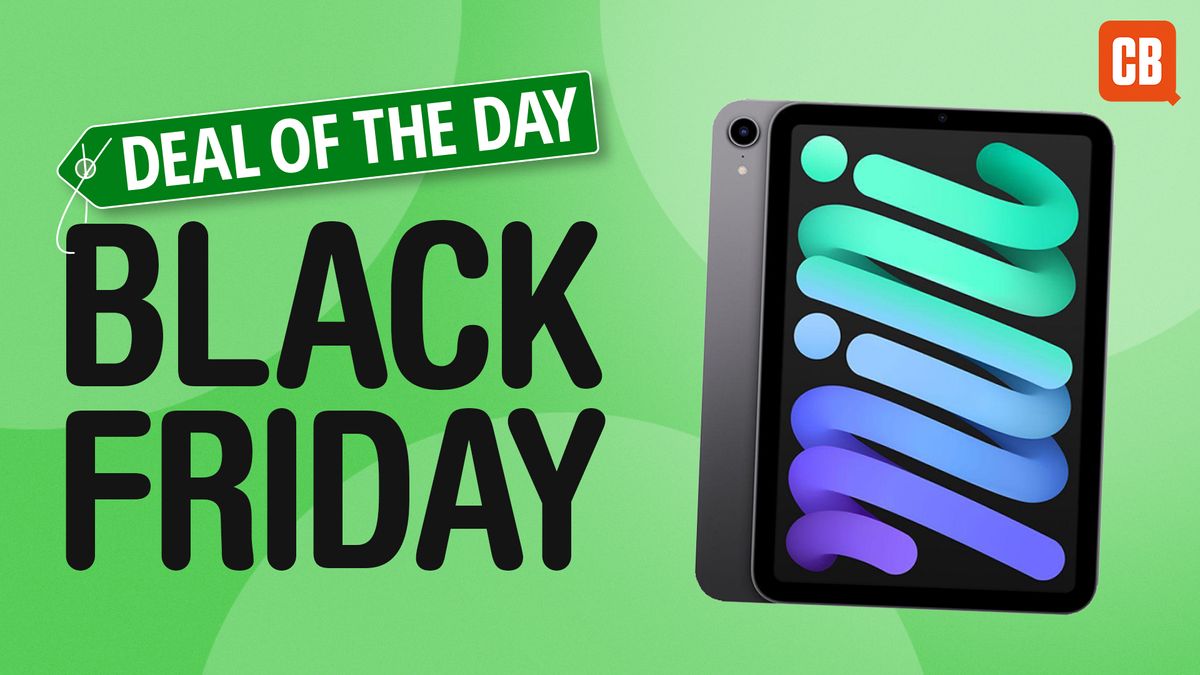
iPad Mini 6 Deal: Get 40% Off at Amazon

A Sizzling Hot Deal for the iPad Mini 6

The iPad mini 7 might be impressive, but there can be no denying that it’s a fairly iterative upgrade over the iPad mini 6. Sure, it offers a faster chip and Apple Pencil Pro support, but with the design and battery remaining essentially unchanged, the 6 remains a decent option if you can find it for a decent price.

A 40% Discount at Amazon

Enter the best iPad mini 6 deal we’ve seen, knocking a whopping 40% off the price, from $499 to $299 at Amazon. For context, the iPad mini 7 starts at $499 (although the new model is also the subject of a more modest deal, with $30 off). So, if you’re looking for the most portable tablet around, you won’t find a cheaper option than $299.

UK Readers, Don’t Despair

In the UK? iPad mini deals are much harder to find, although the 7th gen model is currently 5% off at Amazon UK, down from £499 to £474. Hey, it’s something.

More Deals to Explore

Check out our iPad Black Friday live blog for more deals. Still not what you want? See the deals we’ve found below:

FAQs

Q: What is the price of the iPad mini 6?
A: The price of the iPad mini 6 is $299, thanks to a 40% discount at Amazon.

Q: Is the iPad mini 7 worth the upgrade?
A: The decision to upgrade to the iPad mini 7 depends on your needs. If you want a faster chip and Apple Pencil Pro support, the 7 may be worth the investment. However, if you can find a good deal on the 6, it may be a more cost-effective option.

Q: Are there any other deals available for the iPad mini?
A: Yes, we’ve found more deals on the iPad mini 6 and 7. Check out our iPad Black Friday live blog for more information.

SmartThings Blog

0

Living a sustainable lifestyle can often be tricky. That’s why we partner with eco-focused innovators like Electricity Maps to provide you with simple solutions right at your fingertips through the SmartThings app.

Electricity Maps’ mission is to enable a data-driven decarbonization of electricity. By organizing and mapping real-time and forecasted electricity data, they provide individuals and businesses with the insights they need to make more intelligent decisions about their electricity consumption and reduce their carbon footprint. Users can access insights about their consumption in SmartThings Energy, a comprehensive energy management solution in the SmartThings app.

In our latest LinkedIn Q&A, we chatted with Electricity Maps to discuss our partnership, how their solutions work with SmartThings Energy, and more. Browse the highlights below or keep reading for the full conversation. 

The Highlights

SmartThings: For those who are new to your brand, what is Electricity Maps? 

Electricity Maps: Hey, SmartThings! Electricity Maps provides real-time and predictive electricity signals that unlock smarter electricity use for consumers to save carbon and cut energy costs. For example, the carbon footprint of the electricity a consumer receives in their power plug changes a lot during the day, depending on whether there is a lot of wind or solar power available. 

Many devices have flexibility in when they consume electricity. Instead of having these devices charge or run at random times, we enable them to optimize their electricity usage to consume when the grid is powered by clean electricity. By sharing these insights with consumers, we help them understand the impact of their electricity use so they can make more sustainable choices. 

That’s where the Electricity Maps API integration with SmartThings comes in!

SmartThings: That’s right! We partnered with you to empower our SmartThings users with this insightful data in the SmartThings app! 

The Electricity Maps API, integrated in 2023, connects seamlessly with SmartThings Energy to deliver real-time data to users on their carbon intensity levels. This allows SmartThings Energy users to make their home devices “carbon-intelligent,” meaning their devices can automatically run at optimal times to lower carbon emissions.

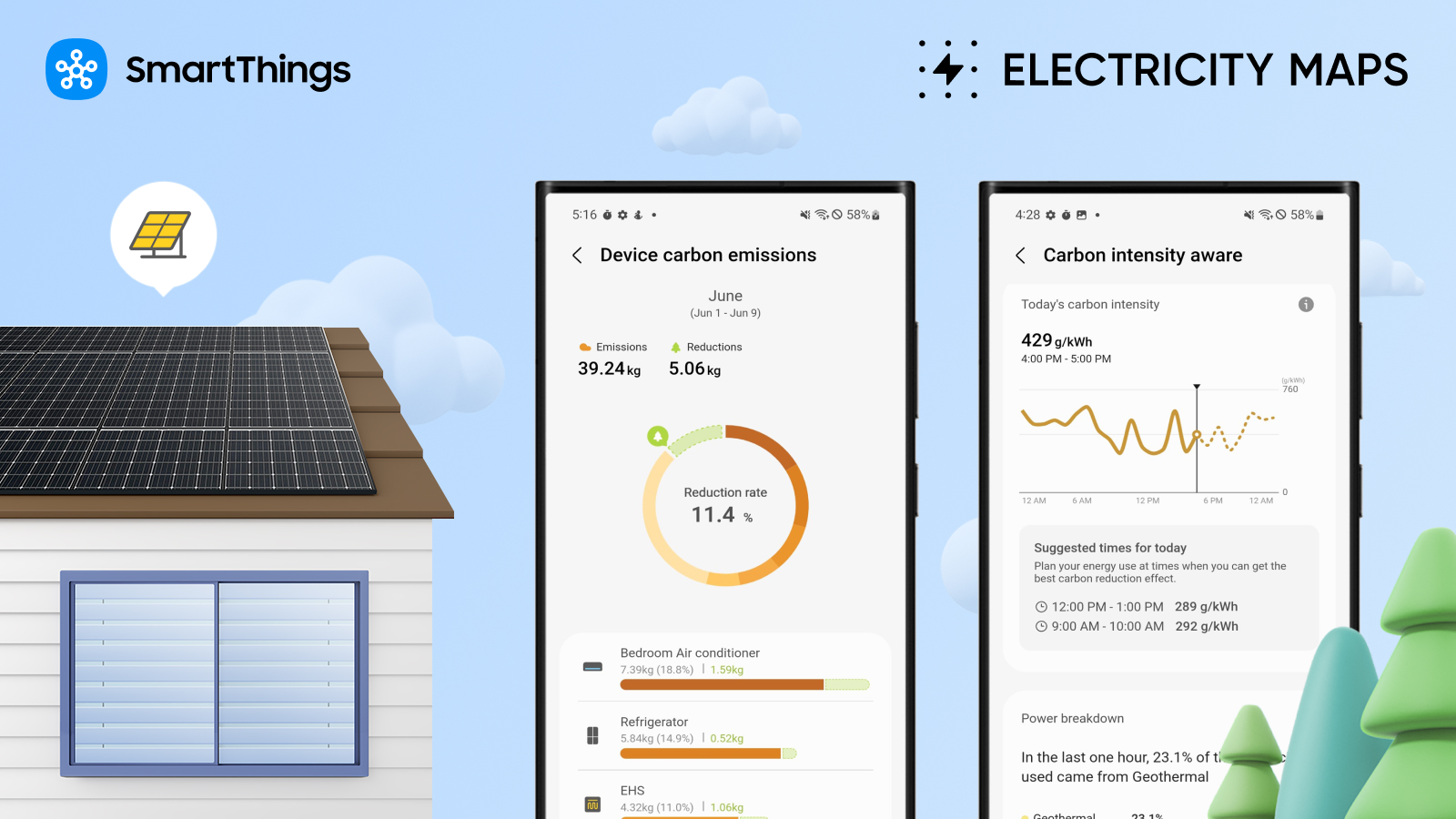
For example, Samsung devices, like the Jet Bot robot vacuum or the dishwasher, can be set to operate when renewable energy is more abundant on the local grid. Users can see these real-time insights on carbon intensity on a dashboard within the application to understand the impact of their green energy use and learn valuable tips to inform their energy management.

SmartThings: Electricity Maps, can you explain how carbon intensity varies during the day?

Electricity Maps: With more renewables being added to global electricity grids, there is more volatility in emissions, so much so that the carbon intensity of electricity varies more and more. How clean the electricity is at a given time depends on the availability of renewable energy and is often connected to the weather. Wind turbines can only operate with wind, and solar panels only work when the sun shines. This means that, for example, on a sunny day in California, the emissions of an EV charge can triple depending on when the car is charged.

Our full conversation with Electricity Maps

SmartThings: Hey, Electricity Maps! Thank you for joining us for a Q&A today. We’re excited to discuss SmartThings Energy, Carbon Intensity Data, and more with you. For those who are new to your brand, what is Electricity Maps?

Electricity Maps: Hey, SmartThings! Electricity Maps provides real-time and predictive electricity signals that unlock smarter electricity use for consumers to save carbon and cut energy costs. For example, the carbon footprint of the electricity a consumer receives in their power plug changes a lot during the day, depending on whether there is a lot of wind or solar power available. 

Many devices have flexibility in when they consume electricity. Instead of having these devices charge or run at random times, we enable them to optimize their electricity usage to consume when the grid is powered by clean electricity. By sharing these insights with consumers, we help them understand the impact of their electricity use so they can make more sustainable choices. 

That’s where the Electricity Maps API integration with SmartThings comes in!

SmartThings: That’s right! We partnered with you to empower our SmartThings users with this insightful data in the SmartThings app! 

The Electricity Maps API, integrated in 2023, connects seamlessly with SmartThings Energy to deliver real-time data on the carbon intensity of local grids. This allows SmartThings Energy users to make their home devices “carbon-intelligent,” meaning their devices can automatically run at optimal times to lower carbon emissions.

For example, Samsung devices, like the Jet Bot robot vacuum or the dishwasher, can be set to operate when renewable energy is more abundant on the local grid. Users can see these real-time insights on carbon intensity on a dashboard within the application to understand the impact of their green energy use and learn valuable tips to inform their energy management.

Electricity Maps, can you explain how carbon intensity varies during the day?

Electricity Maps: With more renewables being added to global electricity grids, there is more volatility in emissions, so much so that the carbon intensity of electricity varies more and more. How clean the electricity is at a given time depends on the availability of renewable energy and is often connected to the weather. Wind turbines can only operate with wind, and solar panels only work when the sun shines. This means that, for example, on a sunny day in California, the emissions of an EV charge can triple depending on when the car is charged (explore carbon intensity variations in California).

Can you explain where users can find Carbon Intensity data in the SmartThings App?

SmartThings: Of course! Once a user downloads SmartThings Energy in the app and connects their smart energy devices, they can start seeing a cumulative report of their carbon emissions data. In SmartThings, getting to the carbon emissions aware content is as simple as clicking on the Life tab at the bottom of the main SmartThings app screen and navigating to SmartThings Energy, where users can scroll down to the ‘carbon emissions aware’ card. There, they can access and explore carbon emissions and carbon intensity data.

These features can help users save emissions in their daily lives and save on their utility bills, too. Want to help break this down for us, Electricity Maps?

Electricity Maps: Yes! Energy consumption in the home is a significant contributor to personal carbon emissions as well as household costs. By using more renewable energy and reducing carbon intensity, consumers can lower their environmental impact and save on energy bills at the same time. This is because renewable energy, which is low in carbon emissions, also tends to be cheaper. 

We know SmartThings Energy has lots of cool features to help consumers manage their energy usage and automate their energy management, setting a new, elevated standard in the smart home and IoT space. 

Can you tell us more about what SmartThings Energy is and what it can do for users?

SmartThings: For sure. With SmartThings Energy, users get detailed data and insights on their home energy usage, analytics reports for daily energy usage patterns, and more, revealing energy savings opportunities. Cool features like AI Energy Mode take energy savings even further, allowing users to automate energy savings by selecting devices to participate in AI Energy Mode. Users can choose at which level the devices participate at and adjust their preferences at any time. Furthermore, users can earn energy stamps to save energy automatically, which can be converted to Samsung Rewards and spent on Samsung products!

We’re so excited about this partnership. At SmartThings, we want our users to feel engaged and educated to create meaningful smart home experiences. The features within SmartThings Energy, including the carbon aware page, are another way we’re providing our users with education to better their way of life. Nowadays, SmartThings users can regularly engage with these insights into their carbon emissions. 

Can you share what larger impact this can have?

Electricity Maps: That’s awesome! Yes, at Electricity Maps, we envision a world where all electrical devices contribute to decarbonization by only consuming low-carbon electricity. SmartThings Energy features powered by this partnership allow users to save emissions each day. The collective impact of millions of SmartThings users optimizing their home devices this way is a great step in decarbonizing global electricity grids.

SmartThings: That was very informative. Thank you to our partners at Electricity Maps for chatting with us today! 

Electricity Maps: Thank you for having us, SmartThings!

AirPods Pro 2: Near-Perfection with $80 Off

0

Record-low Apple AirPods Pro price

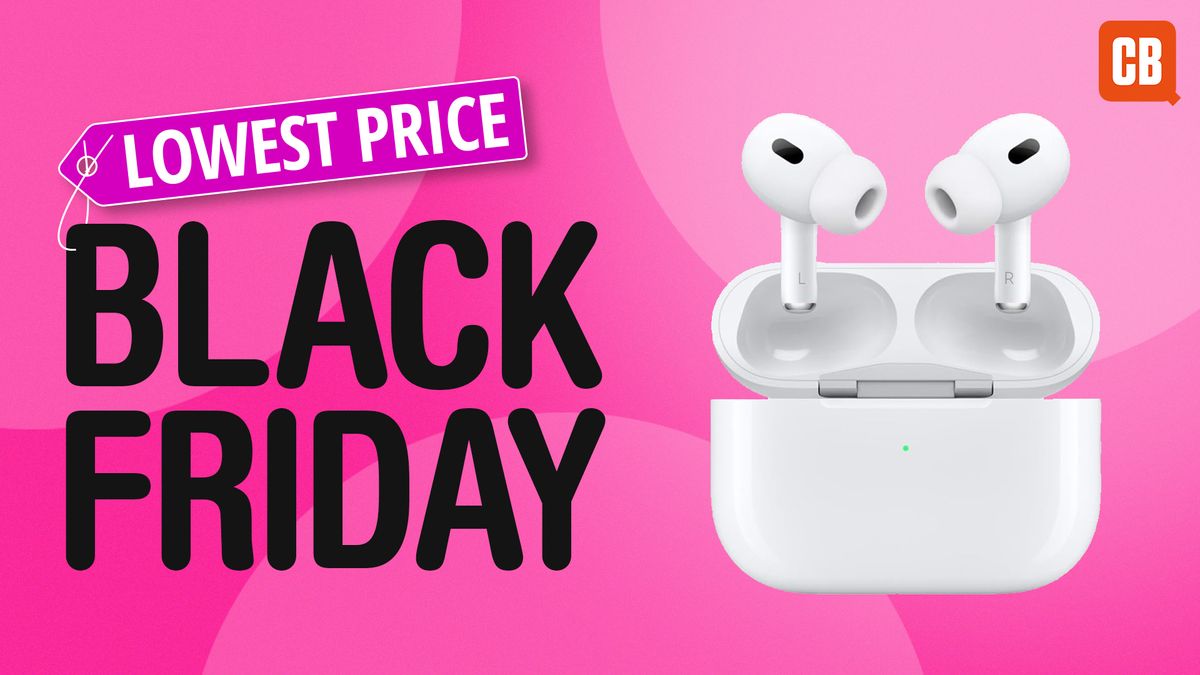
The second generation of the AirPods Pro are an excellent set of air pods, and they are currently at their second lowest price ever – down from $249.99 to $169.99 at Amazon. The best price we’ve seen on these are $159.99, so they’re not far off!

Why are they so popular?

These AirPods Pro are the most popular of the AirPods family. They offer excellent noise cancelling and brilliant sound, just like the AirPods Max, but at a fraction of the price. And they’re in a different class of audio quality from the standard AirPods. We gave them a high 4.5 stars out of 5 when we reviewed them.

What’s in it for you?

Here are the key features that make the AirPods Pro stand out:

  • Excellent noise cancelling
  • Brilliant sound quality
  • Water and sweat resistant
  • Long battery life
  • Easy pairing and seamless connectivity
How to get the best price?

Here are the best AirPods Pro 2 deals, wherever you are in the world:

Amazon: $169.99 (was $249.99)

Best Buy: $169.99 (was $249.99)

Walmart: $169.99 (was $249.99)

Conclusion

The AirPods Pro 2 are an excellent choice for anyone looking for high-quality earbuds with noise cancelling and excellent sound. With their current price, they’re a steal. Don’t miss out on this opportunity to upgrade your audio experience.

FAQs

Q: Are the AirPods Pro 2 compatible with my device?
A: Yes, the AirPods Pro 2 are compatible with Apple devices, including iPhones, iPads, and MacBooks.

Q: How long do the AirPods Pro 2 battery last?
A: The AirPods Pro 2 battery life is up to 5 hours of listening time, and up to 3.5 hours of talk time on a single charge.

Q: Are the AirPods Pro 2 water and sweat resistant?
A: Yes, the AirPods Pro 2 are water and sweat resistant, with an IPX4 rating.

Q: Can I use the AirPods Pro 2 with non-Apple devices?
A: Yes, the AirPods Pro 2 are compatible with non-Apple devices, including Android devices and Windows PCs.

The Enduring Power of the Website

0

Today’s Episode of Decoder

Aman Bhutani, CEO of GoDaddy

Live Onstage at an Event Hosted by AlixPartners in Palo Alto, California

GoDaddy is one of those companies that feels tied to an earlier era. In this case, the company had a hugely controversial reputation in the web 1.0 days, when it built a huge business selling domain names and ran a bunch of pretty sexist ads — but all of that is long in the past. The company still runs a huge domain name business, but Aman has been CEO since 2019, and he’s been building out what he calls adjacencies — basically, helping the very small businesses that run websites on GoDaddy grow their operations.

What is the Point of a Website in 2024?

I started out by asking Aman the question I’ve asked so many other guests on Decoder in the past year: What is the point of a website in 2024? Who needs one, and how do they benefit from paying GoDaddy to host it for them?

Conveying Legitimacy

You’ll hear Aman say that a website can convey legitimacy — that his customers feel pride in having their own domains, something they own and control for themselves, to build a direct relationship with their customers, instead of relying entirely on other platforms to do it for them.

AI and Web Design

You’ll also hear us talk about AI a lot because, at this point, it’s everywhere. GoDaddy launched a service earlier this year called Airo, which allows site owners to generate everything from logos to full site designs with just a few prompts.

Customer Retention

We have an 85 percent published retention rate. We really think about customer churn, not product churn. In our customer base, you actually see people who tried a business, they got a domain name, but it didn’t work out after nine months or 12 months, and they need a new idea. But they still have to put food on the table or they have the drive to do something. They’re going to do something else. Are they doing it with GoDaddy? We want to keep that engagement with them.

The Care Organization

I think a lot of businesses are not structured to provide a high level of care. It’s sort of treated as a cost center. In our case, the care organization is a true competitive differentiator. We call what they do “guidance.” Yes, our care guides have some targets, but they don’t have a script. They don’t get told, “Ask the customer X, Y, or Z.” The goal is to first understand what the customer wants and solve their problem. Then, we have sales motions because we can end up spending a lot of time serving a person.

The Dreamweaver Barbershop Lady

I talked to her three times on the phone. She said, “This is really nice to talk to the CEO of a public company.” I said, “You’re one of my biggest customers. The ARPU is $167, I’m asking you to pay $275.” I said, “You’re a big customer. You get to talk to the CEO.” She loved it. She talked to some of the tech folks.

Conclusion

In this episode of Decoder, we explored the role of websites in 2024, the importance of customer retention, and the impact of AI on web design. Aman Bhutani, CEO of GoDaddy, shared his insights on how the company is adapting to the changing landscape and providing value to its customers.

FAQs

Q: What is the point of a website in 2024?
A: A website can convey legitimacy and provide a direct relationship with customers.

Q: How does GoDaddy approach customer retention?
A: We have an 85 percent published retention rate and focus on providing a high level of care to our customers.

Q: What is the Airo service?
A: Airo is a service that allows site owners to generate everything from logos to full site designs with just a few prompts.

Q: How does GoDaddy’s care organization work?
A: Our care organization is a true competitive differentiator, providing personalized guidance to our customers.

Fugatto: World’s Most Flexible Sound Machine

0

A team of generative AI researchers created a Swiss Army knife for sound, allowing users to control audio output using text. While some AI models can compose a song or modify a voice, none have the dexterity of the new offering.

# A Sound Grasp of Audio

The team wanted to create a model that understands and generates sound like humans do. Supporting numerous audio generation and transformation tasks, Fugatto is the first foundational generative AI model that showcases emergent properties – capabilities that arise from the interaction of its various trained abilities – and the ability to combine free-form instructions.

# A Sample Playlist of Use Cases

For example, music producers could use Fugatto to quickly prototype or edit an idea for a song, trying out different styles, voices, and instruments. They could also add effects and enhance the overall audio quality of an existing track. An ad agency could apply Fugatto to quickly target an existing campaign for multiple regions or situations, applying different accents and emotions to voiceovers. Language learning tools could be personalized to use any voice a speaker chooses. Imagine an online course spoken in the voice of any family member or friend. Video game developers could use the model to modify prerecorded assets in their title to fit the changing action as users play the game. Or, they could create new assets on the fly from text instructions and optional audio inputs.

# Making a Joyful Noise

One of the model’s capabilities we’re especially proud of is what we call the avocado chair. For instance, Fugatto can make a trumpet bark or a saxophone meow. Whatever users can describe, the model can create. With fine-tuning and small amounts of singing data, researchers found it could handle tasks it was not pretrained on, like generating a high-quality singing voice from a text prompt.

# Users Get Artistic Controls

Several capabilities add to Fugatto’s novelty. During inference, the model uses a technique called ComposableART to combine instructions that were only seen separately during training. For example, a combination of prompts could ask for text spoken with a sad feeling in a French accent. The model’s ability to interpolate between instructions gives users fine-grained control over text instructions, in this case, the heaviness of the accent or the degree of sorrow.

# Conclusion

Fugatto is a groundbreaking AI model that has the potential to revolutionize the way we create and interact with sound. Its capabilities go beyond traditional music generation and voice modification, allowing users to create an almost endless range of sounds and effects. With Fugatto, the possibilities are endless, and the future of sound has never looked brighter.

# FAQs

Q: What is Fugatto?
A: Fugatto is a generative AI model that can generate or transform any mix of music, voices, and sounds described with prompts using any combination of text and audio files.

Q: What can Fugatto do?
A: Fugatto can create music snippets, remove or add instruments from an existing song, change the accent or emotion in a voice, and even let people produce sounds never heard before.

Q: Who is behind Fugatto?
A: A team of generative AI researchers at NVIDIA, including Rafael Valle, Ido Zmishlany, and Rohan Badlani, among others.

Q: How was Fugatto trained?
A: Fugatto was trained on a bank of NVIDIA DGX systems packing 32 NVIDIA H100 Tensor Core GPUs. The team employed a multifaceted strategy to generate data and instructions that expanded the range of tasks the model could perform.

Feature Attribution Baselines in Focus

0

Here is the organized content with headings and subheadings:

Path Attribution Methods

Path attribution methods are a gradient-based way of explaining deep models. These methods require choosing a hyperparameter known as the baseline input. What does this hyperparameter mean, and how important is it? In this article, we investigate these questions using image classification networks as a case study. We discuss several different ways to choose a baseline input and the assumptions that are implicit in each baseline.

Introduction

If you are in the business of training neural networks, you might have heard of the integrated gradients method, which was introduced at ICML two years ago. The method computes which features are important to a neural network when making a prediction on a particular data point. This helps users understand which features their network relies on. Since its introduction, integrated gradients has been used to interpret networks trained on a variety of data types, including retinal fundus images and electrocardiogram recordings.

Image Classification

We focus on image classification as a task, as it will allow us to visually plot integrated gradients attributions and compare them with our intuition about which pixels we think should be important. We use the Inception V4 architecture, a convolutional neural network designed for the ImageNet dataset, in which the task is to determine which class an image belongs to out of 1000 classes. On the ImageNet validation set, Inception V4 has a top-1 accuracy of over 80%. We download weights from TensorFlow-Slim and visualize the predictions of the network on four different images from the validation set.

A Better Understanding of Integrated Gradients

As you look through the attribution maps, you might find some of them unintuitive. Why does the attribution for “goldfinch” highlight the green background? Why doesn’t the attribution for “killer whale” highlight the black parts of the killer whale? To better understand this behavior, we need to explore the assumptions behind each baseline input.

Baselines in Path Attribution

Of course, we modified MNIST in this example specifically so that expected gradients attributions of an accurate model would look exactly like those of a randomly initialized model. The way we did this is similar to the decoy MNIST dataset, except instead of the top left corner encoding the class label, we randomly scattered noise throughout each training and test image where the intensity of the noise encodes the true class label. Generally, you would run these kinds of saliency method sanity checks on un-modified data.

Conclusion

So what should be done? We have many baselines and no conclusion about which one is the “best.” Although we don’t provide extensive quantitative results comparing each baseline, we do provide a foundation for understanding them further. At the heart of each baseline is an assumption about missingness in our model and the distribution of our data. In this article, we shed light on some of those assumptions, and their impact on the corresponding path attribution.

Related Methods

This work focuses on a specific interpretability method: integrated gradients and its extension, expected gradients. We refer to these methods as path attribution methods because they integrate importances over a path. However, path attribution methods represent only a tiny fraction of existing interpretability methods. We focus on them here both because they are amenable to interesting visualizations, and because they provide a springboard for talking about missingness.

FAQs

What is path attribution?

Path attribution methods are a gradient-based way of explaining deep models. They require choosing a hyperparameter known as the baseline input.

What is the baseline input?

The baseline input is a hyperparameter in path attribution methods that requires choosing a specific input to the model.

Why is the constant black image a “natural baseline” for image data?

The constant black image is a “natural baseline” for image data because it is a common and intuitive choice for a baseline input in path attribution methods.

How do I choose a baseline input?

The choice of baseline input depends on the specific problem and data type. In this article, we discuss several different ways to choose a baseline input and the assumptions that are implicit in each baseline.

What is missingness in machine learning models?

Missingness refers to the concept of representing missing data in machine learning models. In this article, we discuss how missingness is related to path attribution methods and the choice of baseline input.

What are some other related methods?

There are many other related methods, including SHAP, DeepSHAP, layer-wise relevance propagation, LIME, RISE, and Grad-CAM, among others. Many of these methods define some notion of baseline or missingness, as missingness and explanations are closely related.