Home Blog Page 598

Valve’s Half-Life 2 Episode 3 Footage: A Bittersweet Reminder

0

Half-Life 2: 20th Anniversary Documentary Reveals Canceled Episode 3

A Look Back at Half-Life 2’s Development

It’s been 20 years since Valve released Half-Life 2, one of the most influential first-person shooters in the history of gaming. To mark the anniversary, the developer and publisher has made a two-hour documentary that assembles most of the team that worked on the game – and reveals that there could have been a Half-Life 2: Episode 3.

The Documentary

The Half-Life 2 Anniversary Documentary shares plenty of secrets from the development of the game and its episodes, including the revelation that the company was saved by a Korean intern in its legal battle against Vivendi. Towards the end of the documentary, we’re shown concept art for a cancelled third episode.

Half-Life 2: Episode 3

Half-Life 2: Episode 3 was going to be set in the Arctic and would have had novel features like an ice gun that could build walls and ledges and a shape-shifting blob enemy that could pass through grills. The developers suggest that the title was still at least a year and half away when they moved to focus on other projects – mainly Left 4 Dead. By the time that was complete, it was decided that it was too late to go back to Half-Life 2: Episode 3 – a decision that some now regret.

Gabe Newell’s Thoughts

Gabe Newell mentioned a feeling that a new episode needed to add something to advance the story of the game, but recognised that for players that might not really be necessary. "We could have shipped it. It wouldn’t have been that hard," he said. "My personal failure was being stumped. I couldn’t figure out why Episode 3 was pushing anything forward."

Concept Art

Image 1: Game concept art for Half-Life 2 Episode 3

Image 2: Game concept art for Half-Life 2 Episode 3

Image 3: Game concept art for Half-Life 2 Episode 3

Image 4: Game concept art for Half-Life 2 Episode 3

Reactions

"This is so surreal man. Seeing episode 3 concept art and footage after so long," one person responded in the comments on YouTube. "My mind does not have room for this completely new, Portal-like enemy into a Half Life game despite this being legitimate footage of the time." "The physics for the blob creature feel more advanced than what you’d see in a typical modern 2024 game, and it was achieved in a 20- year-old game engine," someone else wrote.

Conclusion

The revelation of Half-Life 2: Episode 3’s concept art and footage has left fans stunned, and it’s clear that the game would have been a significant departure from the rest of the series. While it’s unlikely that we’ll ever see the episode come to fruition, it’s fascinating to see the ideas that were explored during its development.

FAQs

Q: Why was Half-Life 2: Episode 3 cancelled?
A: The developers moved on to focus on other projects, mainly Left 4 Dead, and by the time that was complete, it was too late to go back to Half-Life 2: Episode 3.

Q: What were some of the new features planned for Half-Life 2: Episode 3?
A: The game would have included an ice gun that could build walls and ledges and a shape-shifting blob enemy that could pass through grills.

Q: Will we ever see Half-Life 2: Episode 3?
A: It’s unlikely, as the developers have moved on to other projects and the concept art and footage are now 20 years old.

Rockstar’s Name Game

0

Grand Theft Auto: The Trilogy – The Definitive Edition Controversy

Grove Street Games’ CEO Complains About Name Removal

The Grand Theft Auto: The Trilogy – The Definitive Edition controversy just won’t go away, and largely because of its primary developer. Grove Street Games’ CEO, Thomas Williamson, took to X, the former Twitter, to complain about the studio’s name being dropped from the remaster’s opening credits. However, he didn’t find much sympathy.

Background

To recap, Rockstar Games had to fix things after the remastered GTA trilogy was poorly received due to various bugs and the frankly terrible look of the character art. As a result, it’s removed Grove Street Games’ name from the opening splash screen in the latest update, which introduced Classic Lighting mode along with fixes and improvements.

Fan Reaction

Fans responded to Williamson’s comment, with many expressing their discontent with Grove Street Games’ work on the remaster. One person asked, "You’re still in the credits, just removed from the opening splash screen. After all the controversy why would you even want your company’s name to be there?" Another person wrote, "Speaking entire hypothetically: you guys could have just not ruined 3 classic games the first time and Rockstar wouldn’t have had to come in & clean up your spilled milk. Your company shouldn’t even be acknowledged by the GTA community anymore."

Conclusion

While it’s understandable that a studio would be upset about its work not being recognized, it might be one case where it would be better to keep a low profile. Fans aren’t always right, but in this instance, it seems that Grove Street Games’ actions spoke louder than their words.

FAQs

Q: Why did Rockstar Games remove Grove Street Games’ name from the opening credits?
A: Rockstar Games removed Grove Street Games’ name from the opening credits due to the poor reception of the remastered GTA trilogy, which was plagued by bugs and poor character art.

Q: Why is Grove Street Games upset about the removal of their name?
A: Grove Street Games’ CEO, Thomas Williamson, took to X to express his discontent about the removal of the studio’s name from the opening credits, claiming it was a "d*ck move."

Q: What did fans have to say about Grove Street Games’ complaint?
A: Fans responded to Williamson’s comment, expressing their discontent with Grove Street Games’ work on the remaster and suggesting that the studio’s name shouldn’t be acknowledged by the GTA community anymore.

Create a Podcast with AI in Seconds

0

How to Generate a Podcast with NotebookLM

Head to the NotebookLM website with your favorite browser. Yes, you can even use Firefox, Edge, or another non-Chrome browser. Click the button to try NotebookLM, sign in with your Google account if you’re not already logged in, and then click the Create new button.

You’re prompted to upload your source files. For this, you’re able to upload PDFs, text files, markdown files, and audio files such as MP3s and WAVs. You can also grab the content from different sources, including your computer, Google Drive, and pasted text. Either drag and drop the files you wish to use or choose the source and select the files to include. You can add as few as one file and as many as 50.

The names of the uploaded files appear on the left sidebar. To add more information, click the plus icon and select additional source files. By default, all the files are checked and will be included in the summary. Uncheck any files that you don’t want to incorporate.

After you’ve lined up your source files, NotebookLM automatically generates a text summary of the uploaded files. When you’re ready for the podcast version, click the Generate button. In some cases, you may have to select Notebook guide at the bottom and then click Generate.

Depending on how much source material you uploaded, creating the podcasts will take anywhere from several seconds to several minutes. You can always busy yourself with other work (or play) while the audio is being generated. Once it’s ready, you’ll see a Play button with a slider and a number indicating the length of the audio. Click the Play button to start listening, and the podcast kicks off.

By moving the button on the slider, you’re able to move forward or backward throughout the podcast. You can also pause it and then resume it. At this point, you may want to name your notebook if you haven’t already done so. Click the box that says Untitled notebook and replace that with the name of your choice.

Do you like the podcast or think it could be better? Either way, you’re able to rate the podcast by clicking the thumbs up or thumbs down icon just above the slider. If you opt for a thumbs down, you’re asked to provide a reason for your negative response.

If you think other people will like the podcast, you can share it publicly. Click the Share icon and then turn on the switch for Public access. Preview the podcast to see and hear how other people would access it. To proceed, click the button for Copy share link and you now have a URL to send to anyone who might like to listen to the audio.

Next, you’re able to change the speed of the podcast. Click the three-dot icon and move to the option for Change playback speed. Select 0.5x or 0.8x to slow down the podcast. Select 1.0x to play it at its normal speed. And select 1.2x, 1.5x, 1.8x, or 2.0x to increase the speed.

You can save the podcast from the same menu. Choose Download and you’re prompted to save the podcast as a WAV file, letting you listen to it via any media player such as Windows Media Player, iTunes, or VLC Media Player.

In the Customize Audio Overview window, add your directions to customize the focus of the podcast. Follow the steps listed in the window to specify exactly what you’d like to hear. When done, click Generate. Play the podcast to see if the AI followed your instructions. If not, you can always try again and rewrite your directions to better express your wishes.

To return to the main NotebookLM screen, click NotebookLM at the top left of the screen. You’ll then find all the podcasts you’ve generated. Click a specific podcast to load and play it. Click the three-dot icon and you can change the title or delete the podcast entirely.

Conclusion

NotebookLM’s podcast feature is an innovative tool that can help you create engaging audio content from your source files. With its ability to generate a podcast in the form of a natural conversation between two AI-generated hosts, you can easily create a podcast that sounds like it was created by humans. Whether you’re a researcher, student, or professional, NotebookLM’s podcast feature is a valuable tool that can help you communicate complex information in a more engaging and entertaining way.

FAQs

Q: What types of files can I upload to NotebookLM?
A: You can upload PDFs, text files, markdown files, and audio files such as MP3s and WAVs.

Q: How many files can I upload at once?
A: You can add as few as one file and as many as 50.

Q: Can I customize the focus of the podcast?
A: Yes, you can add your directions to customize the focus of the podcast in the Customize Audio Overview window.

Q: Can I share my podcast publicly?
A: Yes, you can share your podcast publicly by clicking the Share icon and turning on the switch for Public access.

Design with Midjourney

0

A New Workflow for Midjourney Designers
How to Generate Consistent Designs in Midjourney

Introduction
Join my NEW Community https://www.skool.com/fta and my Midjourney Course https://ftp.live/mjcourse to take your designs to the next level!

Big Tip #1
Use the sw parameter to generate more consistent designs. This will help you achieve a better balance between contrast and color harmony.

Extra Tip
Experiment with different settings and parameters to find the perfect combination for your designs.

Big Tip #2
Use the s parameter to refine your designs and achieve the desired level of detail. This will help you generate more realistic and detailed images.

Parameter –p
Use the p parameter to adjust the level of precision in your designs. This will help you achieve more accurate and detailed images.

Big Tip #3
Use external tools like Color Grading Software https://ftp.live/colorio and POD Graphics https://ftp.live/creativefabrica to further refine your designs.

More Examples
Check out my Style Safari Website https://www.stylesafari.xyz/ for more examples of designs generated using Midjourney.

Big Tip #4
Use the –sw parameter in combination with the s and p parameters to generate more complex and detailed designs.

External Tools
Don’t forget to check out my Custom Dimensions https://www.canva.com/ for more design inspiration and resources.

Conclusion
By following these tips and experimenting with different parameters and settings, you can generate consistent designs in Midjourney that will take your designs to the next level.

FAQs

Q: What is Midjourney?
A: Midjourney is an AI art tool that allows you to generate designs and images using a combination of parameters and settings.

Q: What are the benefits of using Midjourney?
A: Midjourney can help you generate consistent and high-quality designs, refine your design skills, and explore new creative possibilities.

Q: How do I get started with Midjourney?
A: Check out my Midjourney Course https://ftp.live/mjcourse for a comprehensive guide on how to get started with Midjourney.

Q: Are there any external tools or resources that I can use with Midjourney?
A: Yes, I recommend checking out my list of trusted tech resources and tools, including Color Grading Software https://ftp.live/colorio and POD Graphics https://ftp.live/creativefabrica.

Timestamps

  • 0:00 The Problem
  • 0:35 Big Tip #1
  • 1:00 Extra Tip
  • 1:25 Big Tip #2
  • 2:03 Parameter –sw
  • 2:44 Parameter –s
  • 3:26 Parameter –p
  • 4:27 Big Tip #3
  • 5:46 More Examples
  • 6:15 Big Tip #4
  • 6:49 External Tools

US Banned Investments in Some Chinese AI Startups

0

Uncertain Future for US Investors in Chinese AI Startups

New Rules Create Due Diligence Burden

The more certain short-term impact is that US investors who are still interested in Chinese AI startups will have to do a whole lot more due diligence. The Treasury Department is not setting up a new government committee like CFIUS that will review every transaction investors submit, and is instead asking them to do their own homework and report whether they believe a Chinese AI company would be covered.

Notification and Due Diligence Requirements

Under the new rules, even if a Chinese startup’s AI model is smaller than the 1025-flops size threshold, a US investor might still have the responsibility to notify the Treasury Department about their transaction and the homework they’ve done, as long as its model is at least 1023 flops (essentially encompassing all large-scale models being developed today and in the future). In effect, that means the US government is creating its own system to monitor the overall flow of money going from US investors to Chinese companies working on AI.

Expert Insights

"In order to confirm that a transaction is out of scope, it will require significant due diligence undertaken by US investors," says Robert A. Friedman, an international trade lawyer at law firm Holland & Knight. While the rules have been celebrated by domestic AI companies and their backers, they will become a hurdle for venture capitalists with international portfolios, he says.

Uncertainty and Future Developments

The outbound investment restrictions are set to take effect on January 2, and in the meantime, the Treasury Department has signaled that some small changes are still on the way to further clarify the rules. Officials also said they’re making efforts to coordinate with US allies, like the G7 countries, to introduce similar measures that would prevent Chinese AI companies from turning to VCs in Europe, Canada, or Japan for the kinds of investments prohibited in the US.

The Impact of a Second Trump Presidency

The biggest uncertainty now, as with most parts of the US federal government, is how a second Trump presidency might change things. Danzman notes that many members of the venture capital community that supported Trump are against the kinds of regulations introduced by the Treasury Department, so they may potentially try to lobby the president to roll them back. Several major American companies, like Tesla and Blackstone—both led by outspoken pro-Trump billionaires—have significant investments in China and could see their businesses negatively impacted by tighter constraints.

Possible Expansion of Rules

Other experts WIRED spoke to expect the new Republican administration, which is slated to include a number of China hawks like Rubio, will expand the scope of the rules. "It is possible that we could see a new executive order. Or, given the unified Republican government, perhaps expansion would take place via legislative action," says Kilcrease. That might mean more measures targeting other kinds of Chinese startups, in sectors ranging from biotechnology to batteries.

Conclusion

The new rules create a significant due diligence burden for US investors interested in Chinese AI startups, and the uncertainty surrounding their implementation and potential changes under a second Trump presidency only adds to the complexity. As the US government continues to navigate its complex relationship with China, the future of outbound investment restrictions remains uncertain.

Frequently Asked Questions

Q: What is the significance of the 1025-flops size threshold in the new rules?
A: The 1025-flops size threshold is the minimum size of AI models that would be covered by the new rules, requiring US investors to notify the Treasury Department and perform due diligence.

Q: How will the new rules affect US investors in Chinese AI startups?
A: The new rules will create a significant due diligence burden for US investors, requiring them to perform extensive research and reporting to ensure compliance.

Q: What is the potential impact of a second Trump presidency on the new rules?
A: A second Trump presidency could potentially lead to the rollback or expansion of the new rules, adding to the uncertainty surrounding their implementation.

Q: How will the new rules affect the overall flow of money from US investors to Chinese companies working on AI?
A: The new rules will create a system to monitor the overall flow of money, requiring US investors to report and perform due diligence on their transactions with Chinese AI companies.

Save $1,000 on Samsung Galaxy S10 Ultra

0

Samsung Galaxy Tab S10 Ultra: A Superb Discount for the Newest Tablet

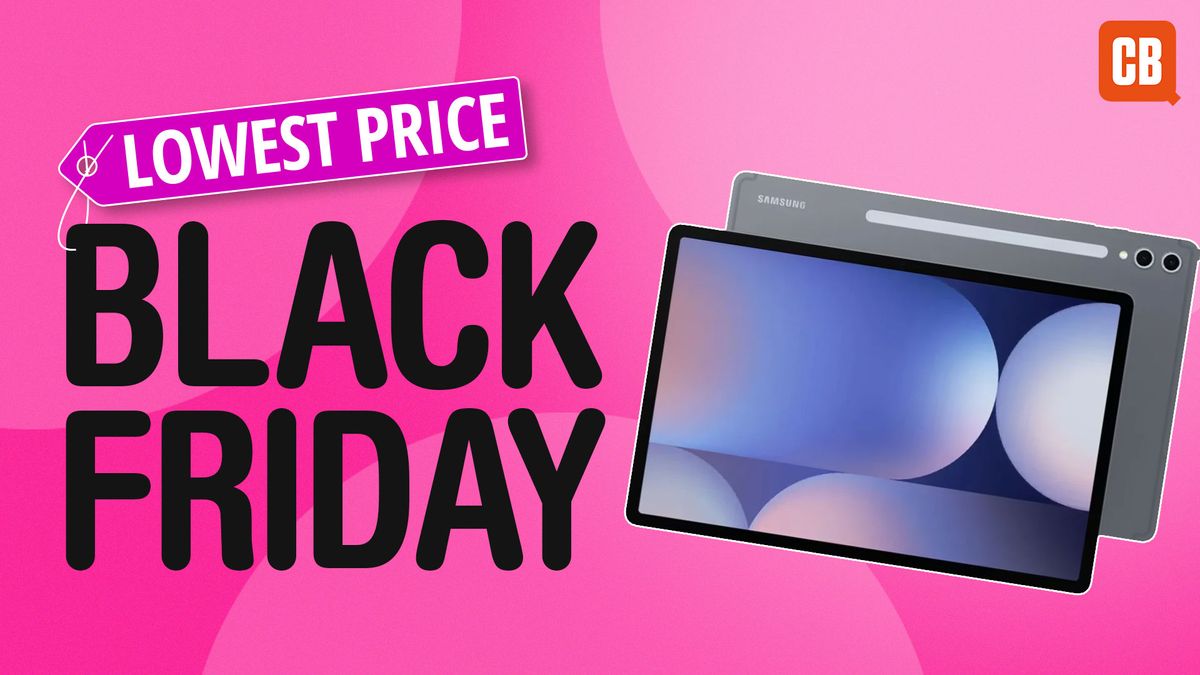
The wonderful Samsung Galaxy Tab S10 Ultra has been given a superb discount. You can get the newest, most powerful tablet for as low as $199.99 at Samsung – that’s $1000 off. You’ll get this price by combining an upfront $200 discount (not bad in itself) with a standout trade-in offer.

What’s the Trade-In Offer?

We know trade-in offers aren’t as awesome as an automatic reduction, but if you have another device that’s not serving you, it is a great way to upgrade for a lot less. Of course, you need the newer models in order to get the fullest discount, but it works on a sliding scale so you’re likely to get something off.

A Record Low Price for a Premium Tablet

This deal brings the brilliant Galaxy S10 Ultra down to a record low price and given it’s our pick for the best tablets with a stylus for media, we think it’s well worth it. We got hands on with the tablet at its release event and had questions around the price, which this deal solves. We’ve since tested it and were impressed by the premium feel and its fast processor. Find out more below.

Alternative Deals

If this one isn’t for you, check out the other deals we’ve found below:

Conclusion

In conclusion, the Samsung Galaxy Tab S10 Ultra is an excellent tablet that has been discounted to a record low price. With its powerful processor and premium feel, it’s a great option for anyone looking for a new tablet. The trade-in offer is a great way to upgrade for a lot less, and with the upfront discount, you can get it for as low as $199.99.

FAQs

Q: What is the trade-in offer?
A: The trade-in offer is a way to upgrade your current device for a discount on the Samsung Galaxy Tab S10 Ultra. The discount amount will vary depending on the condition and age of your device.

Q: Do I need a newer device to get the fullest discount?
A: Yes, you need a newer device to get the fullest discount. However, the trade-in offer works on a sliding scale, so you’re likely to get something off even if your device is older.

Q: Can I get the discount without trading in my device?
A: No, the discount is only available when you combine the upfront $200 discount with the trade-in offer.

Q: Is the Samsung Galaxy Tab S10 Ultra a good tablet?
A: Yes, the Samsung Galaxy Tab S10 Ultra is an excellent tablet that has received positive reviews for its powerful processor, premium feel, and stylus support.

iPad Buying Guide

0

Quick iPad Comparison

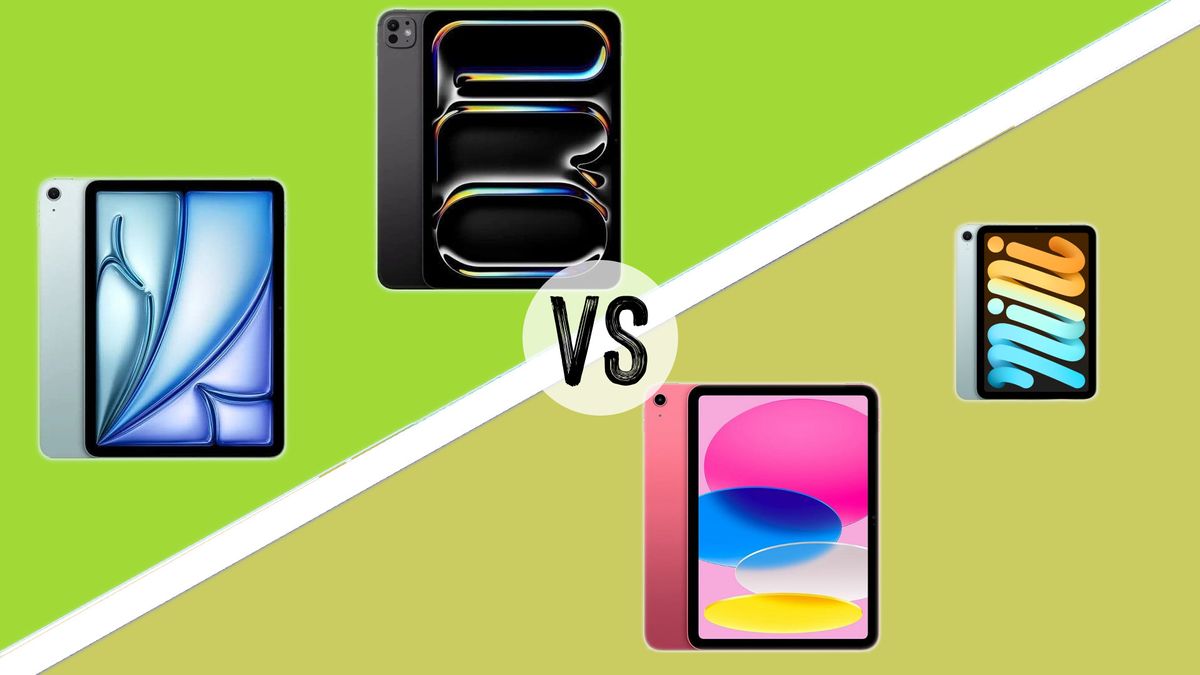
We’ll start with a quick comparison of the most recent iPad models in each line before we get into the nitty-gritty of each one’s design, components, and performance.

Apple iPad Pro (M4, 2024)

Chipset: Apple M4, 10-core GPU
Display: 13-inch or 11-inch
Battery life: 10 hours basic use

The most powerful iPad ever made, the iPad Pro (M4, 2024) is a professional tool offering a huge amount of raw processing muscle. It runs 2D and 3D creative apps with ease, it can handle video editing, it works with the Apple Pencil Pro stylus, and its display is breathtaking – though the high price will rule it out for a lot of users.

Apple iPad Air (M2, 2024)

Chipset: Apple M2 chip, 8-core CPU, 9-core GPU, 16-core Neural Engine
Display: 13-inch or 11-inch
Battery life: 9 hours basic use

Slick, fast, and capable, the iPad Air offers a level of power that’s pretty close to that of the iPad Pro (in this iteration, closer than ever) at a cost that is slightly less eye-watering. It’s highly capable for creative tasks, in 2D and even 3D, and it’s suited to all but the heaviest hitters.

Apple iPad mini 7th generation

Chipset: A17 Pro, 6-core CPU, 5-core GPU, 16-core Neural Engine
Display: 8.3-inch
Battery life: 10 hours basic use

The smallest iPad you can buy, though not the cheapest, the iPad mini has been revamped to offer the “full iPad experience” in a smaller body. It provides a silky-smooth experience for creatives, with a computing power boost and Apple Pencil Pro support. As long as the canvas isn’t too small for you, it’s a great choice.

Apple iPad (2022, 10th Gen)

Chipset: A14 Bionic chip, Neural Engine
Display: 10.9-inch
Battery life: 10 hours basic use

It’s looking a little old by tech standards, but the basic iPad (10th Gen) now occupies a pretty valuable space as the cheapest current iPad you can buy. If you’re looking more for an iPad for casual web browsing and watching a bit of Netflix, rather than intense creative tasks, it’s the best buy – though you are stuck using the older Apple Pencil.

Performance

The iPad Pro (M4, 2024) offers the ultimate in iPad performance right now. The base model comes with 8GB of RAM, and if you go for the 2TB storage version, you also get 16GB of RAM. Producing scorchingly fast results in our benchmark tests, this iPad will handle basically any creative task you can throw at it. We put the top-end version with 16GB RAM through a battery of tasks, including painting in Procreate and 3D modelling tasks in a number of apps including Nomad Sculpt, and video edits in LumaFusion. In every case, it handled the task with aplomb, and its body never felt hot to the touch.

Which Should I Buy?

You can’t really go wrong here; these are four excellent tablets, each with their own advantages. If you are a professional creative who wants to use an iPad for the most ultra-demanding creative tasks like 3D modelling and high-res video editing, and money is no object, then get the iPad Pro (M4, 2024). However, that description probably doesn’t apply to you – it doesn’t apply to many people. So, which to choose?

If you’re going to be using the iPad for creative work, whether in 2D or 3D, you’re realistically looking at either the iPad Air (M2, 2024) or the iPad mini 7th generation. This is something of a toss-up that’s going to be dictated by your priorities. The iPad mini 7th gen is obviously more portable, and it also edges out the iPad Air in terms of its performance speed and what it can handle. It’s also cheaper. However, the iPad Air offers a bigger, better display that’s a more comfortable drawing canvas.

Conclusion

For pros, it’s unsurprisingly the iPad Pro. For serious creatives, it’s either the iPad mini or iPad Air, depending on whether you place more value on fast performance or a larger display. And for casual users, it’s the basic iPad.

FAQs

Q: Which iPad is best for creative work?
A: If you’re going to be using the iPad for creative work, whether in 2D or 3D, you’re realistically looking at either the iPad Air (M2, 2024) or the iPad mini 7th generation.

Q: Which iPad is the most powerful?
A: The iPad Pro (M4, 2024) is the most powerful iPad ever made, offering a huge amount of raw processing muscle.

Q: Which iPad is the cheapest?
A: The basic iPad (10th Gen) is the cheapest current iPad you can buy.

Q: Which iPad is the best for portability?
A: The iPad mini 7th generation is the smallest iPad you can buy, making it the most portable option.

AI in U.S. Schools: A Nationwide Review

Educational Technology and AI Integration in Classrooms

Key Points

  • Educational technology and digital learning tools are essential in classrooms, with AI making its way into districts across the nation.
  • Educators are increasingly using generative AI, with 50% of surveyed educators using it and 72% planning to use it more in the next school year.

AI Confidence Index

  • The annual Educator Confidence Report from HMH includes an AI Confidence Index, which examines how educators feel about the impact and potential of generative AI.
  • 76% of educators believe generative AI is at least somewhat valuable to their work, and 73% say it saves them time.

State and District Approaches

North Carolina

  • The North Carolina Department of Public Instruction released a guidebook on artificial intelligence, including a set of recommendations.
  • Charlotte-Mecklenburg Schools does not allow ChatGPT or any other AI programs on school devices, while Iredell-Statesville Schools allows some use among teachers but not students.
  • Pitt County Schools adopted a color-coded AI use system to help students determine if their use of AI tools is acceptable.

New Mexico

  • The Santa Fe school board unveiled a plan to guide teachers on using AI in the classroom, including a pilot program to provide up to 1,000 students with AI tutoring software.

Tennessee

  • The Kingsport Board of Education approved a policy regarding the use of artificial intelligence by students and teachers.
  • The policy allows students and staff to use AI but sets guidelines for its use, including requiring teachers to instruct students on the appropriate and responsible use of AI beforehand.

Colorado

  • The Colorado Roadmap for AI in K-12 Education is designed to support local school districts in developing their own approaches to AI integration.
  • The roadmap emphasizes flexibility and adaptability, acknowledging the rapid pace of technological change and the importance of continuous learning and improvement.

Michigan

  • Fenton Area Public Schools staff may use AI in ethical and responsible ways, with students prohibited from using AI and natural language processing tools without permission from teachers.

Conclusion

As AI continues to integrate into classrooms, it is essential for educators to make intentional and effective decisions about its use. By understanding the benefits and challenges of AI, educators can harness its potential to enhance student learning and engagement.

Frequently Asked Questions

Q: What is generative AI?
A: Generative AI refers to artificial intelligence that can generate human-like text, images, or other forms of content.

Q: How is AI being used in classrooms?
A: AI is being used in various ways in classrooms, including providing tutoring software, generating assignments, and assisting with data analysis.

Q: What are the benefits of AI in education?
A: The benefits of AI in education include increased student engagement, personalized learning, and improved academic outcomes.

Q: What are the challenges of AI in education?
A: The challenges of AI in education include ensuring ethical and responsible use, addressing data privacy concerns, and mitigating bias in AI-generated content.

Q: How can educators ensure ethical and responsible use of AI?
A: Educators can ensure ethical and responsible use of AI by teaching students about its limitations and potential biases, and by setting clear guidelines for its use in the classroom.

Boost B2C Revenue with AI-Powered Google Ads

0

What Is Google Ads Smart Bidding?

Google Ads Smart Bidding is an AI-driven tool that automatically adjusts bids in real-time to help you hit your campaign goals. Its strength lies in its ability to analyze patterns and trends far quicker than any human could. By optimizing your budget and freeing up your team for other high-value projects, Smart Bidding helps you focus on what matters most: growing revenue.

5 Tips to Drive Revenue With Google Ads Smart Bidding

1. Align Your Bidding Strategy With Revenue Goals

Google Ads Smart Bidding offers multiple options tailored to different campaign objectives. Choosing the right strategy depends on your specific goals and budget. Here are a few:

* Maximize Conversions: This Smart Bidding strategy sets bids to maximize the number of actions taken by users, such as sign-ups, purchases, or form submissions.
* Target CPA (Cost Per Acquisition): With the target cost per acquisition (CPA) strategy, you specify the amount you’re willing to spend to acquire a customer.
* Target ROAS: The target ROAS strategy allows you to set a specific ROAS goal, and Google Ads adjusts bids based on expected conversion values.
* Enhanced Conversions: You can use Enhanced Conversions to optimize for specific actions or events that hold significant value for your business.

2. Use Advanced AI Tools To Reach More Customers

Google offers new AI tools to take your Smart Bidding strategy to the next level, helping you expand your reach. You can pair these tools with your desired bidding strategy.

* Broad Match: Use this tool to capture a wider audience by covering related searches and synonyms.
* Performance Max: This AI-powered tool optimizes your campaigns across all Google networks (YouTube, Google Maps, etc.) and ad formats to maximize results.

3. Use Revenue Execution Platforms To Supercharge Smart Bidding

AI is only as good as the data it’s fed, and many marketers miss a crucial piece of the puzzle: phone call conversions. This can be a significant problem, as our research shows that 20-50% of conversions come in over the phone in many high-stakes purchase industries like healthcare, home services, automotive, and telecommunications.

A revenue execution platform like Invoca allows you to track these call conversions and feed them directly into Google Ads. This enables Google’s Smart Bidding AI to optimize more effectively, ensuring your ad dollars are spent on what truly drives revenue.

4. Optimize Retargeting With Rich Data Insights

Retargeting is an incredibly cost-effective way to drive more conversions, especially when you’re targeting people who have already interacted with your brand. To enhance your retargeting efforts, first-party data is key — and phone conversations are a treasure trove of insights that can be unlocked with revenue execution platforms like Invoca.

5. Detect & Solve Call Experience Issues

Many marketers lose potential revenue because they aren’t aware of call experience issues—missed calls, long hold times, or unoptimized call scripts that don’t convert leads. You could be flushing good leads down the drain without even knowing it.

By following these five tips and integrating a revenue execution platform, B2C marketers can fully take advantage of Google’s AI capabilities, driving conversions and revenue from every marketing dollar spent.

Conclusion

Google Ads Smart Bidding is a powerful tool that can help you drive more revenue from your ad campaigns. By aligning your bidding strategy with revenue goals, using advanced AI tools to reach more customers, using revenue execution platforms to supercharge Smart Bidding, optimizing retargeting with rich data insights, and detecting and solving call experience issues, you can maximize the effectiveness of your ad spend and drive more conversions.

FAQs

Q: What is Google Ads Smart Bidding?

A: Google Ads Smart Bidding is an AI-driven tool that automatically adjusts bids in real-time to help you hit your campaign goals.

Q: What are the benefits of using Google Ads Smart Bidding?

A: The benefits of using Google Ads Smart Bidding include optimized budget allocation, increased conversions, and improved ROI.

Q: How do I get started with Google Ads Smart Bidding?

A: To get started with Google Ads Smart Bidding, you need to set up your campaigns, choose your bidding strategy, and integrate a revenue execution platform like Invoca to track phone call conversions.

Q: What is a revenue execution platform?

A: A revenue execution platform like Invoca is a software solution that helps you track and analyze phone call conversions, allowing you to feed this data directly into Google Ads and optimize your Smart Bidding strategy more effectively.

iPad Buying Guide: Which Model is Right for You?

0

Quick iPad Comparison

We’ll start with a quick comparison of the most recent iPad models in each line before we get into the nitty-gritty of each one’s design, components, and performance.

Performance

The iPad Pro (M4, 2024) offers the ultimate in iPad performance right now. The base model comes with 8GB of RAM, and if you go for the 2TB storage version, you also get 16GB of RAM. Producing scorchingly fast results in our benchmark tests, this iPad will handle basically any creative task you can throw at it.

But of course, that power comes at a price. And what’s more, it’s a level of power that most users simply don’t need – most people reading this aren’t 3D artists, don’t edit high-resolution video, etc. And even if you do meet that description, that’s no guarantee that you’re keen on the idea of off-loading all of this work onto an iPad, rather than a comfortable desktop computer or laptop.

The 2022 iPad uses an older A14 Bionic chip, which does a smooth job for basic browsing and 2D creative tasks, while being a bit lacking for anything more serious. However, it’s worth noting that you are stuck using the older Apple Pencil with this iPad, rather than the newer Apple Pencil 2 or Pencil Pro.

In our view, the star of the show here is the new iPad mini 7th generation. Its A17 Pro chip delivered benchmark test results that beat the iPad Air, and in use it could match the iPad Pro in terms of the smoothness of its performance for creative tasks. The only thing our expert could really get it to struggle with was exporting 4K video – if you are looking for an iPad specifically for video editing, the Pro is a better choice.

In battery life terms, the models are all roughly on par. The iPad Pro, iPad mini, and iPad are all rated to about 10 hours of basic use, which will naturally decrease with intensive use. The iPad Air lags slightly behind, with a rating of nine hours’ basic use.

Winner: The iPad mini 7th gen offers performance that’s close to the iPad Pro, for a price that the average user might actually be prepared to pay.

Which Should I Buy?

You can’t really go wrong here; these are four excellent tablets, each with their own advantages. If you are a professional creative who wants to use an iPad for the most ultra-demanding creative tasks like 3D modelling and high-res video editing, and money is no object, then get the iPad Pro (M4, 2024). However, that description probably doesn’t apply to you – it doesn’t apply to many people. So, which to choose?

If you’re going to be using the iPad for creative work, whether in 2D or 3D, you’re realistically looking at either the iPad Air (M2, 2022) or the iPad mini 7th generation. This is something of a toss-up that’s going to be dictated by your priorities. The iPad mini 7th gen is obviously more portable, and it also edges out the iPad Air in terms of its performance speed and what it can handle. It’s also cheaper. However, the iPad Air offers a bigger, better display that’s a more comfortable drawing canvas.

The iPad 10th Gen 2022 is the cheapest option on this list, even if you spec it out to the max. If you want something that works for simple digital drawing and painting, it’s a good bet. The fact that it’s only compatible with the older Apple Pencil doesn’t matter too much in the short term, as it still provides a solid drawing experience. However, this is a bit lacking in terms of future-proofing, as if you later upgrade to a more advanced iPad, you may have to spend more on getting a newer stylus.

So, in brief. For pros, it’s unsurprisingly the iPad Pro. For serious creatives, it’s either the iPad mini or iPad Air, depending on whether you place more value on fast performance or a larger display. And for casual users, it’s the basic iPad.

For more on the different iPads, see our best iPad for drawing guide.

Conclusion

In conclusion, the iPad Pro (M4, 2024) is the ultimate creative tool, but it comes at a price. The iPad Air (M2, 2022) and iPad mini 7th generation are excellent alternatives for creatives, with the iPad mini offering the best balance of performance and portability. The basic iPad 10th Gen 2022 is a good option for casual users, but it may lack the features and performance of the more advanced iPads.

FAQs

Q: Which iPad is best for 3D modeling?
A: The iPad Pro (M4, 2024) is the best option for 3D modeling, thanks to its powerful A17 Pro chip and 16GB of RAM.

Q: Which iPad is best for video editing?
A: The iPad Pro (M4, 2024) is the best option for video editing, thanks to its powerful A17 Pro chip and 16GB of RAM. However, the iPad mini 7th generation is also a good option, as it can handle 4K video editing with ease.

Q: Which iPad is best for casual use?
A: The basic iPad 10th Gen 2022 is the best option for casual use, as it offers a good balance of performance and price.

Q: Which iPad is best for drawing?
A: The iPad Air (M2, 2022) and iPad mini 7th generation are both excellent options for drawing, thanks to their large displays and responsive touchscreens. The iPad Pro (M4, 2024) is also a good option, but it comes at a higher price.