
Home Blog Page 567

Tech Winners and Losers of 2024

0

Losers

1. X (formerly Twitter): A masterclass in self-destruction

Elon Musk spent 2024 doubling down on the chaos that turned X into a punchline. Advertisers fled after baffling policy shifts, verified checkmarks became meaningless, and users abandoned ship for Bluesky and Mastodon in droves. Engagement plummeted, and what was once a cultural institution became a meme of its former self. Musk might still call it "the town square," but in 2024, X was more like the local landfill.

2. Amazon: Innovation takes a coffee break

Amazon’s five-day return-to-office mandate alienated employees, sparked accusations of "quiet firing," and triggered a mass exodus of talent. Workers who couldn’t — or wouldn’t — move closer to offices were forced out, and with them went years of expertise and innovation. This was the HR equivalent of smashing a robot with a sledgehammer for a company obsessed with efficiency. Quiet quitting? More like loud mismanagement.

3. Cybertruck: Trapezoids of doom

Tesla’s Cybertruck finally hit the road in 2024 — and immediately rolled into a ditch. Recalls for defective inverters, cameras that didn’t work, and windshield wipers that couldn’t handle drizzle made the truck a laughingstock. Its resale value tanked, and its polarizing design still looked like a failed geometry assignment. Sure, it turns heads, but only because people can’t believe it exists.

4. Apple Vision Pro: $3,500 worth of ‘why?’

Apple’s Vision Pro wowed in demos and dazzled on paper, but in practice, it was a solution in search of a problem. At $3,500, it was more curiosity than game-changer, with no killer app to justify the cost. Apple fans drooled, but most consumers shrugged. A technological marvel? Yes. A must-have device? Not even close.

5. Intel: Relic of a bygone era

In 2024, Intel continued to drift further into irrelevance. Its "AI PCs" barely moved the needle, and the 13th and 14th Gen Core processors — repackaged versions of last year’s chips — left consumers unimpressed. Meanwhile, Arm-based chips like Apple’s M4 and Qualcomm’s Snapdragon X Elite set new benchmarks for performance and efficiency. Intel used to lead the charge; now it’s trailing behind, yelling at the clouds.

6. CrowdStrike: Trust misplaced

CrowdStrike had one job: keep systems secure. Instead, it botched a software update that caused a global IT outage, affecting millions of Windows devices and denting its reputation. For a company built on trust, this colossal failure had customers second-guessing their investments. Cybersecurity giant? More like cybersecurity headache.

7. AI wearables: The dumbest ‘smart’ gadgets

The Rabbit R1 and Humane AI Pin proved that just because you can make something "smart" doesn’t mean you should. The Rabbit R1 was clunky, impractical, and destined for the junk drawer, while the Humane AI Pin overheated, lacked features, and came with a ridiculous price tag. AI wearables promised innovation but delivered irrelevance.

8. Sonos: The sound of failure

Sonos hit a new low with a buggy app update that frustrated customers and delayed hardware launches. Employee warnings about the rollout were ignored, leading to a $30 million fiasco, a 25% stock drop, and layoffs. For a company synonymous with high-quality sound, 2024 was a tone-deaf performance.

Winners

1. AI tools and platforms: Finally living up to the hype

2024 was the year AI started earning its buzz. Google’s rebranding of Bard to Gemini came with the release of Gemma 2 models, which gave developers powerful tools and helped Google claw its way back into the AI race. OpenAI’s GPT series remained the gold standard, tackling everything from legal briefs to code fixes, while Adobe’s Firefly turned non-designers into creative pros. For once, the AI hype didn’t feel overblown.

2. NVIDIA: Ruler of the AI kingdom

NVIDIA dominated 2024, selling out its Blackwell chips for 2025 before the year even ended. The company raked in $35.1 billion in quarterly revenue, a 94% jump, and pocketed $19.3 billion in profit. It also launched Fugatto, an AI tool for generating and remixing audio, and kicked Intel out of the Dow Jones Industrial Average. NVIDIA didn’t just win 2024; it owned it.

3. Open source software: Proving collaboration wins

Open source thrived in 2024, with AI models like LLaMA 3, Falcon, and Gemma 2 empowering developers to build without barriers. Meanwhile, proprietary overreach backfired — HashiCorp’s restrictive Terraform license spawned the popular OpenTofu fork. And while the Open Source AI Definition (OSAID) sparked debate, it underscored open source’s growing influence. When companies closed doors, open source opened new ones.

4. Arm-based chips: The future of computing

Arm processors continued their meteoric rise, led by Apple’s M4 and Qualcomm’s Snapdragon X Elite. The Mac Mini M4 made desktops portable, the M4 MacBook Pros redefined laptop performance, and the M4 iPad Pro rendered traditional laptops obsolete. Snapdragon turned Windows devices into serious contenders, leaving Intel in the dust. Arm wasn’t just the future — it was the present.

5. Bluesky: The cool kid on the block

While X imploded, Bluesky soared. Its decentralized model, sleek interface, and user-first policies made it the social media platform of choice for anyone fleeing Musk’s circus. Every time X rolled out a new policy, Bluesky gained users. By year’s end, it wasn’t just an alternative — it was the new standard.

6. Matter Protocol: Smart homes that actually work

Matter Protocol finally made smart homes functional by forcing Apple, Google, and Amazon to collaborate. Devices that couldn’t communicate before were now seamlessly integrated, making smart home setups less of a headache. It’s about time.

7. Meta’s Ray-Ban smart glasses: AR without the cringe

Meta surprised everyone with Ray-Ban Smart Glasses that were lightweight, stylish, and useful. Hands-free calls and subtle AR overlays made the glasses practical, not gimmicky. For once, AR tech didn’t feel embarrassing — it felt innovative.

8. iPhone 16: Stellar hardware, meh intelligence

Apple’s iPhone 16 proved you can still dominate with brute hardware force, even if your AI game is… underwhelming. The base model packed the new A18 chip, boasting a 6-core CPU, 5-core GPU, and 8GB of RAM — a serious performance boost that left Android rivals scrambling. The cameras? A 48MP main shooter and improved 12MP ultra-wide lens delivered stunning photos, even if the selfies still look like you.

Conclusion

As we enter 2025, the tech industry remains a volatile and unpredictable landscape. The winners will continue to push boundaries, while the losers will struggle to adapt to the rapidly changing technological landscape. One thing is certain: The future of tech is full of promise and peril, and the next year promises to be another thrilling ride.

FAQs

Q: What were the biggest tech fails of 2024?
A: X, Amazon, Cybertruck, Apple Vision Pro, Intel, CrowdStrike, AI wearables, and Sonos all had a rough year.

Q: What were the biggest tech wins of 2024?
A: AI tools and platforms, NVIDIA, open source software, Arm-based chips, Bluesky, Matter Protocol, and Meta’s Ray-Ban smart glasses all had a great year.

Q: What’s next for tech in 2025?
A: Expect AI to continue dominating, Arm-based chips to keep rising, and open source software to remain a major player. The future of tech is full of promise and peril, and we can’t wait to see what’s ahead.

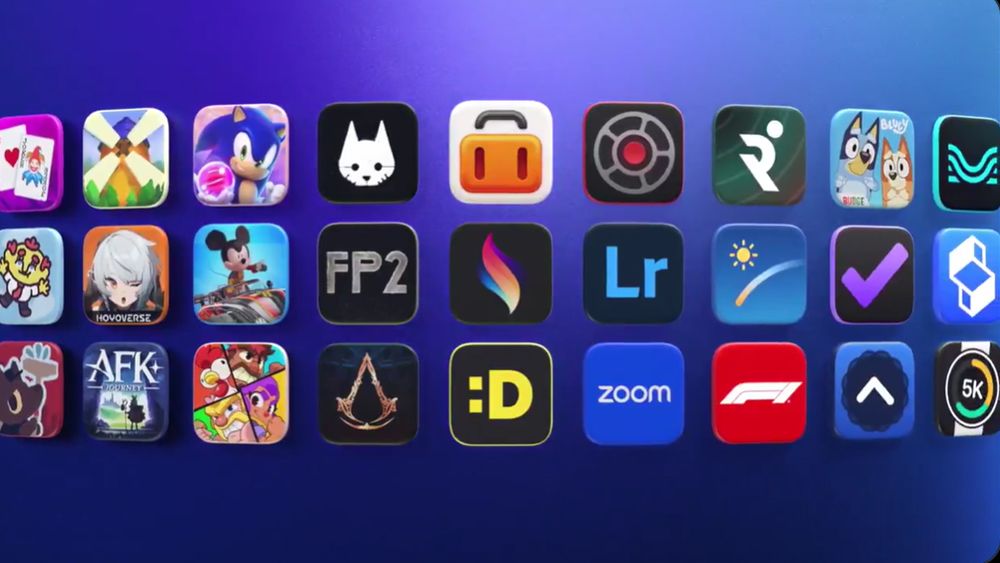
Procreate Dreams Nominated as iPad App of the Year

0

Procreate Dreams Nominated for iPad App of the Year

Google Gemini on Your Phone

0

The Future of Google-Powered Digital Assistants: What You Can Do with Gemini

Pay or Not?
Gemini, the new AI-powered digital assistant from Google, comes preinstalled on Google Pixel 9 phones and can be installed on older Pixels and non-Pixel handsets. There’s also an app for iPhone. You can grab the Gemini app for free on Android and iOS, sign in with your Google account, and switch.

Chatting with Gemini
The Gemini interface is simple: input your question or comment at the bottom of the screen, and the answer appears at the top. You can interact with Gemini using four methods: typing, using the mic icon to verbalize your request, using the camera icon to query an image, or using the sound wave icon to talk to Gemini Live.

What Can You Do?
Gemini can respond to a variety of topics, such as:

  • "Give me some birthday theme ideas for a 5-year-old."
  • "Draft the text of an email telling my boss I want a promotion."
  • "Which sci-fi podcasts should I be listening to?"
  • "Write a poem about the iPhone 16."

Image Generation and More
You can get Gemini to generate images using Google’s Imagen 3 engine, regardless of whether you pay for Gemini Advanced. However, you can’t generate images of people unless you’re a subscriber. You can also use the camera icon to take a photo to add to your prompt or upload an image from your gallery.

Extensions and Capabilities
Gemini is gradually gaining more capabilities across the web and mobile apps, and Google is releasing these upgrades as individual extensions. These extensions can add to Gemini’s capabilities, such as being able to set a timer or control your smart lights.

Putting Gemini to Work
You can use extensions to add to Gemini’s capabilities, such as:

  • Google Map: "What’s on my schedule for this weekend?"
  • Gmail: "Tell me about the emails I got today."
  • YouTube Music: "Play some R.E.M. tunes."
  • Google Maps: "How long will it take me to drive to Los Angeles?"
  • Utilities: "Set an alarm for 7AM tomorrow."

Conclusion
Gemini is undoubtedly where Google will be investing its time and effort in the future. While it may not yet support multiple music streaming services or smart home controls, it’s a powerful tool that’s worth exploring.

Frequently Asked Questions

Q: What is the difference between Gemini and Google Assistant?
A: Gemini is a new AI-powered digital assistant that replaces Google Assistant, offering more advanced capabilities and features.

Q: Can I still use Google Assistant?
A: Yes, you can still use Google Assistant on your phone if you prefer.

Q: Can I switch back to Google Assistant?
A: Yes, you can switch back to Google Assistant from the Settings app.

Q: What are the limitations of Gemini?
A: Gemini currently does not support multiple music streaming services, smart home controls, or routines from a single voice command.

Kermit in Over 25 Films and TV Shows

0

Kermit the Frog’s Breakout Roles: A Blender Masterclass

My Favourite Wacom Drawing Tablet Drops in Price for Black Friday

0

The Best Drawing Tablet Deals Today

Wacom Movink 13: A Top-Notch Drawing Tablet at a Discounted Price

The Wacom Movink 13, only released in May this year, has received a first-time price drop ahead of Black Friday. Amazon is offering the device for $699.95, down from its original price of $749.95. For UK readers, Wacom is offering the same tablet at £729.98, a discounted price from its original £833. However, US readers can snag an even better deal with the Movink 13 Bundle, which includes all the necessary accessories, for $869.40 at Wacom.

Why This Deal is So Good

This price drop is significant because it’s not only a first-time discount on the newest Wacom pen display, but also a discount on one of the most advanced tablets released this year. The Movink 13 features a stunning Samsung FHD OLED screen designed specifically for artists, a first for Wacom. With its 4mm thin design, it’s perfect for both creating art and serving as a second screen when not in use.

The Best Drawing Tablet Deals Today: US

  • Wacom Movink 13: $699.95 at Amazon
  • Wacom Movink 13 Bundle: $869.40 at Wacom

The Best Drawing Tablet Deals Today: UK

  • Wacom Movink 13: £729.98 at Wacom

Wacom Movink 13 Review and Guides

For more information on the Wacom Movink 13, check out my review, where I called it "near perfect." You can also find it in my best drawing tablets and best Wacom tablets guides.

Conclusion

The Wacom Movink 13 is a top-notch drawing tablet with a stunning OLED screen and sleek design. With this price drop, it’s an even more attractive option for artists and professionals. Don’t miss out on this opportunity to get your hands on this advanced device at a discounted price.

Frequently Asked Questions

Q: What is the original price of the Wacom Movink 13?
A: The original price of the Wacom Movink 13 is $749.95 in the US and £833 in the UK.

Q: What is the current price of the Wacom Movink 13?
A: The current price of the Wacom Movink 13 is $699.95 in the US and £729.98 in the UK.

Q: What is the Wacom Movink 13 Bundle, and how much does it cost?
A: The Wacom Movink 13 Bundle includes all the necessary accessories and costs $869.40.

Q: Is the Wacom Movink 13 available in the UK?
A: Yes, the Wacom Movink 13 is available in the UK and can be purchased at Wacom for £729.98.

Two AI Content Detectors Correctly Identified AI Text Every Time

0

When I first examined whether it’s possible to fight back against AI-generated plagiarism, and how that might work, it was January 2023, just a few months into the world’s exploding awareness of generative AI.

This is an updated version of that original January 2023 article. When I first tested GPT detectors, I used three: the GPT-2 Output Detector, Writer.com AI Content Detector, and Content at Scale AI Content Detection (which is apparently now called BrandWell).

The best result was 66% correct from the GPT-2 Output Detector. I did another test in October 2023 and added three more: GPTZero, ZeroGPT (yes, they’re different), and Writefull’s GPT Detector. Then, in the summer of 2024, I added QuillBot and a commercial service, Originality.ai, to the mix. This time, I’ll also be adding Grammarly’s beta checker.

In October 2023, I removed the Writer.com AI Content Detector from our test suite because it failed back in January 2023, it failed again in October, and it failed in summer 2024. However, it now appears to work, so I’m including it in the test suite. See below for a comment from the company, which their team sent me after the original article was published in January.

What I’m testing for and how I’m doing it

Before I go on, though, we should discuss plagiarism and how it relates to our problem. Merriam-Webster defines “plagiarize” as “to steal and pass off (the ideas or words of another) as one’s own; use (another’s production) without crediting the source.”

This definition fits AI-created content well. While someone using an AI tool like Notion AI or ChatGPT isn’t stealing content, if that person doesn’t credit the words as coming from an AI and claims them as their own, it still meets the dictionary definition of plagiarism.

Test Results

Here are the test results for the above text, which I wrote myself:

  • GPT-2 Output Detector: 99.98% real
  • Writer.com: 95% human-generated content
  • BrandWell AI Content Detection: Passes as human
  • GPTZero: 98% human
  • ZeroGPT: 22% AI GPT Your Text is Most Likely Human written
  • Writefull GPT Detector: 1% likely this comes from GPT-3, GPT-4 or ChatGPT
  • Originality.ai: We are 99% confident that text is original
  • QuillBot: 42% of text is likely AI-generated
  • Grammarly: We didn’t detect common AI text patterns. Your document doesn’t appear to contain AI-generated text.

Final Thoughts

First, I’ll let ChatGPT have its say: AI-driven plagiarism is a growing problem, as AI tools like Notion AI and ChatGPT can generate text that is difficult to distinguish from that written by humans. There are several ways to detect whether a piece of text was generated by an AI, such as looking for repetitive or unusual patterns, checking for a lack of originality, or using a plagiarism checker. Plagiarism checkers like Turnitin, PlagScan, and Copyleaks may be able to identify certain characteristics of language model-generated text, but they are not foolproof.

Even the speciality tools I found were woefully unsuited to the task. There was some limited improvement over my tests in January. However, I certainly wouldn’t feel comfortable threatening a student’s academic standing or accusing them of cheating based on the results of these tools.

At this point, I don’t think we’re ready to let AI fight AI. Instead, we’ll have to rely on human perception (which means folks have to pay attention) to identify works generated by an AI.

Conclusion

So, what do you think? Can you tell if a piece is AI-generated? Have you used these AI writing tools in the months since they suddenly became available? Do you think they’re a help or hindrance to education and journalism? Let us know in the comments below.

FAQs

Q: Can AI-generated text be detected?
A: Yes, but it’s not easy. The results of the detectors I tested were inconsistent and not always accurate.

Q: Are AI writing tools helpful or harmful?
A: It depends on how they are used. AI writing tools can save time and effort, but they can also be used to produce misleading or biased content or to replace human writers.

Q: Can I use AI writing tools in education and journalism?
A: Yes, but it’s important to use them responsibly and to ensure that the content generated is accurate and original.

Q: Are plagiarism checkers effective?
A: Plagiarism checkers like Turnitin, PlagScan, and Copyleaks may be able to identify certain characteristics of language model-generated text, but they are not foolproof.

Think Lighter to AGI

0

The Rise of AI-Powered Apps in 2025

In 2025, entrepreneurs will unleash a flood of AI-powered apps. Finally, generative AI will deliver on the hype with a new crop of affordable consumer and business apps.

A Lopsided Ecosystem

For example, Elon Musk raised $6 billion to launch the newcomer xAI and bought 100,000 Nvidia H100 GPUs, the costly chips used to process AI, costing north of $3 billion to train its model, Grok. At those prices, only techno-tycoons can afford to build these giant LLMs.

The incredible spending by companies such as OpenAI, Google, and xAI has created a lopsided ecosystem that’s bottom heavy and top light. The LLMs trained by these huge GPU farms are usually also very expensive for inference, the process of entering a prompt and generating a response from large language models that is embedded in every app using AI.

The Cost of Inference

As a result, excellent LLMs with high inference costs have made it unaffordable to proliferate killer apps. This lopsided ecosystem of ultra-rich tech moguls battling each other has enriched Nvidia while forcing application developers into a catch-22 of either using a low-cost and low-performance model bound to disappoint users, or face paying exorbitant inference costs and risk going bankrupt.

A New Approach Emerges

In 2025, a new approach will emerge that can change all that. This will return to what we’ve learned from previous technology revolutions, such as the PC era of Intel and Windows or the mobile era of Qualcomm and Android, where Moore’s law improved PCs and apps, and lower bandwidth cost improved mobile phones and apps year after year.

A New Law for AI Inference

But what about the high inference cost? A new law for AI inference is just around the corner. The cost of inference has fallen by a factor of 10 per year, pushed down by new AI algorithms, inference technologies, and better chips at lower prices.

A Reference Point

As a reference point, if a third-party developer used OpenAI’s top-of-the-line models to build AI search, in May 2023 the cost would be about $10 per query, while Google’s non-Gen-AI search costs $0.01, a 1,000x difference. But by May 2024, the price of OpenAI’s top model came down to about $1 per query. At this unprecedented 10x-per-year price drop, application developers will be able to use ever higher-quality and lower-cost models, leading to a proliferation of AI apps in the next two years.

Conclusion

In 2025, the floodgates of AI-powered apps will open, and entrepreneurs will unleash a new wave of innovative and affordable apps that will revolutionize industries and change the way we live and work. The era of affordable and high-quality AI is finally here.

FAQs

Q: What is the current state of the AI ecosystem?

A: The current state of the AI ecosystem is lopsided, with a few ultra-rich tech moguls competing with each other to train the most powerful large language models, while application developers are forced to choose between low-cost and low-performance models or exorbitant inference costs.

Q: What is the cost of inference in the current ecosystem?

A: The cost of inference in the current ecosystem is very high, with some models costing up to $10 per query. However, a new law for AI inference is emerging, which will reduce the cost of inference by a factor of 10 per year.

Q: What is the impact of the new law for AI inference?

A: The new law for AI inference will make it possible for application developers to use ever higher-quality and lower-cost models, leading to a proliferation of AI apps in the next two years.

Q: What are the implications of the rise of AI-powered apps?

A: The rise of AI-powered apps will revolutionize industries and change the way we live and work, enabling entrepreneurs to create innovative and affordable apps that will have a profound impact on society.

Philadelphia 76ers: Ultimate Kerning Sin

0

NBA Team’s Graphic Design Error Leaves Fans in Stitches

NBA team the Philadelphia 76ers found themselves in a spot of bother during last Sunday’s game when fans noticed an unfortunate graphic design error in one of their tweets. A bold typographical choice and some misjudged kerning led to a serious typo, turning the word ‘final’ into something far more cheeky.

A Tough Lesson in Typography and Kerning

As our ultimate guide to kerning suggests, it’s best to watch out for problematic letter pairings and always take a step back from your work to get the bigger picture. Whoever’s in charge of the 76ers social media certainly got a cold hard lesson in why graphic design is so important, but that hasn’t stopped fans from seeing the funny side.

The Design Fail

The design fail in question appeared in a social post displaying the team’s ‘final’ score. Due to the retro style of the font, unfortunately, the ‘f’ and ‘i’ appeared to merge into an ‘a’, resulting in a much ruder-looking word (I’ll let you work that one out for yourself).

Fan Reaction

“Shoulda went with Times New Roman” one fan tweeted in response. “They knew exactly what they were doing and it’s shameless,” another claimed. While I hold my reservations as to whether it was purposeful (the swift deletion of the post suggests otherwise) it’s a harrowing and hilarious reminder that correct kerning is key.

The Image That Caused the Commotion

Conclusion

The 76ers’ graphic design error serves as a reminder that even the smallest mistakes can have a big impact. While it’s easy to laugh at the situation, it’s also a valuable lesson in the importance of attention to detail and careful design decisions.

FAQs

Q: Was the graphic design error intentional?
A: While it’s impossible to say for certain, the swift deletion of the post suggests that it was likely an honest mistake.

Q: How did fans react to the design fail?
A: Fans took to social media to poke fun at the mistake, with many expressing amusement and others criticizing the team for their lack of attention to detail.

Q: What can be learned from this design fail?
A: The incident serves as a reminder of the importance of careful design decisions and attention to detail, even in the age of social media and instant communication.

Womp Launches 3D Printing with Home Delivery

0

Accessible Web-Based 3D Modeling Platform Expands with 3D Printing Service

Womp, an accessible web-based 3D modeling platform, has announced its expansion with an exciting new 3D printing service. This paid service allows creatives to convert their 3D design concepts into professional-quality 3D printed models, delivered right to their doorstep.

User Experience and Capabilities

I used Womp for the first time a few months ago and was amazed by its capabilities as a fairly basic web browser 3D modeling app. I love the cutesy branding and easy navigation of the site, which made it easy for me to learn how to 3D model in just a week using its super beginner-friendly tools and tutorials. I was able to 3D print the models myself, which came out wonderfully.

New 3D Printing Service

Womp’s new 3D printing service uses laser SLA (Stereolithography) technology and will be sticking to only industrial-grade White Prototyping Plastic (WPP) resin materials for now, with more options coming soon. This sounds like an excellent starting point, although it means that customers will have to color and paint the models themselves – which is all part of the fun!

Prices and Features

In general, I think Womp’s new 3D printing service is awesome and makes 3D printing accessible to a lot more creatives. However, I am questioning some of the "affordable" prices it’s promising. I attempted to get a quote on one of my camera models that I made on Womp a while back, to which Womp has quoted me a whopping $181 to print at a height of about 3 inches. The Print mode when designing in Womp lets you use a banana for scale, and you can prep your print for different sizes, but after playing around with this, it still resulted in a hefty quote price for me as a non-Pro user. If I were to join Womp Pro and hollow out the model for printing, the price would reduce from $181 to $33, which still seems far too expensive for a small 3-inch model.

Benefits of Resin Printing

On the plus side, I totally understand Womp’s choice in using smoother resin materials over the more commonly used PLA plastic, given that rugged layer lines and general imperfections can be rife with FDM printing and very unpredictable. Resin printing usually offers unmatched detail and smoother finishes in comparison, and I’m very eager to try a resin printer out for myself soon to see the difference.

Tips and Considerations

One thing to be cautious of if you’re planning to try out Womp’s 3D printing service is that you’ll need to account for drainage holes in your model design. This is super important with SLA printing, as any trapped liquid must be able to drain out or else it will not cure properly and remain as liquid, causing pressure to form and damaging the printed model. Womp says that if you forget or choose not to add drain holes in your model, the 3D printing technicians may place one themselves.

Conclusion

Womp’s new 3D printing service is an exciting development in the world of accessible 3D modeling. While the prices may be a bit steep for some, the benefits of resin printing and the ease of use of Womp’s platform make it a great option for creatives who want to bring their designs to life.

Frequently Asked Questions

Q: What kind of 3D printing technology does Womp use?
A: Womp uses laser SLA (Stereolithography) technology.

Q: What kind of materials does Womp use for 3D printing?
A: Womp uses industrial-grade White Prototyping Plastic (WPP) resin materials for now, with more options coming soon.

Q: Can I design and print my own models with Womp?
A: Yes, Womp offers a user-friendly web-based 3D modeling app that allows you to design and print your own models.

Q: How much does Womp’s 3D printing service cost?
A: Prices vary depending on the size and complexity of the model, but Womp offers a 7-day free trial of Womp Pro, which costs $12.99 per month or $9.99 per month on an annual plan.

Q: Do I need to add drainage holes to my model design?
A: Yes, you’ll need to account for drainage holes in your model design to ensure proper printing and to avoid damage to the printed model.